











Separating Count Takeoff
I am doing a count takeoff for doors which are the same type but they are located in different sectors. How do I separate count takeoff to be able to assign a different use group/WBS?

Tim,
Here is the workflow I show people that seems to work for most. Is this a high or low priority to break it out by "areas" (OST nomenclature).
70 second vid LINK
🎉1%22%2F%3E%3Ctext%20x%3D%2232%22%20y%3D%2233%22%20text-anchor%3D%22middle%22%20dominant-baseline%3D%22central%22%20font-family%3D%22Arial%2C%20sans-serif%22%20font-size%3D%2226%22%20font-weight%3D%22600%22%20fill%3D%22%23fff%22%3ELD%3C%2Ftext%3E%3C%2Fsvg%3E "Lewis, Stephen D")
Thank you. It makes sense.
%22%2F%3E%3Ctext%20x%3D%2232%22%20y%3D%2233%22%20text-anchor%3D%22middle%22%20dominant-baseline%3D%22central%22%20font-family%3D%22Arial%2C%20sans-serif%22%20font-size%3D%2226%22%20font-weight%3D%22600%22%20fill%3D%22%23fff%22%3ETB%3C%2Ftext%3E%3C%2Fsvg%3E "Timothy Burton")
Kyle,
I was asking on behalf of Stephen. For me it is low priority. I've just been creating a separate takeoff item i.e. F5 Spread footing 5x5x24 - Sector A, F5 Spread footing 5x5x24 - Sector B.
👍1Tim,
Ahhh good to hear. We had a mega job in the PNW where they used areas and zones to breakout the world. I recommended they do NOt use zzTO since all the breakouts, but they made more use groups and custom sorts in zzTO and they said F you Kyle, watch us lol. They are doing it.
👍2😂1
Kyle how are you adding the use group dropdown to your takeoffs? Seems like an easy way to save from making folders for trade packages 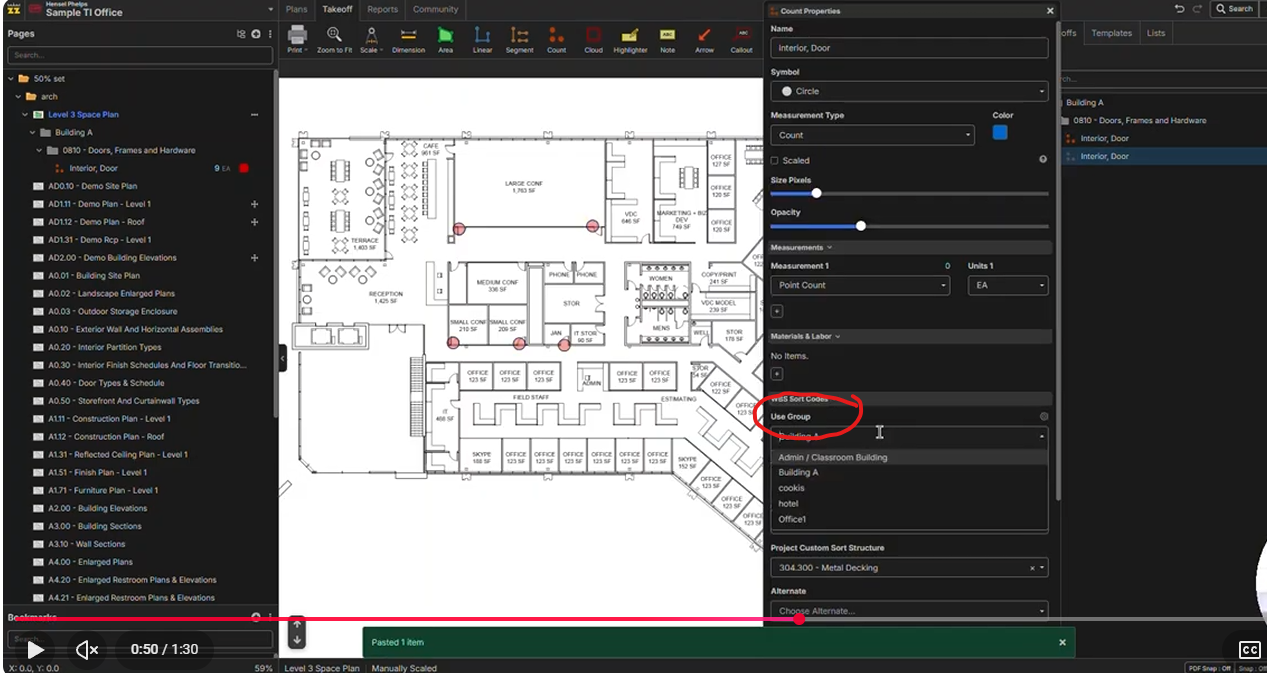
@Brad,
The grey folders are upgraded yellow folders......think of grey folders like structured legos to hop from tool to tool or project to project. Use grey folders!
Here is a quick overview of how we have setup our template and how to make them LINK