










 Q & A
Q & ASheets Merging
How do you upload second set of drawings without merging with original? Want to have separate sheets.
%22%2F%3E%3Ctext%20x%3D%2232%22%20y%3D%2233%22%20text-anchor%3D%22middle%22%20dominant-baseline%3D%22central%22%20font-family%3D%22Arial%2C%20sans-serif%22%20font-size%3D%2226%22%20font-weight%3D%22600%22%20fill%3D%22%23fff%22%3EKP%3C%2Ftext%3E%3C%2Fsvg%3E "Kory Podgaysky")
I've requested an option to bypass versioning for this scenario.
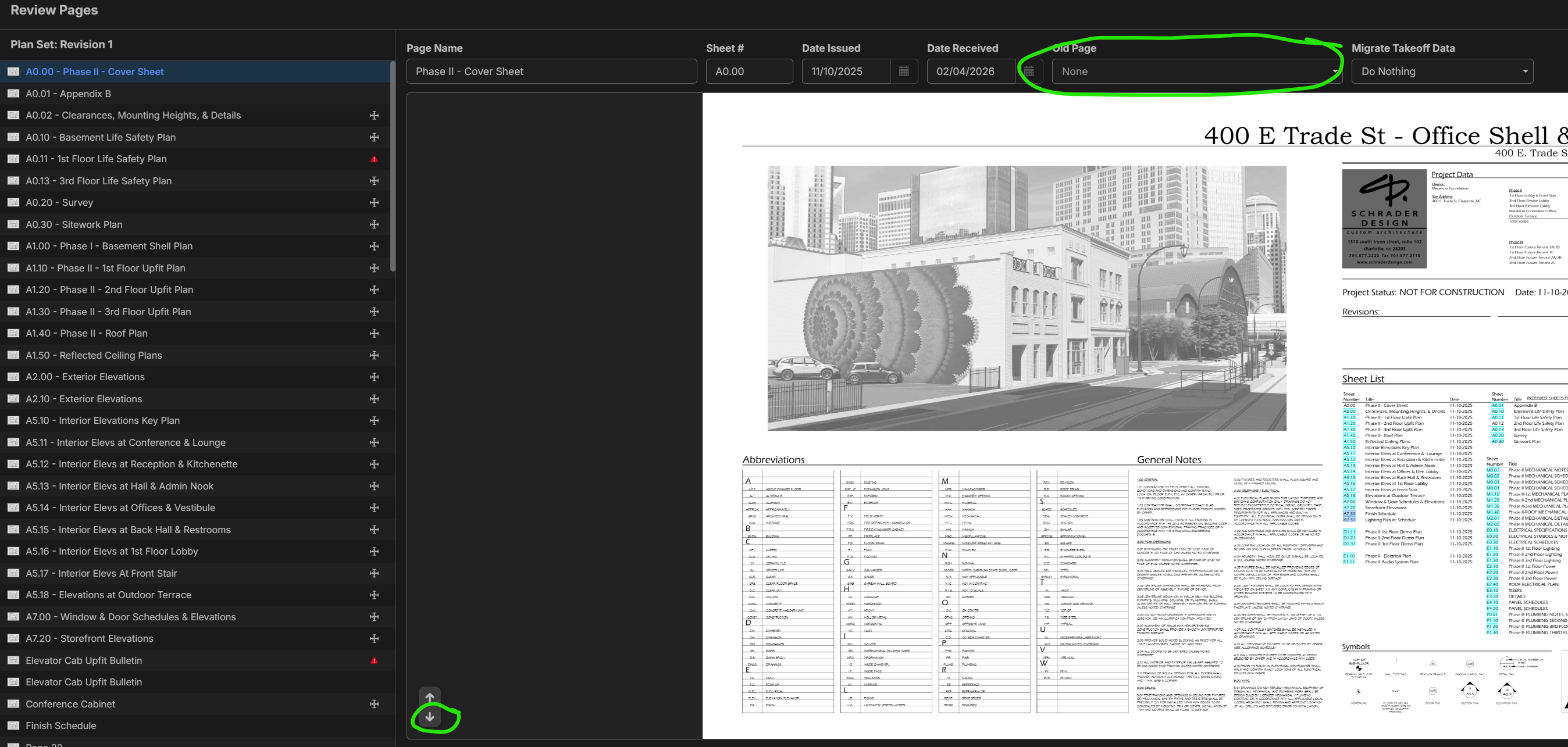
For now, the work around I use is to flip through the pages on this "Review Pages" screen and make sure the Old Page field is set on none.

%22%2F%3E%3Ctext%20x%3D%2232%22%20y%3D%2233%22%20text-anchor%3D%22middle%22%20dominant-baseline%3D%22central%22%20font-family%3D%22Arial%2C%20sans-serif%22%20font-size%3D%2226%22%20font-weight%3D%22600%22%20fill%3D%22%23fff%22%3EDM%3C%2Ftext%3E%3C%2Fsvg%3E "Danny Montgomery")
Thanks! I'll give it a try.

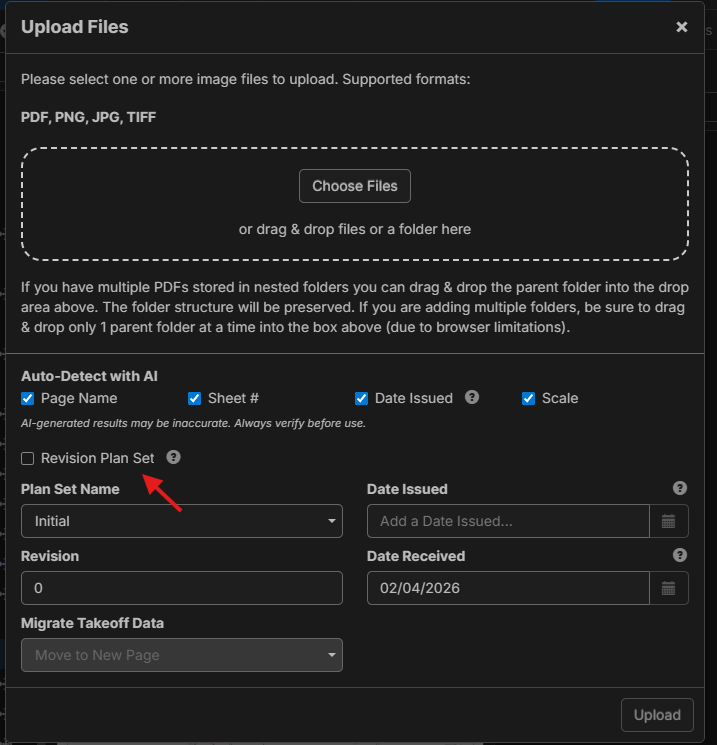
Just wanted to add to this - in our next release (currently in testing on TEST server), we are planning to make it so you have to check "Revision Plan Set" to version the plans.
This works for an individual page, but when I do multiple pages, it still merges.
You have to flip through all pages on the new plan import and verify that Old Page = None. Sounds like this work around won't be needed very long at all though thanks to the zz team rapidly improving this platform.
Got it!