











Shifting Pre-Magnifier Zoom Location
Not a bug per se, but when using the magnifier your original view of a page (pre-magnifier) shifts unexpectedly even without panning during magnifier. The original view should not change if there hasn't been any panning.
Simple test to confirm the problem:
1-Zoom to fit a whole page of the plan
2-Start a linear takeoff
3-Use magnifier to zoom to a corner of a large structure (e.g. foundation), select a point for takeoff, and release magnifier
4-Repeat step 3 following the perimeter of the structure.
You're original view of the page will not be the same.

Hey John, thanks for reporting! We'll dig into this.
Hey John, it looks like we have a setting for this called "Remember Magnifier Position". When this setting is checked, it will restore you to the previous position before using the magnifier, regardless of whether you panned or not.
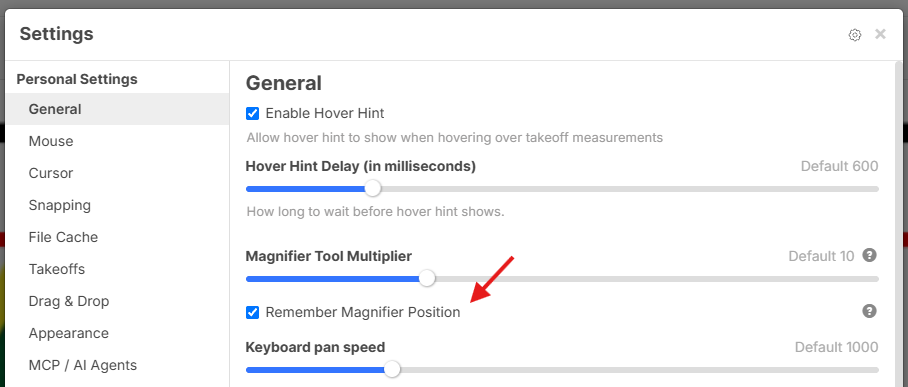

Lorin, I don't see a difference by checking or unchecking. It seems to behave the same way. Would you mind doing a short video clip for clarification?

Lorin, I did notice this setting a few days after I had submitted this as an issue, but I assumed it was the fix because I don't see a reason why it should behave otherwise. Testing this setting, it seems that it works, but I can't speak for EDINSA.
Maybe change the behavior to remember the original position and get rid of this setting altogether?
👍1@Edinsa
Here is without "Remember Magnifier Position" checked
And here is with "Remember Magnifier Position" checked
👍1Thank you Lorin, it is a very subtle feature. I wasn't aware you could do that at all.
👍1