











 Q & A
Q & ASort Plans inside a Project
Hey team, just wondering if there is a way for us to sort plans inside the folder by dragging etc?
I can see that folders are availble below but its a pain to drag plans one by one....
Do we have any workaround on this once plans are already uploaded and we need to add more drawings in the future ie once addendum comes etc.
Thanks!
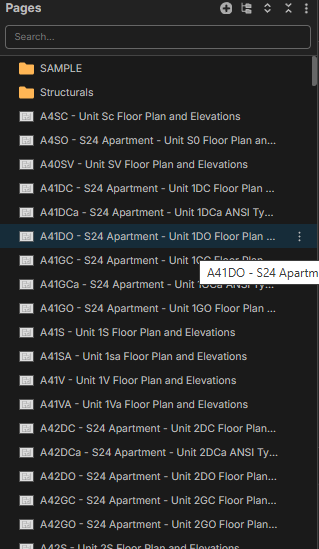

Hey Charina, instead of dragging pages 1 by 1, you can multi-select pages and drag them all at once. To multi-select pages, select your first page (or top page), then while holding down SHIFT, select the bottom page, and all of the pages in between will be automatically selected. Once you do this, you can click & drag the pages into their new folder. You can also hold down CTRL to single-select (or de-select) specific pages.
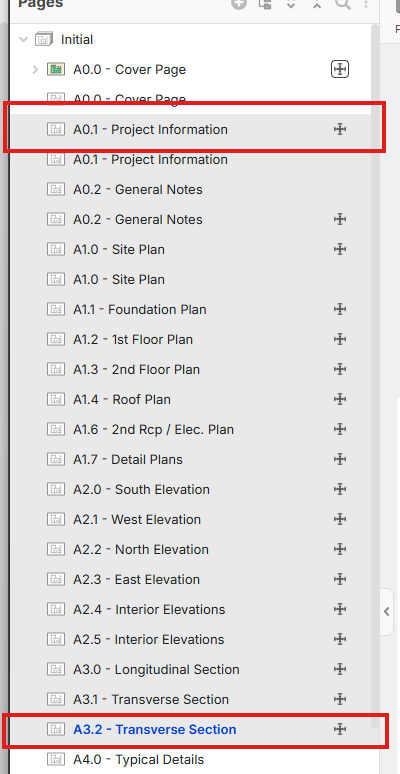
Does this solve your issue?
💯1
Hey Claude, please organize my drawings into folders based off the cover sheet index. Boom, it does it automatically. This job was 1,000 pages. Sorted them in about 2 minutes. If your not using claude your life is hard.


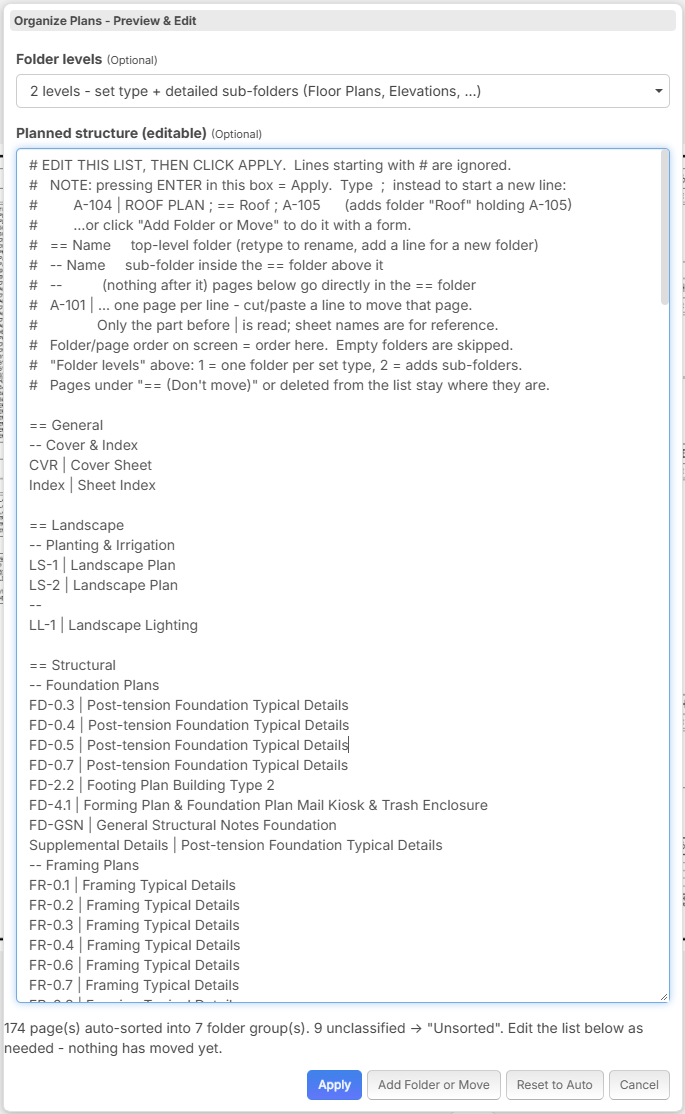
I made (Claude did) a plugin that makes that directly from zzTakeoff. Will dive into making a comparison if Claude integration is enough (first thing I think of is the usage) or the plugin is a best fit.
💯1🚀1
I love it! Thanks so much everyone.