





 Q & A
Q & ASplitting line items by finish level in reports for batch editing
I'm trying to get my reports to behave more like a high level spreadsheet for quick turnaround conceptual estimates, and I'm close but stuck on one thing.
This project's areas are tagged by finish level: High Level Finishes ($), Standard, Back of House, etc. My goal is to batch edit cost across all areas sharing a finish level directly in the report.
I can edit cost at the item name level, but the report then groups all the finish levels together into a single line (highlighted in red in the attached), so I can't isolate and edit one finish level at a time.
How do I configure the report to split these out so similar line items stay separated by finish level and I can batch edit each group? Is there a report setup better suited to this than what I'm using?
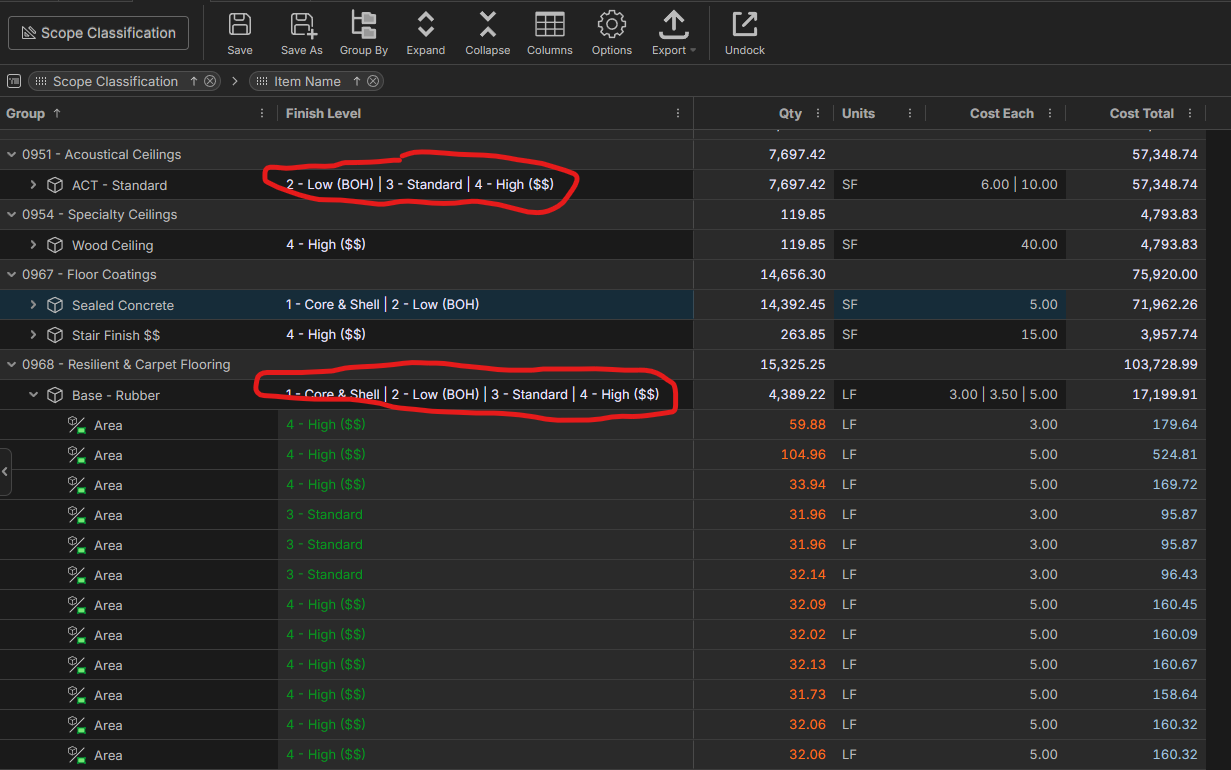

Hey Trenton, if you group by "Scope Classification," "Finish Level," then by "Item Name." The items should be separated by finish level, and you will be able to batch update prices.

That has worked! Now this is just being picky, but again i'm not understanding why this is happening. I have items with the same name and finish level but are separated, and items with different names but same finish level that are grouped. I prefer items with different names but the same finish level to be grouped.
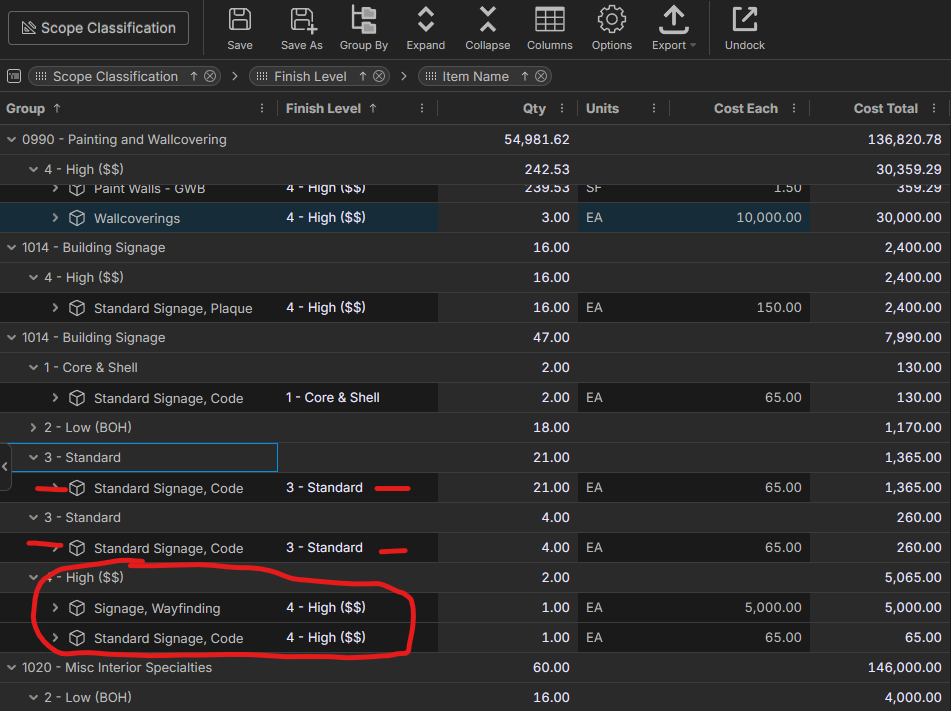

Hey Trenton, this could be caused if your "Finish Level" had an extra space at the end or front, or if the options in a dropdown changed halfway through the project. I would double-check your items to make sure they have the same value entered in for "Finish Level".