












Steel Takeoff
Question 1 Anyone have a decent steel takeoff example they could share? Even a picture to get some ideas. Our template is basic but wonder if there is a better way.
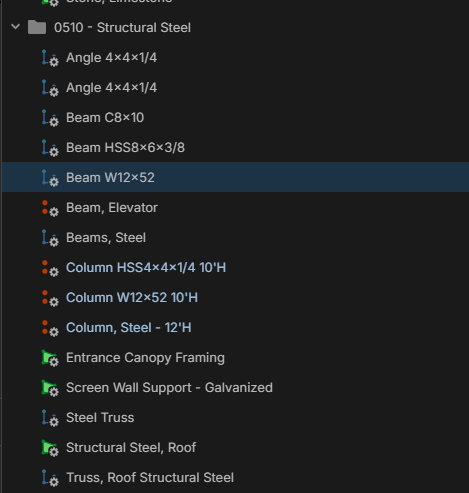
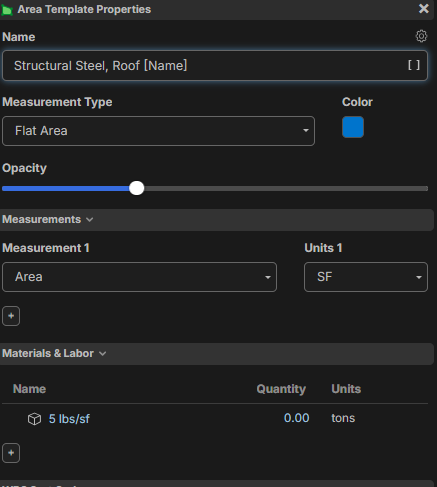
Question 2: Anyone know how to get the item name in the parent takeoff item. For example I want this to say "Structural Steel, Roof "5 lbs/sf" Or the inverse, where I want the item name to say that too once we convert to all items in the future.
%22%2F%3E%3Ctext%20x%3D%2232%22%20y%3D%2233%22%20text-anchor%3D%22middle%22%20dominant-baseline%3D%22central%22%20font-family%3D%22Arial%2C%20sans-serif%22%20font-size%3D%2226%22%20font-weight%3D%22600%22%20fill%3D%22%23fff%22%3EKP%3C%2Ftext%3E%3C%2Fsvg%3E "Kory Podgaysky")
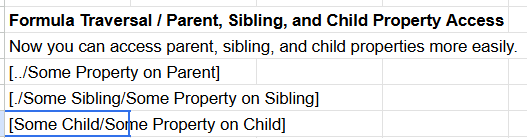

If you only have one or two child Items, click gear in the name property and select "Auto Name'. That will bring up the child Item names.
If you have a bunch of child items it will bring them all up... so be careful.
%22%2F%3E%3Ctext%20x%3D%2232%22%20y%3D%2233%22%20text-anchor%3D%22middle%22%20dominant-baseline%3D%22central%22%20font-family%3D%22Arial%2C%20sans-serif%22%20font-size%3D%2226%22%20font-weight%3D%22600%22%20fill%3D%22%23fff%22%3EVT%3C%2Ftext%3E%3C%2Fsvg%3E "Victor Tengowski")
I just completed a QTO of a 1,500+ ton project. It's a bit of mess, but I ended up doing this:
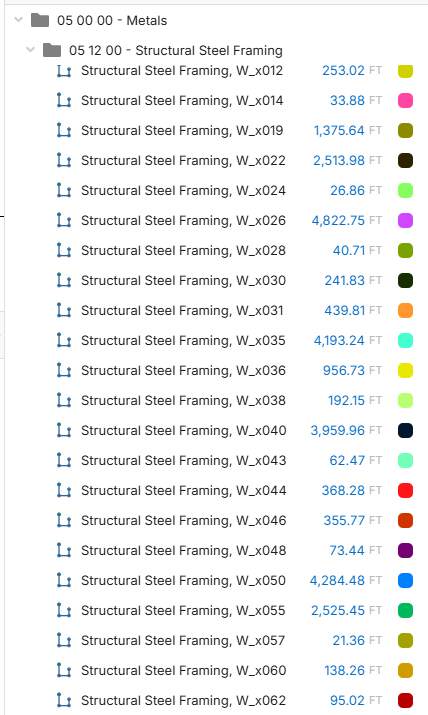
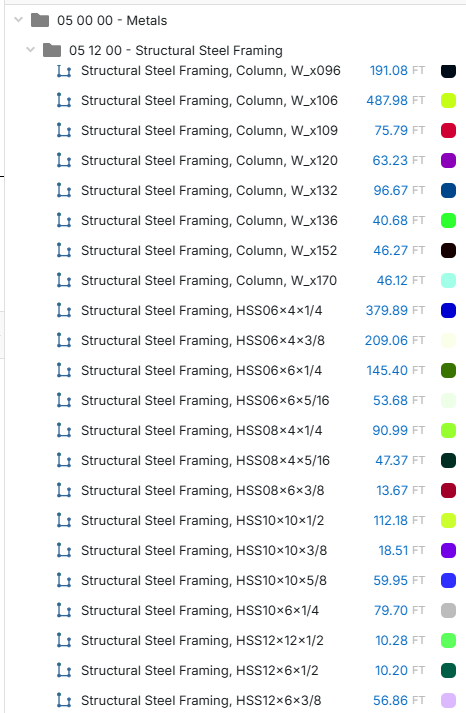
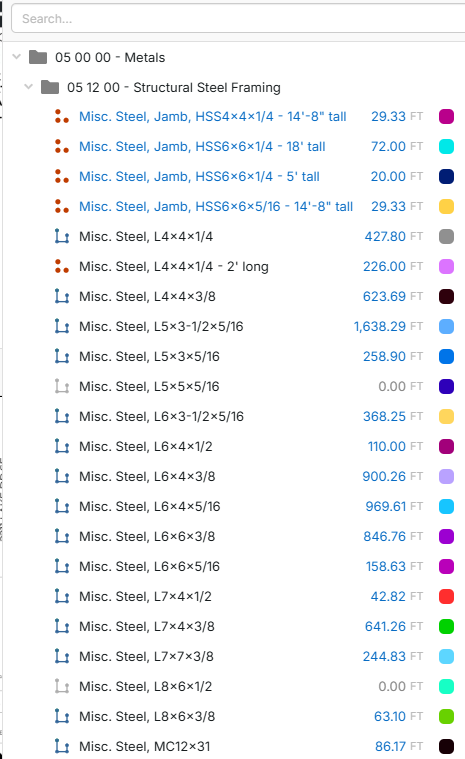
This is just a few screenshots of the takeoffs I created and not all of them. I don't think this is the most optimal way of doing it, but it's how I got it done. I then export this to an excel file and calculate tonnage separately. I can see if you were a dedicated steel estimator that used zzTakeoff for QTO each of these would have a part that then calculates the lbs/LF and sums it up, but I am not.
I'm interested in learning how others do their structural steel QTO as well.
👍1