











 Q & A
Q & ASubtotal Row
Is there a way to add a row in any of the reports to create subtotals of the lines above it?

Hi Jason! The only way to do this currently is to group by a specific column. We will be adding a "sum" function which will help though. Do you have any more details you can share about the specific thing you are trying to accomplish. I want to make sure the way we go about it can solve what you are after.

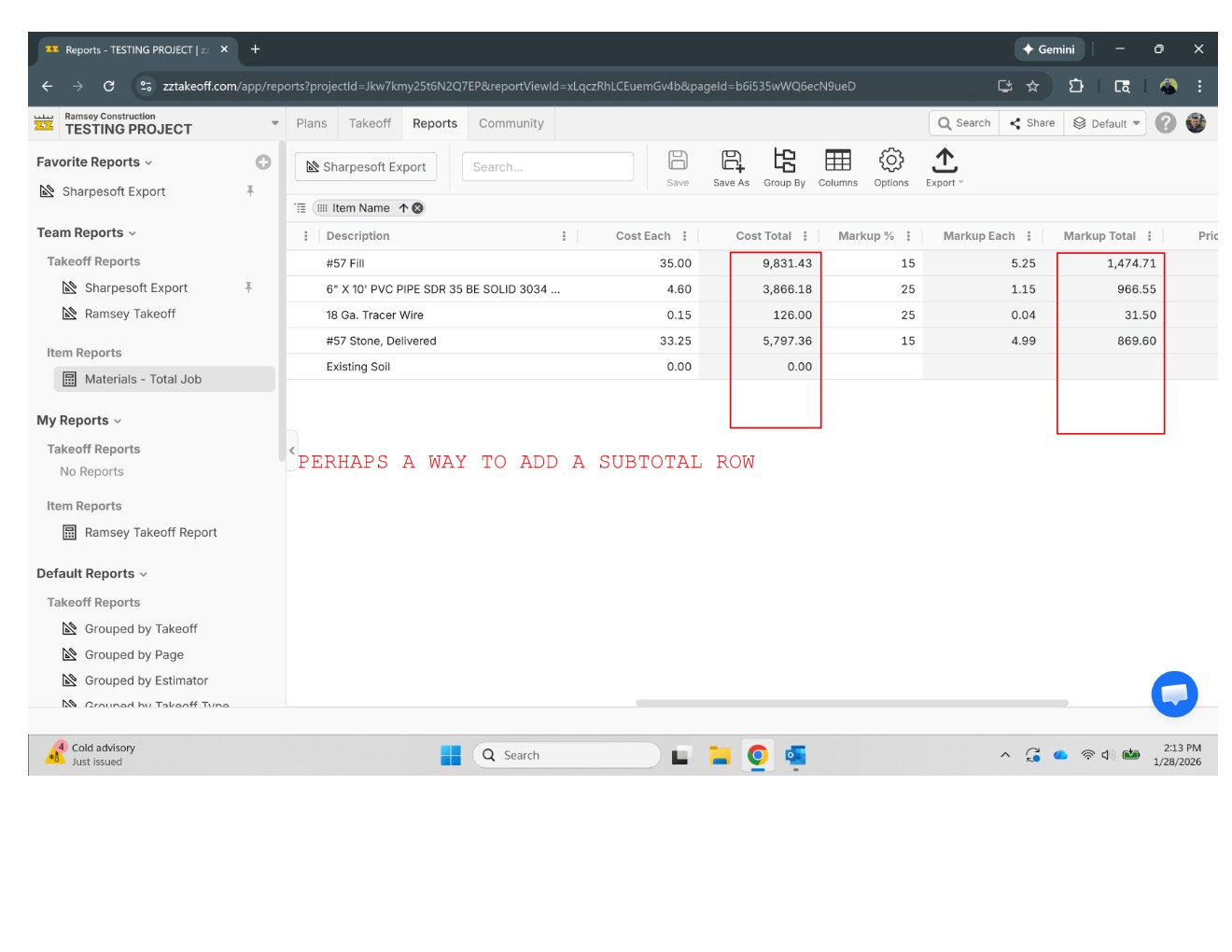
Thanks Heber! We are new here and testing out some of the system capabilities. One of the things that came up with other guys in the office was the ability to "auto sum" rows above. I'm sure this would come in handy in multiple areas however columns with pricing is where we noticed it first. Below is a quick snapshot of a simple materials report we saved. We were hoping there was a way to subtotal the pricing columns as shown.
Also, this particular example doesn't show different breakdowns but we would also need to separate the pricing totals by WBS and overall job totals, the way we would bid a project. Right now I'm using a Custom Properties field to tell ZZtakeoff the WBS I want to categorize each takeoff measurement.

I’ve found it very helpful to put layer first in group by. this will clearly show totals on the top row and depending on what else you’ve got you can usually find what you’re looking for. it will just populate at the top rather than the bottom
🚀1Luke, thanks! That actually did what we were looking for, just a matter of me messing around with the format now.
In kind of a related question though, I’ve been using a custom property to separate my WBS/CSI breakouts. You had mentioned grouping by Layers. Is there a benefit to using Layers over a custom property for that type of organization? Basically I need to breakout costs by WBS sections such as storm, sanitary, water etc. What is the best grouping function to do that in ZZtakeoff?
👍1i think you’ll find what you’re looking for playing around with it but if you put layer first it helps a lot so you still have a total total and below
you can keep grouping! try layers then your custom
property then cost type I find that very useful if you’ve got material
and labour parts
👍1
Jason, check out some of these vids that might also help. Goal of these vids was to send to anyone to be up and running quick.....granted you are talking about setup tho and learning with me too. LINK
👍1