











Takeoff Template and Child
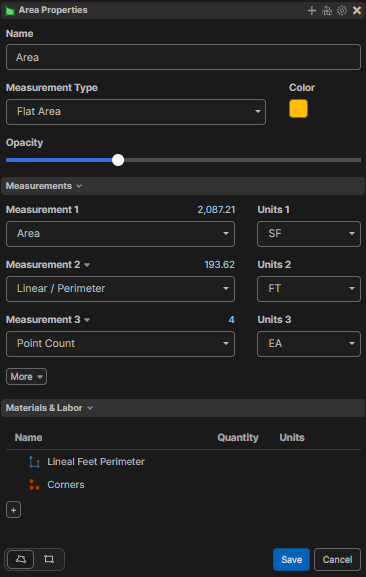
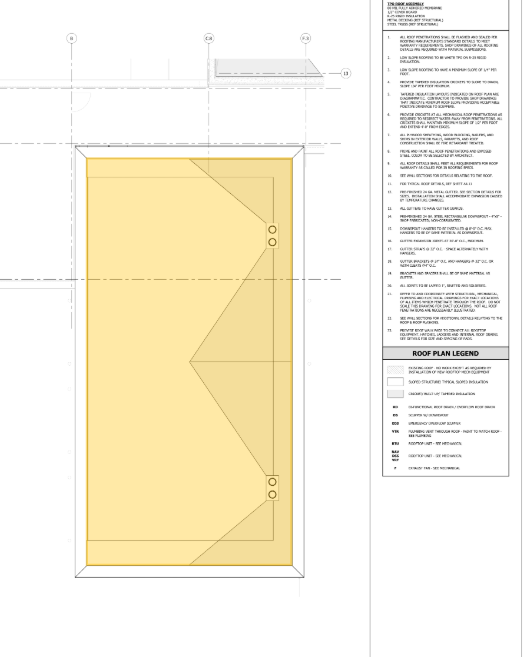
Is there a way for the 'New Child' to automatically calculate the takeoff based on the 'Mother' takeoff item? For example, if I am doing the 'Area' takeoff, I want it to track the linear perimeter and then the corners.
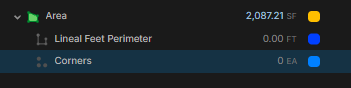
I added the area properties, but it is not tracking on the takeoffs. This is for when I need to export to my CSV file.

Hi DJ!
Yes - use Manual Linear and Manual Count to calculate directly from the parent Area.
1. Right-click Lineal Feet Perimeter, open Properties, and set Measurement Type to Manual Linear.
2. Set the Linear field’s units to FT.
3. Click the gear beside Linear, choose Formula, and enter: [../Linear:FT]
4. Click Save. This reads the parent Area’s perimeter in feet.
5. Right-click Corners, open Properties, and set Measurement Type to Manual Count.
6. Set the Point Count field’s units to EA.
7. Click the gear beside Point Count, choose Formula, and enter: [../Point Count]
8. Click Save. This reads the parent Area’s traced-point count, in each.
Both update automatically when the Area changes.
You can do this with child "Items" if you are using Item reports, but if you want them to show on a "Takeoff Report" this is the best way.