











Three Buildings - Three Drawing Sets - One Take Off
Hi Community, our team is pricing a project for three towers that has three different drawing sets. We have the project open under one project name. Our take off is utilizing Locations, etc, to separate towers which is working well but what's driving us insane is organizing the drawings in zz. Are we able to create folders, pin drawing sets together, etc., so we can have the set for Tower 1, Tower 2, Tower 3 without the drawings jumping order?
For example: We have three A-102 pages, three E-103 pages, etc. (one for each building).

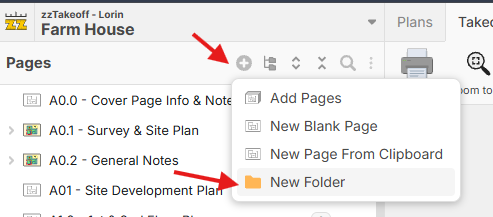
Hey Bruce! You can create folders in the pages sidebar using the + button. Once you do that, you can drag/drop the pages into the appropriate folders. We plan to add custom properties to the pages soon, so you could attach a location to the page (And potentially inherit the location down to the sections drawn on that page).
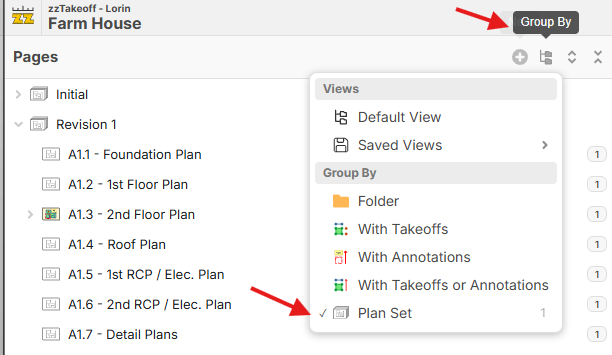
Side note: If you uploaded the 3 towers separately and gave them a unique "Plan Set" name, you can group by Plan Set.

Lovely, I think I was so deep in it I missed the forest on this one. I appreciate you pointing it out. Makes sense.
🚀1