











Unique Issue I Need Help With
TLDR: How to group certain takeoff pieces out of a complete takeoff that wasn't setup for individual footings.
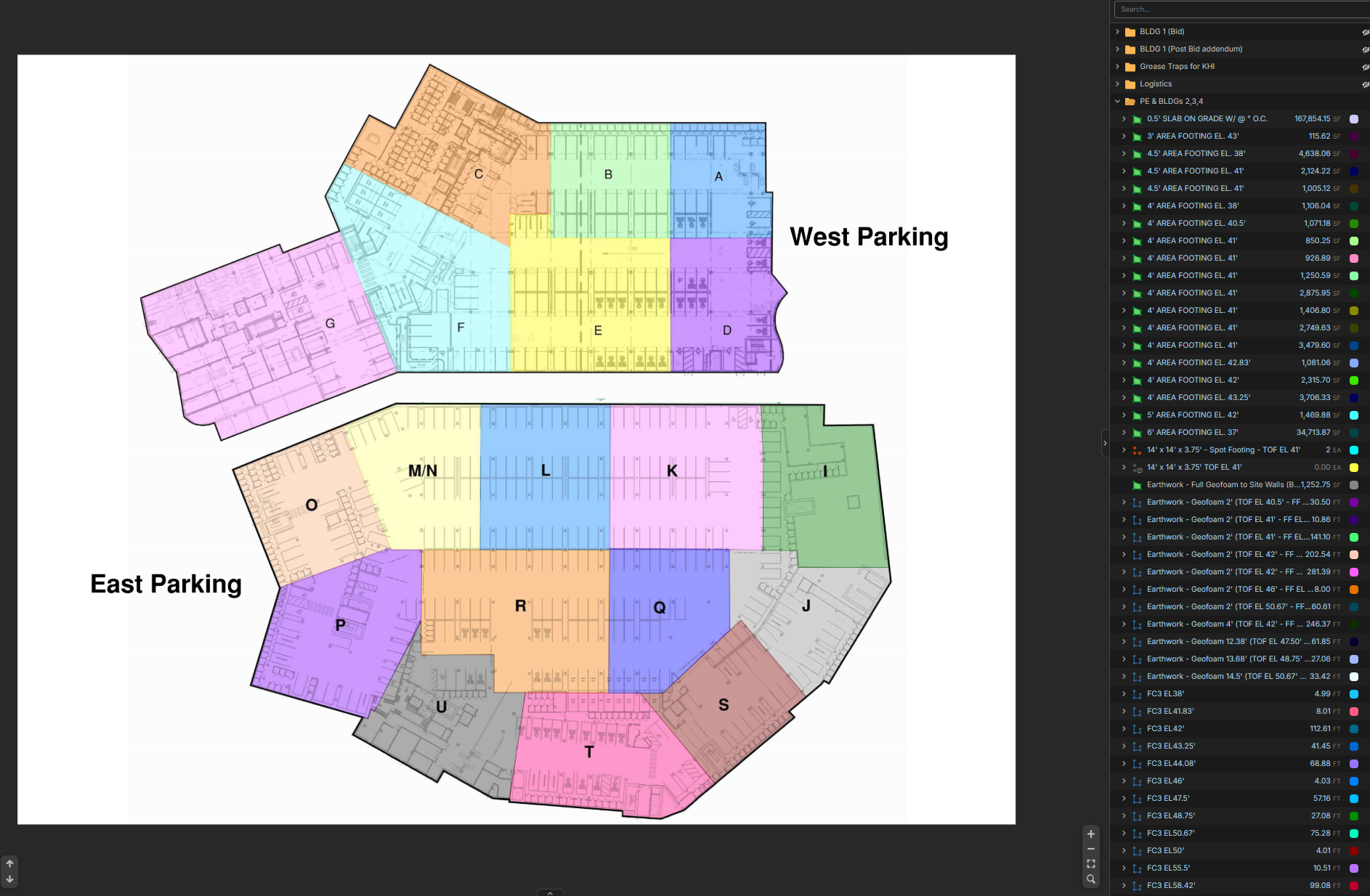
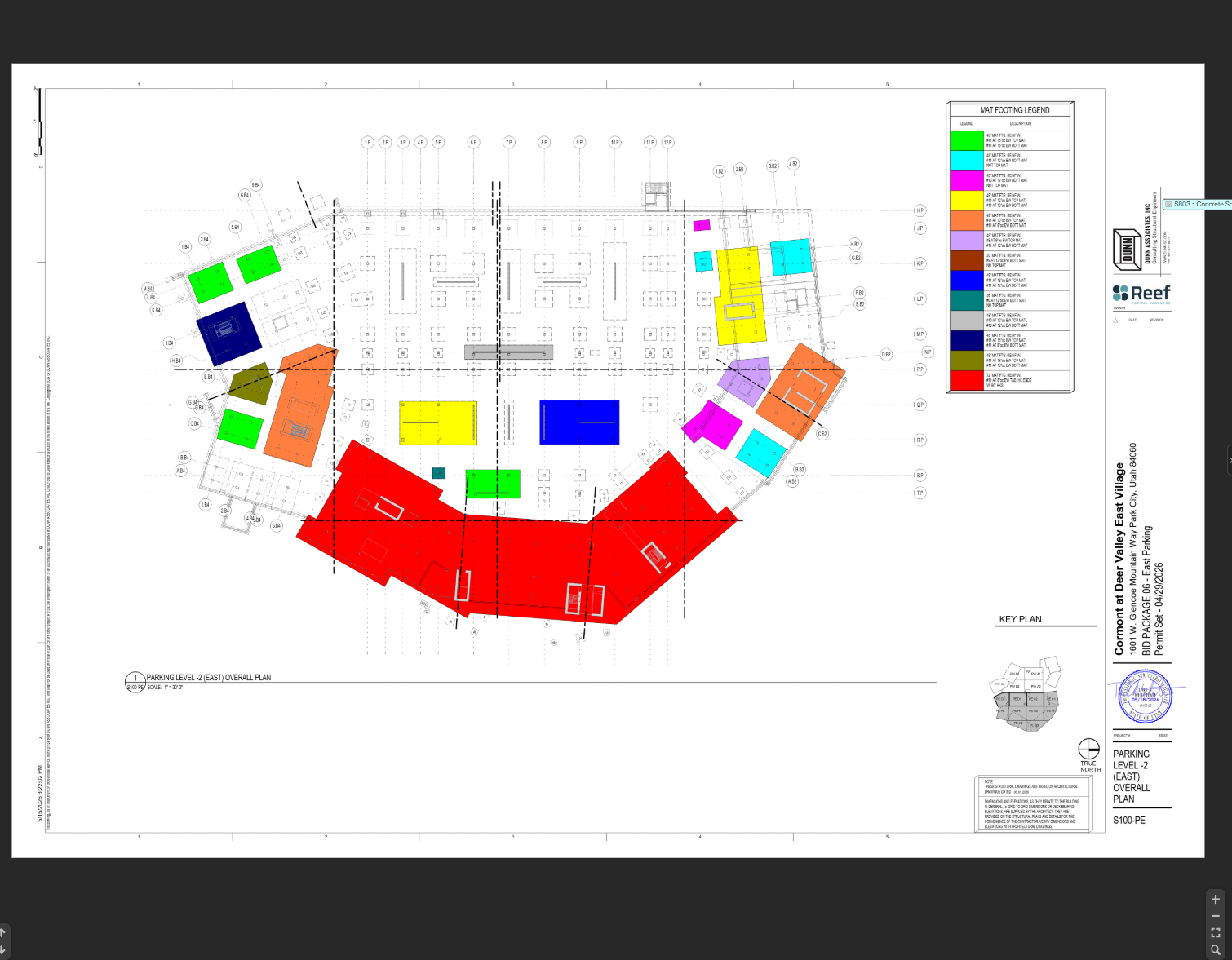
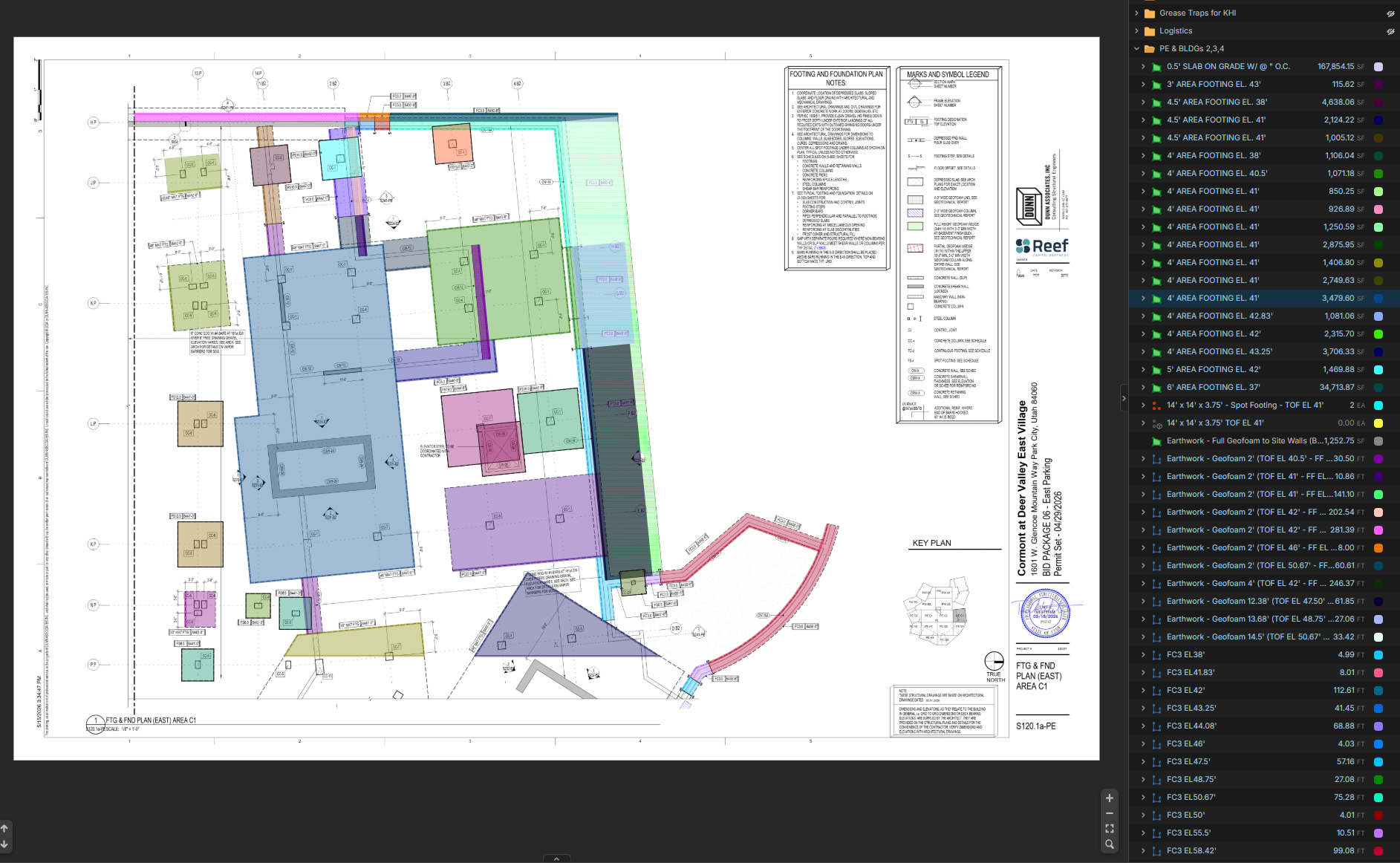
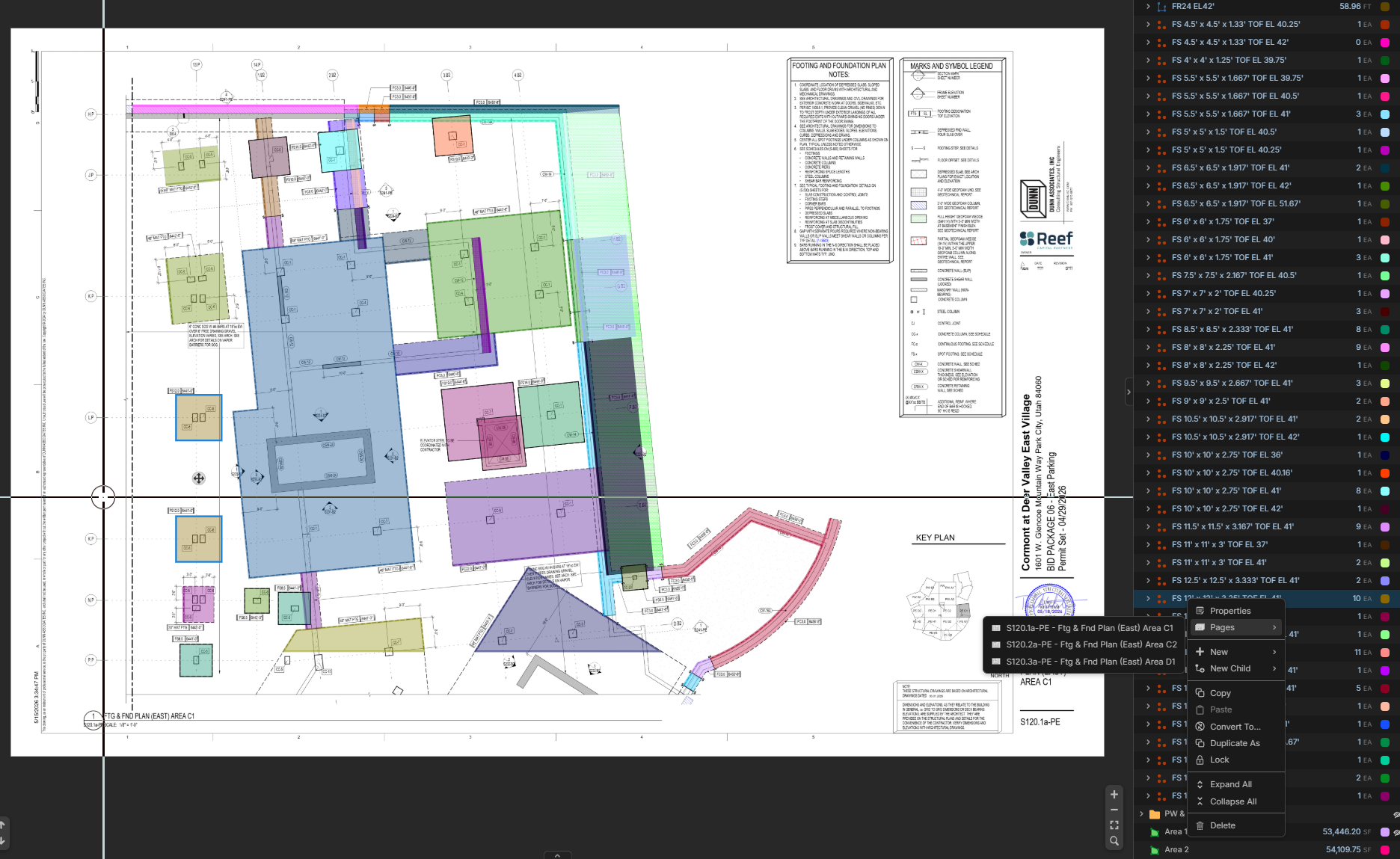
I have completed a footing takeoff for the entire East parking garage. The owner now want's only certain portions to be included in the new quote. I've attached their "areas" screenshot to show what they now want a quote on (Areas Map K-I-J-S). I first thought I could select the takeoffs within each area and basically re-layer them. That didn't work. On my takeoff, some footing types repeat. For example there might be 10 Type X footings total, but only 3 of them are within the K-I-J-S areas. And when I did the complete takeoff I grouped all Type X footings to one takeoff item. I also tried to "group" takeoffs but couldn't figure out what that actually did other than make them able to move all at once. I could do this as a percentage of the total area, but I feel that wouldn't be accurate enough. The second image is to show an overall view of the East parking garage with all the footing types (Footings). The third image is a zoomed in area of the footings to detail the different types of footings (Zoomed in Area). The forth image shows in the bottom right side that one takeoff of 10/EA is on three different pages.
My question is what would be the best way to figure this out in zz? I have a pretty good idea how to do this "manually" but was hoping there is something within zz to pull certain selections out into their own "layer/category/type/etc... So I can only quantify the takeoffs within the constrained areas only.
Any help would be greatly appreciated!!
Tysen
Areas Map (K-I-J-S Only):
Footings (I have done a takeoff on every footing shown here):
Zoomed In area of footings:
Takeoff showing different pages:
%22%2F%3E%3Ctext%20x%3D%2232%22%20y%3D%2233%22%20text-anchor%3D%22middle%22%20dominant-baseline%3D%22central%22%20font-family%3D%22Arial%2C%20sans-serif%22%20font-size%3D%2226%22%20font-weight%3D%22600%22%20fill%3D%22%23fff%22%3EVT%3C%2Ftext%3E%3C%2Fsvg%3E "Victor Tengowski")
There's a couple ways I can think of doing this:
- Duplicate the default layer and delete the takeoffs not necessary for the breakout in the duplicated layer.
- Tag specific sections with section properties with area tags.
Personally, I would go with workflow 1, but that's because I'm not as familiar with the section properties workflow.
👍1If you want to mess with section properties here's a quick dirty way to get you started:
- First you have to go to settings under your profile icon
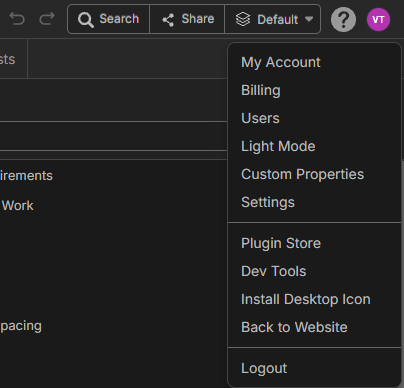
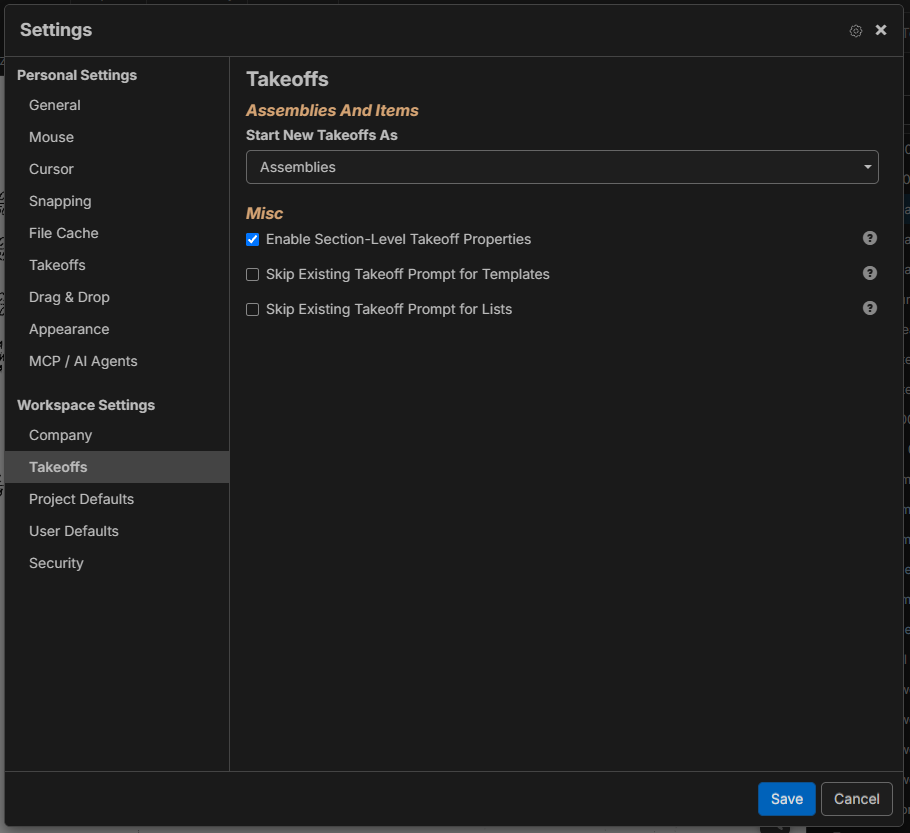
- Click on 'Takeoffs' under Workspace Settings and 'Enable Section-Level Takeoff Properties'.
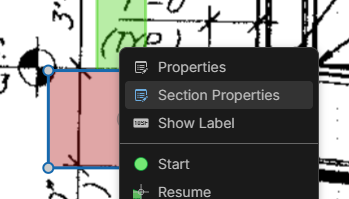
- Now every section should have a 'Section Properties' option.
I have a Custom Property set up that applies a work breakdown structure to each section:
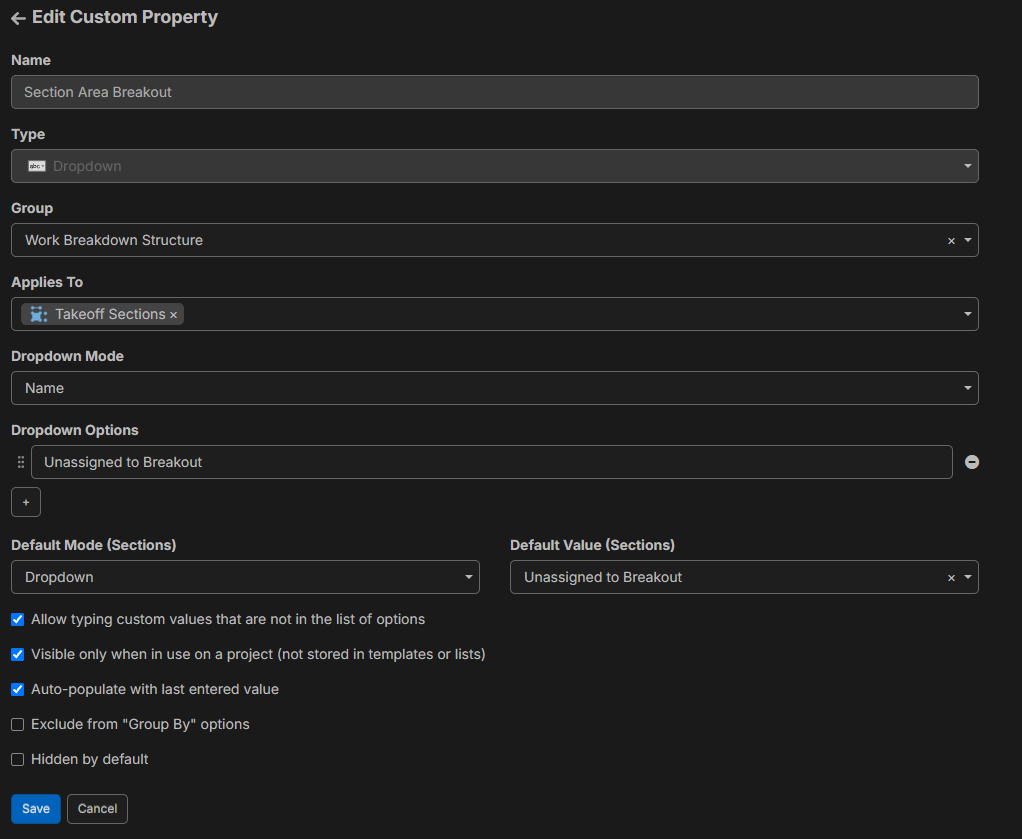
So that when you right-click select section properties it shows this:
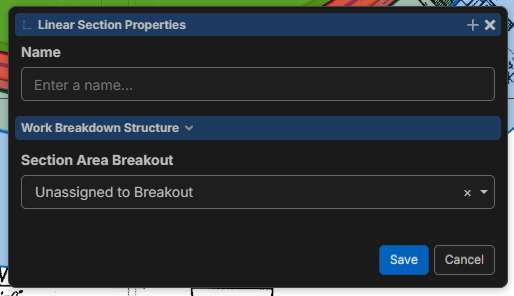
(Pro tip for this: remember you can hold down alt and draw a custom selection window around objects. You can assign multiple takeoffs at once.)
Then in your reports you just group by the custom section property (Section Area Breakout in my case).
I don't like this workflow because it doesn't handle calculated/manual takeoffs and there's no way to visually see what you have and have not assigned to these breakouts.
👍2
Thanks for detailing that out!!!!! I will mess around with this. Really appreciate it!
Tysen
👍1
As a side note Tysen, zz will have a free zone tool in the plugin store soon that could help with this as well.
👍3%22%2F%3E%3Ctext%20x%3D%2232%22%20y%3D%2233%22%20text-anchor%3D%22middle%22%20dominant-baseline%3D%22central%22%20font-family%3D%22Arial%2C%20sans-serif%22%20font-size%3D%2226%22%20font-weight%3D%22600%22%20fill%3D%22%23fff%22%3EMH%3C%2Ftext%3E%3C%2Fsvg%3E "Matt Hatrick")
Todd,
Can the work/zone plug in be utilized in the reports?