











 Inside Track
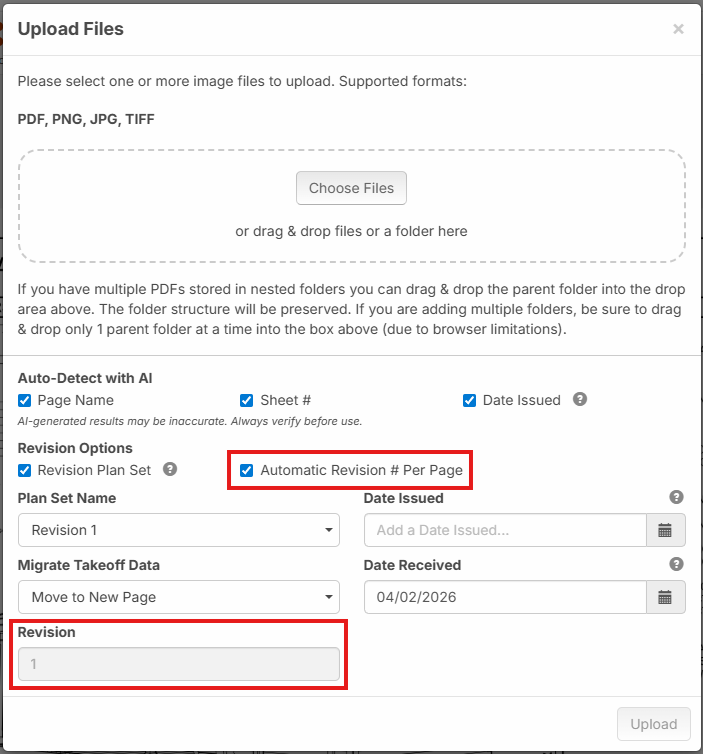
Automatic Revision # Per Page
Based on user feedback, we're planning to introduce a new feature for how plan revision numbers are tracked.
If you check the box for "Revision Plan Set", you will get an option for "Automatic Revision # Per Page". This will cause the number to increment independently per page, instead of (as previously) the same Revision # applied to all pages in the new plan set.
Example Scenario:
1. Suppose you upload sheets A1, A2, A3. These initial sheets would default all to Revision 0.
2. Then you get a revision that applies to A2. The new version of A2 would be Revision 1.
3. Then you get another separate revision that applies to A3. The new version of A3 would be Revision 1 (instead of Revision 2).
This keeps the numbering sequential per-page. You can uncheck the box if you wish to have it increment set the same Revision # to all pages in the plan Plan Set instead of incrementing Per Page.
%22%2F%3E%3Ctext%20x%3D%2232%22%20y%3D%2233%22%20text-anchor%3D%22middle%22%20dominant-baseline%3D%22central%22%20font-family%3D%22Arial%2C%20sans-serif%22%20font-size%3D%2226%22%20font-weight%3D%22600%22%20fill%3D%22%23fff%22%3EKP%3C%2Ftext%3E%3C%2Fsvg%3E "Kory Podgaysky")
What I've been seeing from gc's mainly driven by procore naming conventions is:
Example Scenario:
1. Suppose you upload sheets A1, A2, A3. These initial sheets would default all to Revision 0.
2. Then you get a revision that applies to A2. The new version of A2 would be Revision 1.
3. Then you get another separate revision that applies to A3. The new version of A3 would be Revision 2(skipping 1).
The revisions are sequential. The page revisions are not. Page 5 may not be revised until revison 4 which means that page skips from 0 to 4.
👍3
@Kory Thanks for the input. Strange, I heard from another user that that ProCore did them sequentially per page. Maybe it's a setting. The way you you are describing is the way zzTakeoff currently works (before the change above).
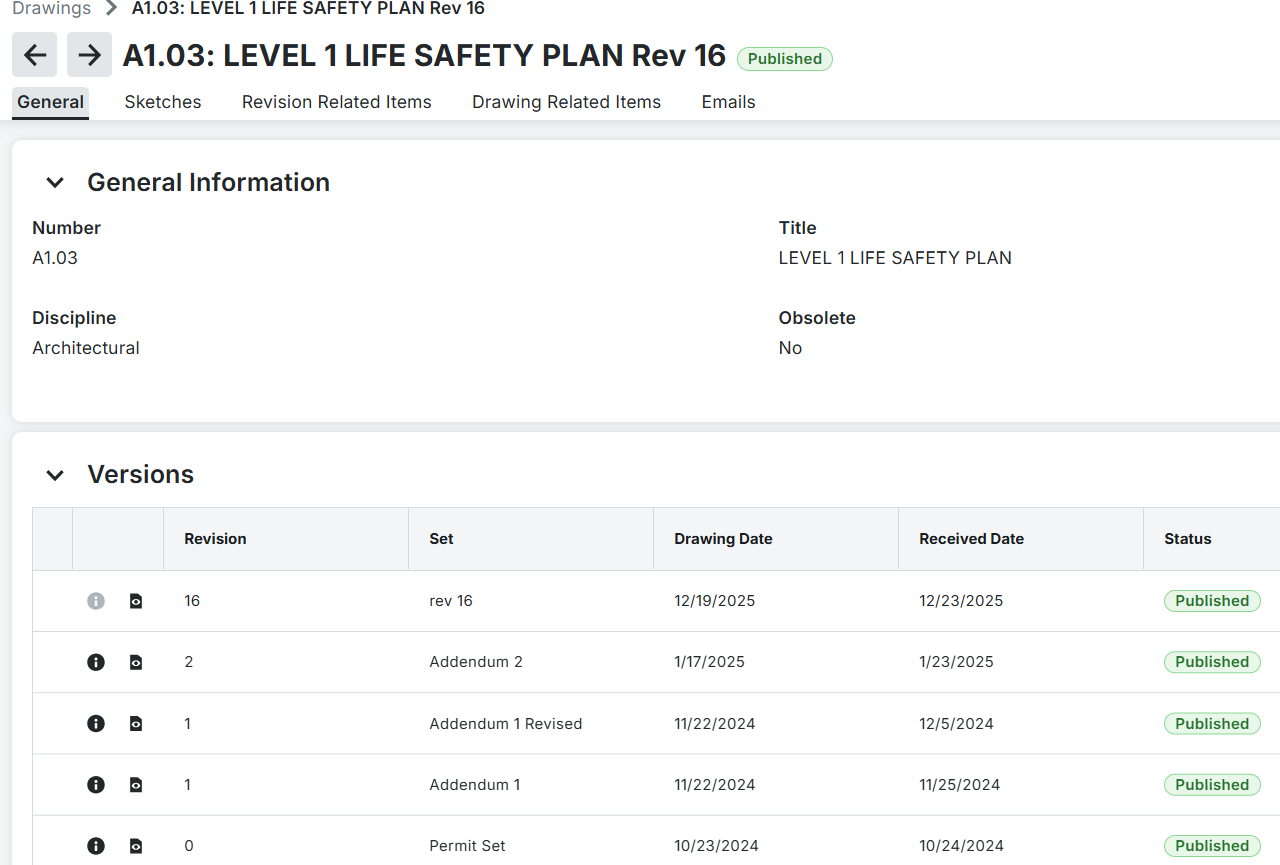
👍1It seems it can be switched. Here is one of the jobs that I've been working on that has had a lot of revisions that goes by set, not by sheet which is the way I prefer.
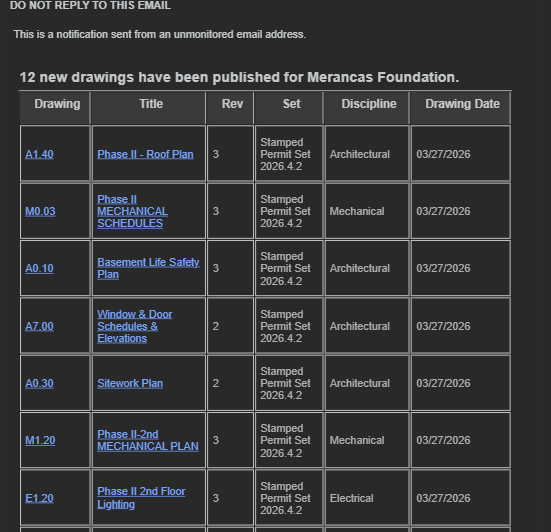
Here is another from procore that appears to be releasing sheets with sequentially numbered revisions in each set release.
@Kory Thanks for the additional context. Last night, we released the "Automatic Revision # Per Page" feature mentioned above, but unchecked by default for now (so by default it will number per plan set as it did before). In the future, we will likely make a workspace level setting to control the default.
👍1