











 Inside Track
Collecting Input: Plan Sets / Versioning
In the upcoming release, we've added a bunch of settings when adding new plan pages to your project. Now you can attach the new uploaded pages to a specific plan set, and assign a version # (revision).
1. Do you prefer the term "Version" or "Revision" for the number?
2. By default we're planning to have the "Initial" version/revision as "0", and the next as "1", etc. What other incrementing version schemes do you run into. A, B, C, also?

After we detect the pages, you'll be presented with a "Plan Review" popup that helps you match up the new pages to old pages and verify that AI extracted page name & scale correctly (mostly automatic if the sheet #s line up).
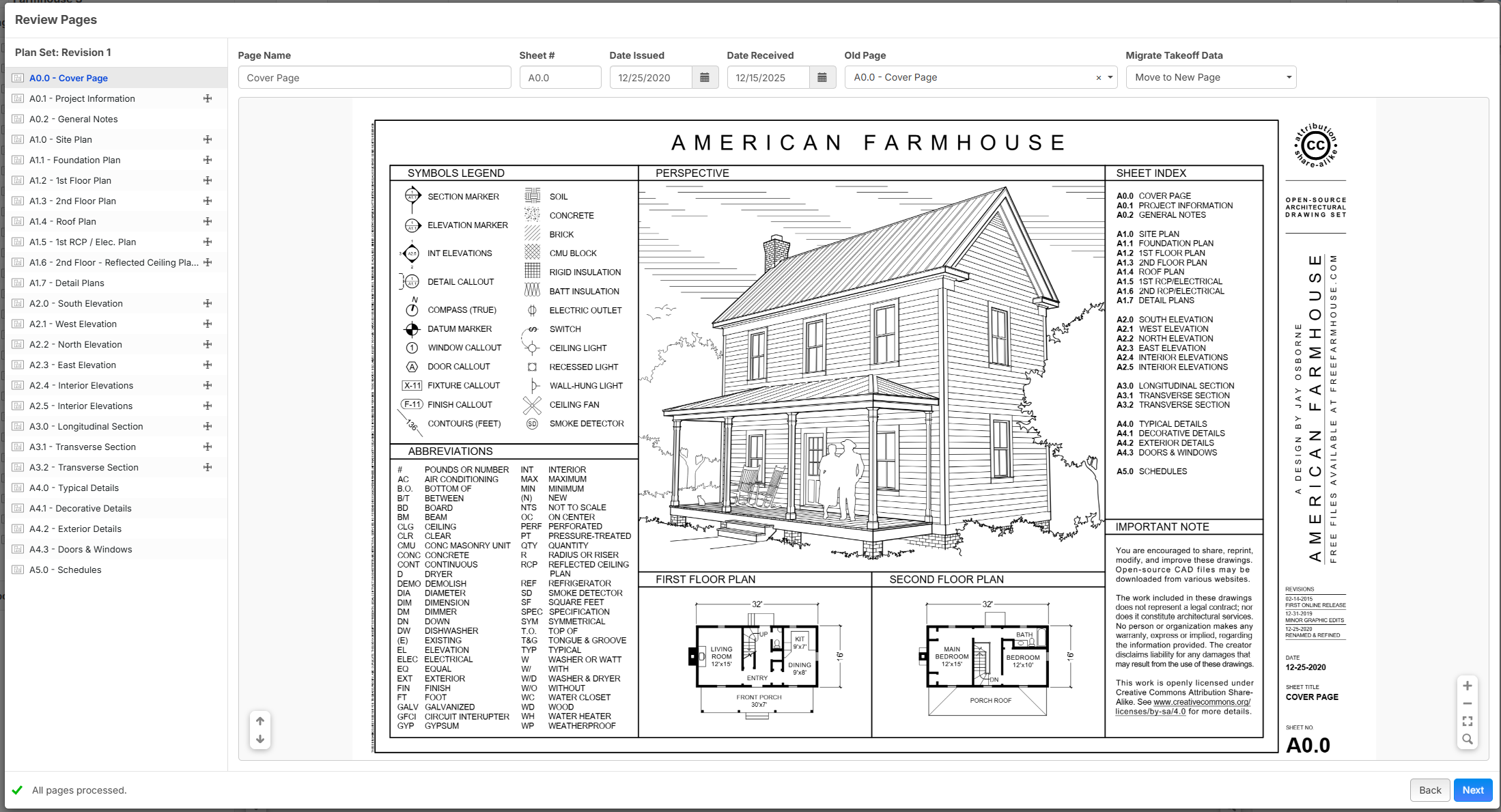
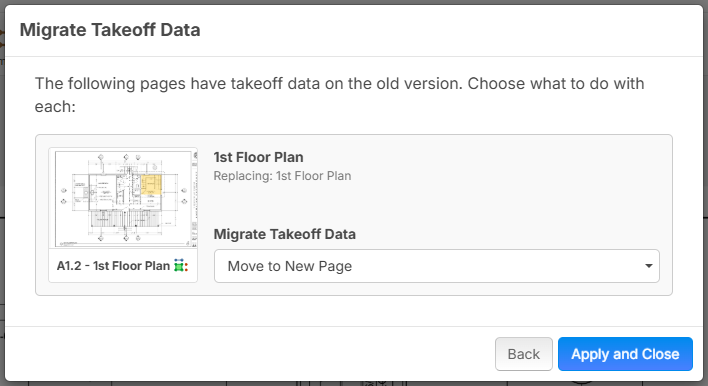
Then after you have reviewed everything, you get a prompt whether you want to move or copy takeoff data to the new version of each page that has takeoff data on it.
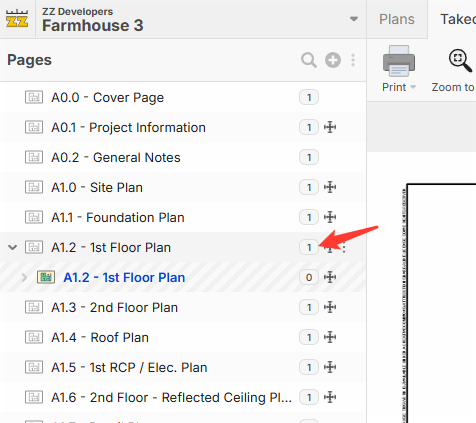
After you've added new versions of the pages, you can see a version badge in the pages sidebar. Clicking that version badge will show/hide old versions as sub-items of that page and you can easily open them for historical reference (eventually with 1 click to overlay & compare). We will be tuning the flow here, but this is just what we have as a start.
%22%2F%3E%3Ctext%20x%3D%2232%22%20y%3D%2233%22%20text-anchor%3D%22middle%22%20dominant-baseline%3D%22central%22%20font-family%3D%22Arial%2C%20sans-serif%22%20font-size%3D%2226%22%20font-weight%3D%22600%22%20fill%3D%22%23fff%22%3EKP%3C%2Ftext%3E%3C%2Fsvg%3E "Kory Podgaysky")
I like version but revision is fine too. Starting at zero works. This looks great!
I prefer using 0,1, 2, 3 etc for the increments
👍2
When choosing to migrate the takeoff to the new page, can an option be added to may the choice apply to all sheets? Just thought, like the functionality,
👍1
From reading previous posts, it appears that most are using the "layer" functionality to distinguish between takeoff data for plan versions/revisions. For the Takeoff data Copy option, are we going to have the ability to copy to a "new layer" and/or pick from existing layer(s)?
I also assume that some users will have folders set up that house the different plan set versions, such as SD, DD, CD, Addendum 01, 02, 03, etc. When we use the different folders, will the revision number still be populated? Is the version # added automatically based on the Date issued/received, or is it being entered manually? I ask as there may be a scenario where I need to go add to version "X".
Sidenote/request: Can we get a hotkey to toggle the overlay on/off? That way, when you are doing your takeoff, you can stay in the same spot and be able to toggle between the overlay(s).
👍2
I like the "plan set" ability to distinguish each set names like 50% SD. I am assuming anyone can customize that name per plan set and its not a company standard field right??
Suggestion------ We do need a global enterprise set standard as another field, we call this "Design Phase" and its pretty industry standard with 5ish buckets Programing, Concept, SD, DD, CD.
I vote Revision over Versions, as that to me is any addendum that we get into the main set. Versions are more suited for saved versions of takeoff files.
I hope we have the ability to batch transfer QTO form one set to the next! I would want the takeoff objects to be COPIED from the last set, and the last set the version history remains.
👍2