











 Inside Track
 Heber Allred zzTakeoffUnpublished
Hyperlink Improvements
For "Page" hyperlinks, maybe we could add a format as an option:
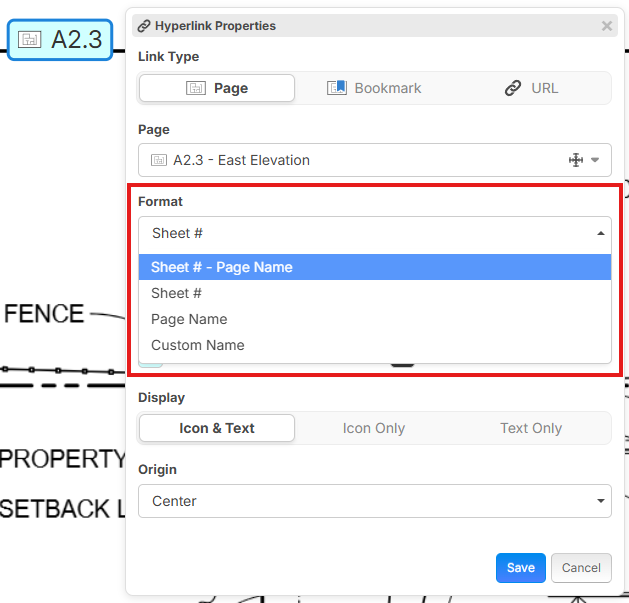
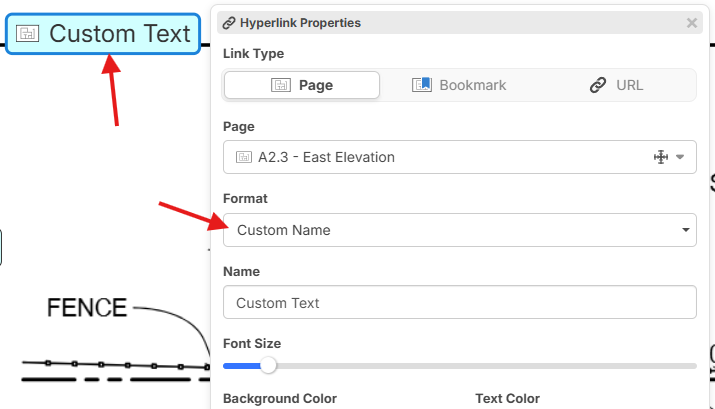
This way you could choose which format you like and save it as default. Then if you choose Custom, you could override the "Name" with any text you want.
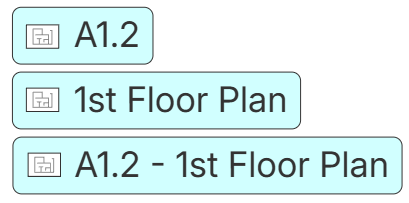
Also, which of these 3 do you think should be the default format for a Page hyperlink out of the box (you can override the setting, but just asking what would be the best default)?
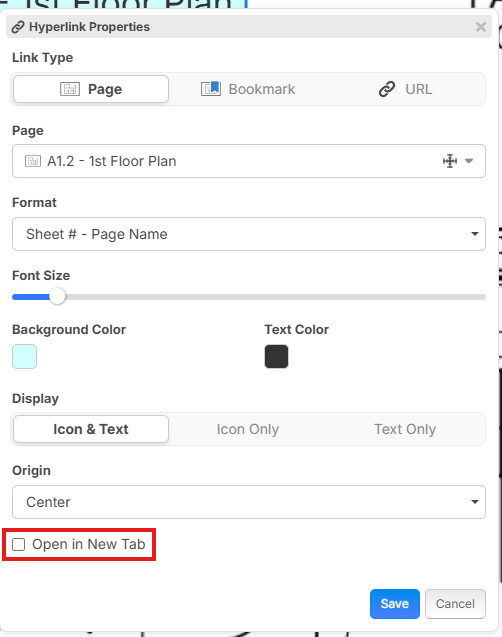
Open in New Tab option was also requested and is easy for us to add:
%22%2F%3E%3Ctext%20x%3D%2232%22%20y%3D%2233%22%20text-anchor%3D%22middle%22%20dominant-baseline%3D%22central%22%20font-family%3D%22Arial%2C%20sans-serif%22%20font-size%3D%2226%22%20font-weight%3D%22600%22%20fill%3D%22%23fff%22%3ECT%3C%2Ftext%3E%3C%2Fsvg%3E "Cody Toone")
I like the idea of having the sheet # and name as the default format and then being able to override from there.
👍1Maybe a small arrow in the upper right corner to indicate if the hyperlink is set to "Open in New Tab".
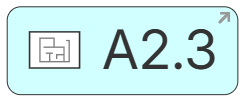

Can the open in new tab option be a default in the settings if you want to turn it on?

I prefer just the sheet #
“A2.3” in this case as I’ll reference schedules, details, notes as separate bookmarks to that same sheet. The description isn’t needed for most of my cases.
New window/tab would be great for browser URL’s
Would love to be able to have some way of seeing some kind of hovering overlay of zzQTO bookmarks on top of current sheet QTO that I’m working on. As in, having a visual detail or assembly for reference as I’m performing the QTO…
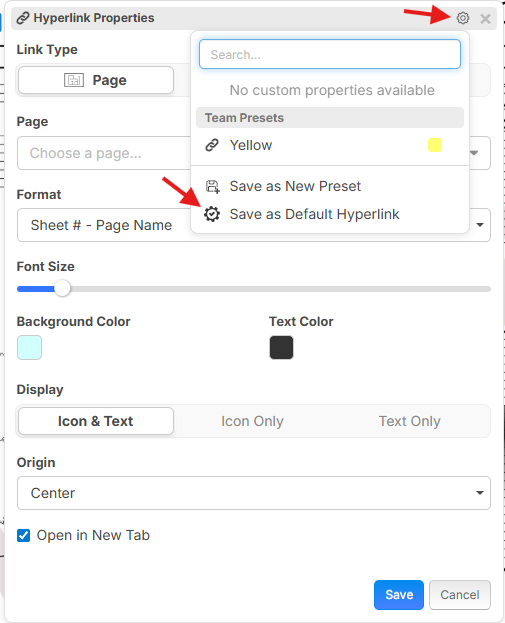
@Brad Yes, you could save this as a default with this little gear in the title bar, then "Save as Default Hyperlink":
@Chaz Thanks for the feedback. Yeah, a hover overlay or a small button that shows it in a popup that you could drag around would be nice.
%22%2F%3E%3Ctext%20x%3D%2232%22%20y%3D%2233%22%20text-anchor%3D%22middle%22%20dominant-baseline%3D%22central%22%20font-family%3D%22Arial%2C%20sans-serif%22%20font-size%3D%2226%22%20font-weight%3D%22600%22%20fill%3D%22%23fff%22%3EJ%3C%2Ftext%3E%3C%2Fsvg%3E "Jes")
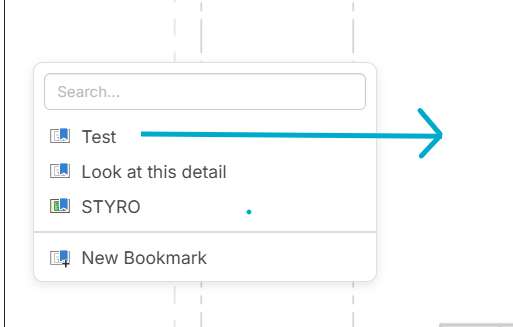
Any chance that bookmarks within the floating bookmark window (the one you access by pressing B) can become draggable so that they can instantly be turned into hyperlinks from there, the same way they are draggable from the left panel bookmark menu? I usually keep the bookmarks menu hidden.
%22%2F%3E%3Ctext%20x%3D%2232%22%20y%3D%2233%22%20text-anchor%3D%22middle%22%20dominant-baseline%3D%22central%22%20font-family%3D%22Arial%2C%20sans-serif%22%20font-size%3D%2226%22%20font-weight%3D%22600%22%20fill%3D%22%23fff%22%3EVT%3C%2Ftext%3E%3C%2Fsvg%3E "Victor Tengowski")
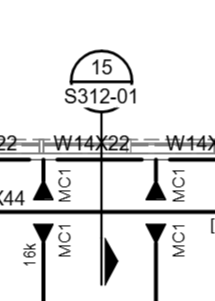
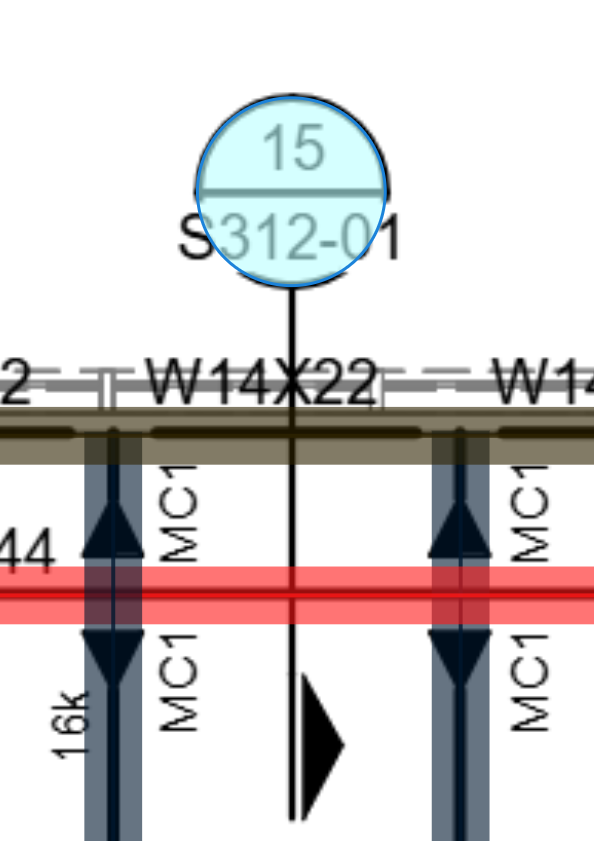
I think it would also be nice to be have the possibility of having a transparent shape, like the count's circle, that we can put over a detail callout without a label. Maybe make it so when you hover over it, it shows it's label similar to when you hover over a takeoff.
 →
→ 
This is probably way too out there right now, but in the future I would love some type of hover-to-overlay capability if we have a section cut and we want to instantly pop it up/display it right on the plan instead of having it opening a new window.
So if I dragged my mouse over the circle that Victor just drew in his previous post and held it there for several seconds, out would pop the 15/S312-01 detail.
Obviously if you are hyperlinking an entire page that wouldn't work too well, but for a section cut it'd be awesome
💯1