











 Inside Track
1d 18h
Minor Release: Big Green Dot, True Highlighter, Plan Review Any Time, and Bug Fixes
We just released a minor update.
- Big Green Dot: the start-takeoff dot now has its own spot in the sidebars
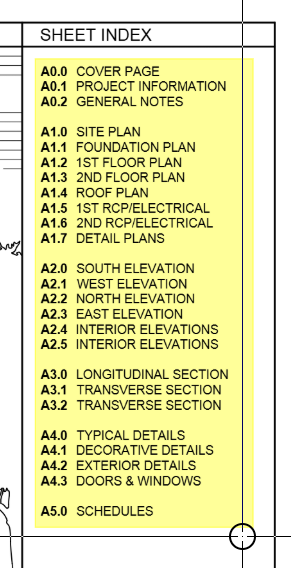
- True Highlighter: the highlighter now highlights instead of being an opaque overlay.
- Plan Review is now available any time from the Pages sidebar menu, not just when uploading a revision set
- New setting to always show Plan Review after uploading pages
- Offset tool: new "Resize Original" option that moves the shape's outline in place instead of creating a new section. Shrinking an area trims any cutouts left outside the new outline
- Duplicate Page: new option to include the page's takeoff sections and annotations
- Natural number sorting in Choose Takeoff, Choose Template, and Open Project ("Item 2" before "Item 10"), and items now sort by cost type before name
- Various bug fixes involving lasso, Auto-count, PDF rendering, and Dark Mode, etc.
- Speed improvements
Big Green Dot
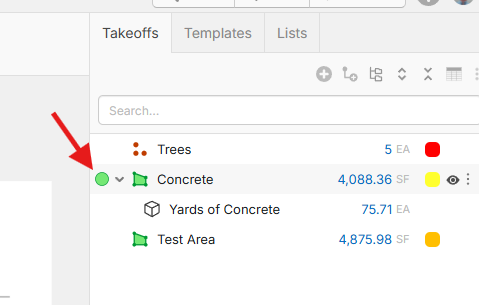
The green dot you click to start a takeoff now sits in its own column, just left of the expand/collapse caret, in the Pages, Takeoffs and Templates sidebars and in the worksheet. Click the dot to start, double-click the icon to expand or collapse the row. Folders in the worksheet get the dot too.
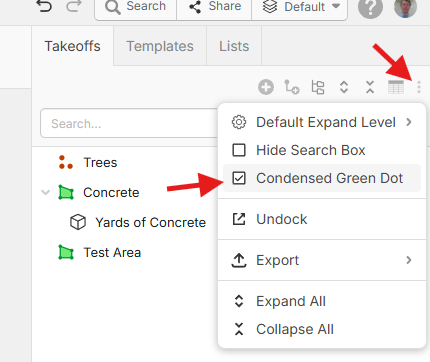
If you prefer the old look, turn on "Condensed Green Dot" in Settings > Takeoffs, or from the sidebar menu:
True Highlighter
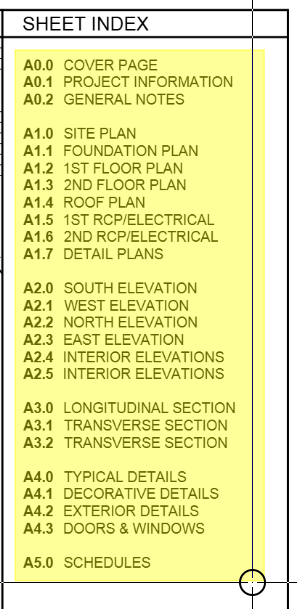
The highlighter now highlights instead of being an opaque overlay.
Old Highlighter:
New Highlighter:
More updates are in progress 🙂
You must be logged in to post replies. If you don't have an account you can signup here.