











 Inside Track
Minor Update: Vertical Linear, Sneak Preview for Box Mode
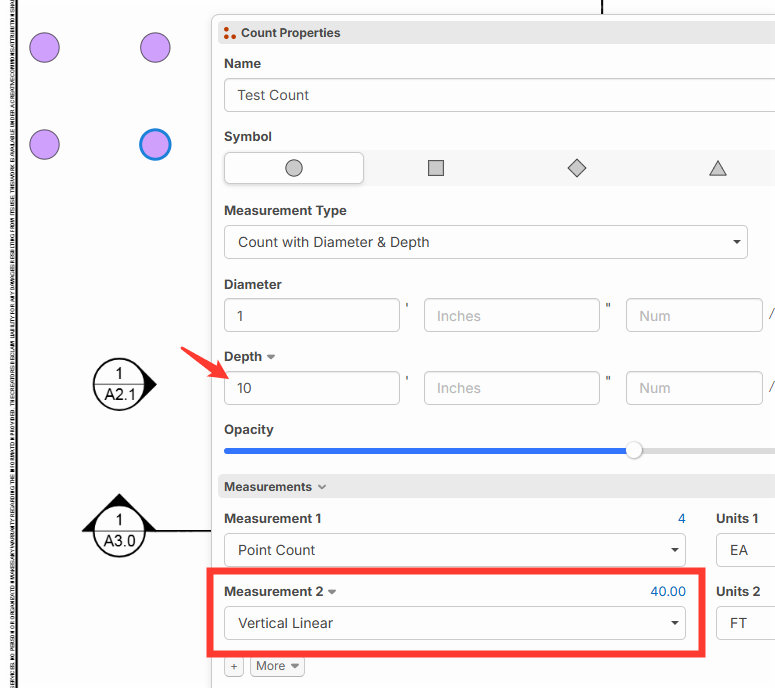
Point counts now have the ability to choose Vertical Linear as one of the measurement outputs. For example: if a count takeoff has 4 points, and depth of 10 FT, then the total vertical linear total would be 40 FT.
Sneak Preview: we have "Box Mode" working locally, and this will be coming out in the next major release:
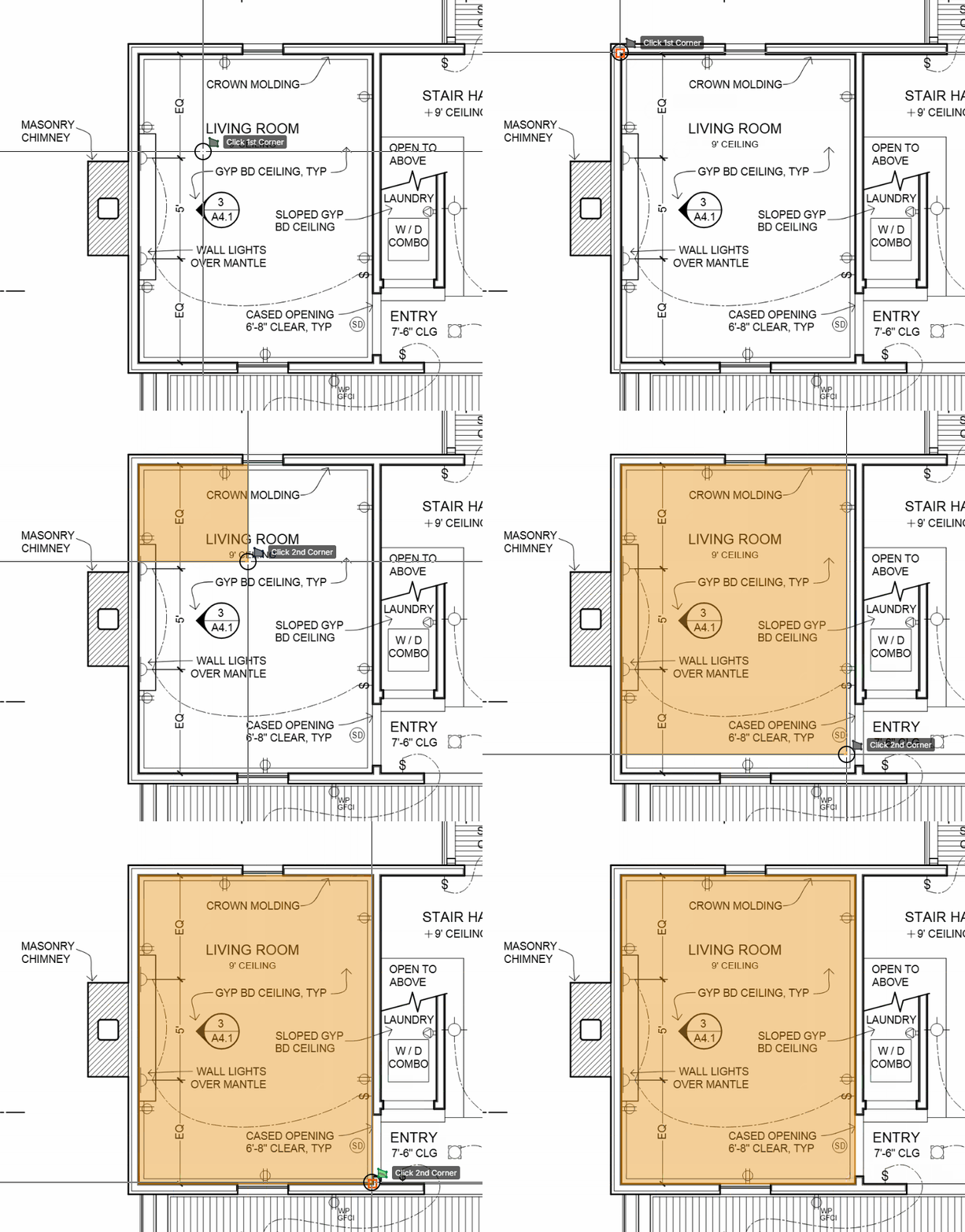

Wow this is awesome to both of these! Showed another newbie today and he was annoyed box mode didn't exist YET!
👍3
%22%2F%3E%3Ctext%20x%3D%2232%22%20y%3D%2233%22%20text-anchor%3D%22middle%22%20dominant-baseline%3D%22central%22%20font-family%3D%22Arial%2C%20sans-serif%22%20font-size%3D%2226%22%20font-weight%3D%22600%22%20fill%3D%22%23fff%22%3EJ%3C%2Ftext%3E%3C%2Fsvg%3E "Jes")

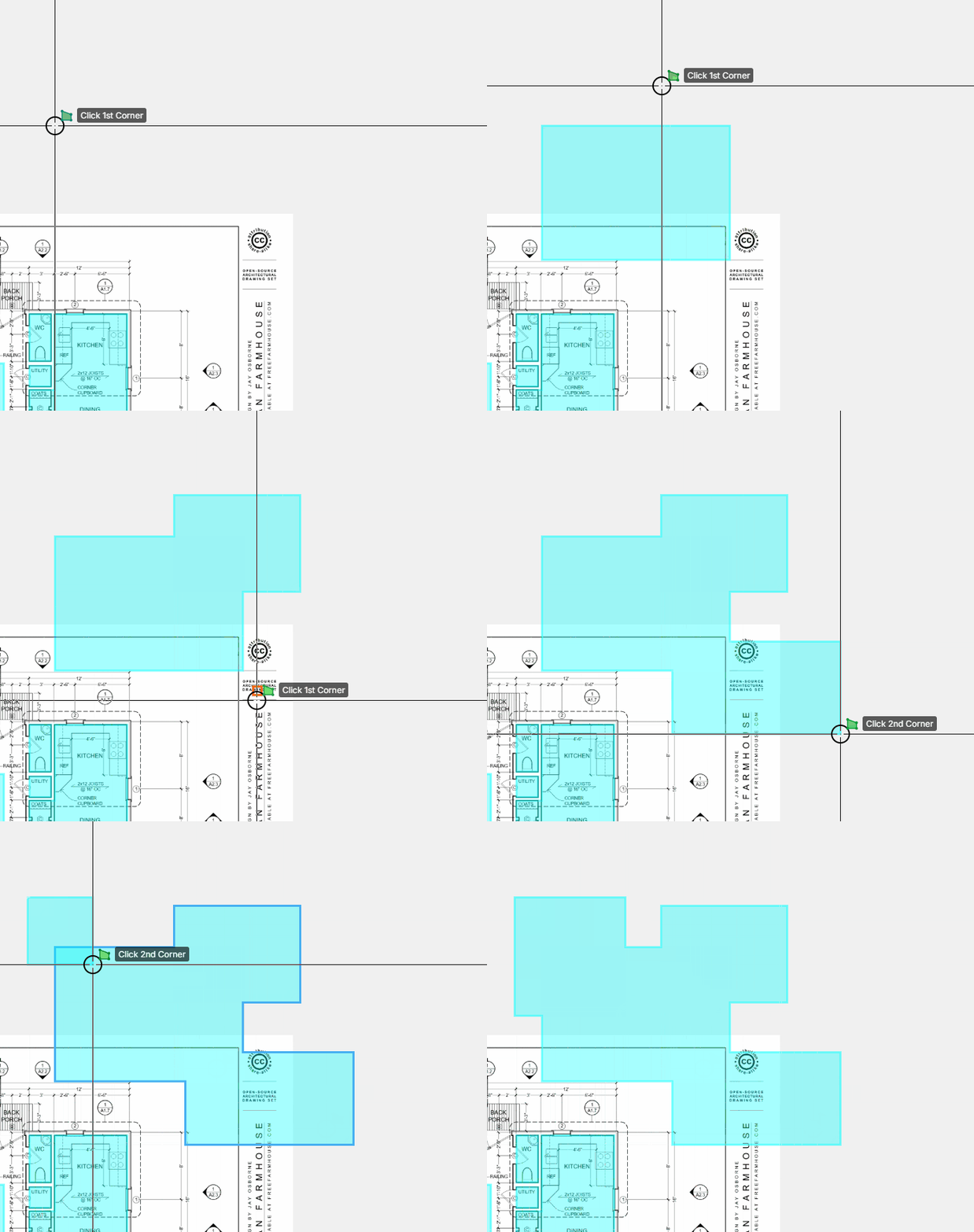
Box mode auto merging with other areas that are in the same takeoff (also, we will add cut by using CTRL either for cutouts or chopping into the edge):

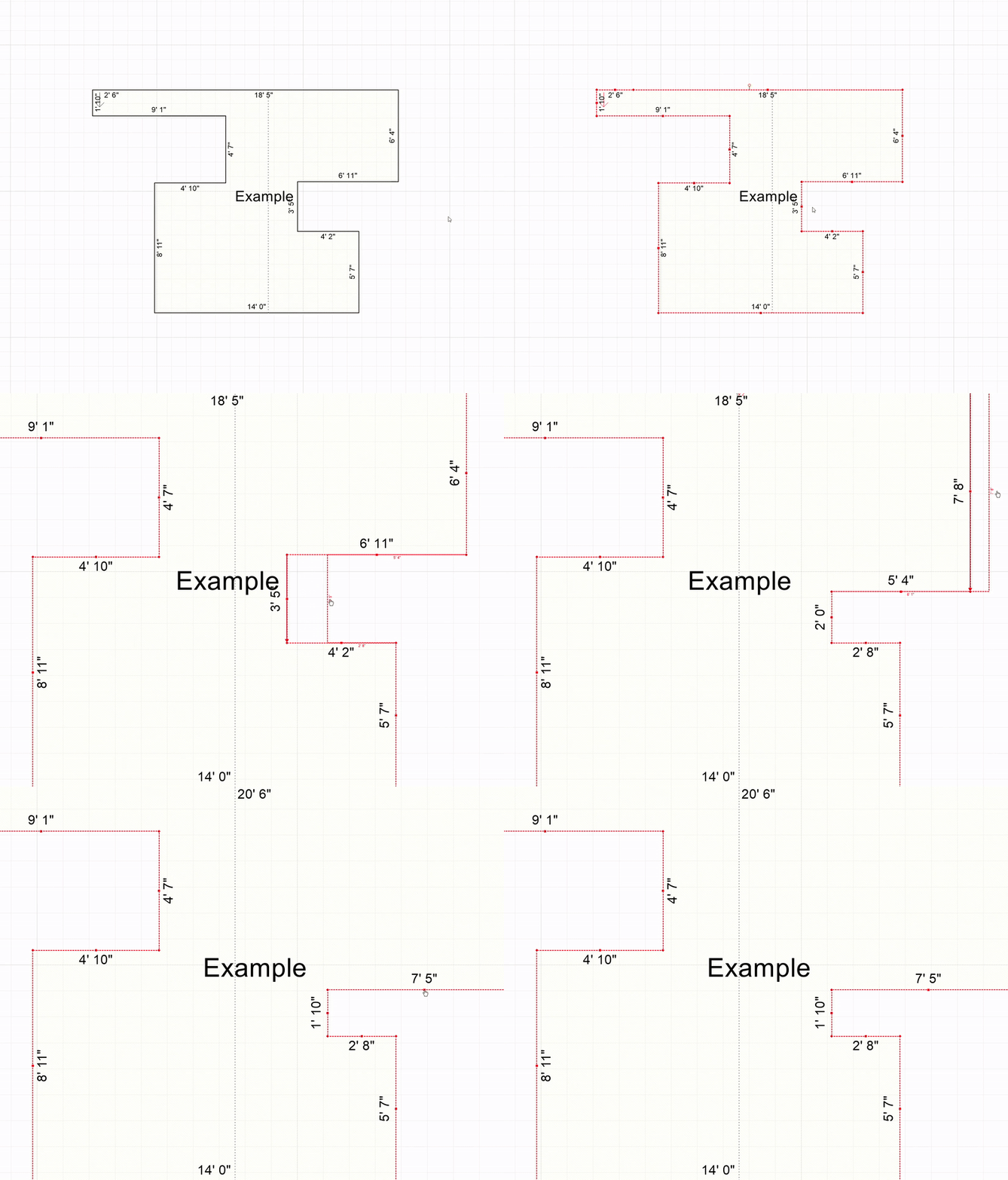
Heber - That new box mode auto merging is really slick! How much additional work would it take to implement a feature to be able to drag segments to resize the shape after it as all been merged? This is how RFMS Measure Square behaves (see video). It makes it much easier to fine tune adjustments when needing precision.
%22%2F%3E%3Ctext%20x%3D%2232%22%20y%3D%2233%22%20text-anchor%3D%22middle%22%20dominant-baseline%3D%22central%22%20font-family%3D%22Arial%2C%20sans-serif%22%20font-size%3D%2226%22%20font-weight%3D%22600%22%20fill%3D%22%23fff%22%3EKP%3C%2Ftext%3E%3C%2Fsvg%3E "Kory Podgaysky")
You can actually already do that. Highlight the area you want to adjust, box the two points you want to move turning them orange, then push left/right/up/down/45* to move those to points together your defined distance. If the door below needs to be a 6' wide door instead of 3' wide, I can hit left arrow, type in 3', and those two points move left 3'.

@Andrew Thanks for the input on this. That seems like it would be really useful, also. I don't have an ETA for something like that, but we will plan to add it. 🙂
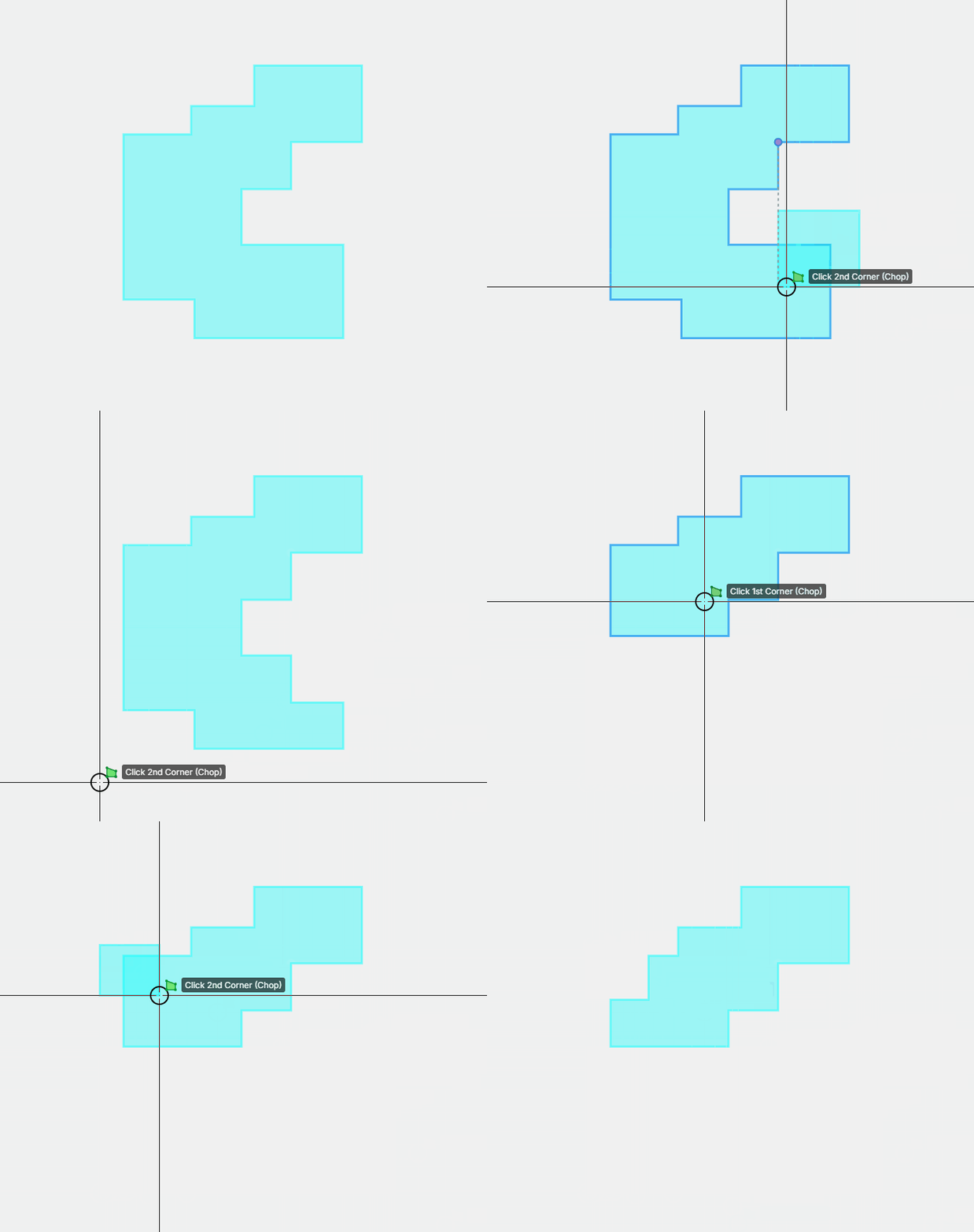
Slick! Can you split the objects too? This is required when AI starts drawings shapes for us and we need to quickly split the objects.
👍1
This is pretty neat! It would be pretty awesome for overlays as well to crop/erase/markup distractions or non-focus areas when making a multi-page collage
👍1