











7h 40m
Resize Nodes / Auto Size Legend
In Progress
We're working on some improvements to how objects get resized, including auto size for the legend.
Try it out at this URL (using your Test Server credentials) and provide feedback below in the comments:
https://computed-nodes.feature.zztakeoff.com/app
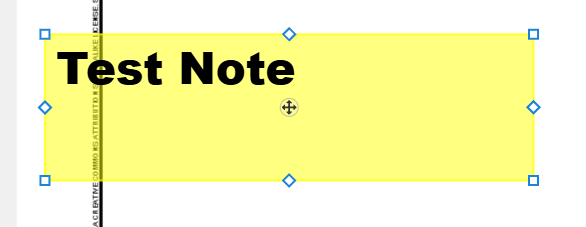
Now, when you select a note, instead of 2 nodes, you get 8:
Legends automatically resize the height when you add new takeoffs:
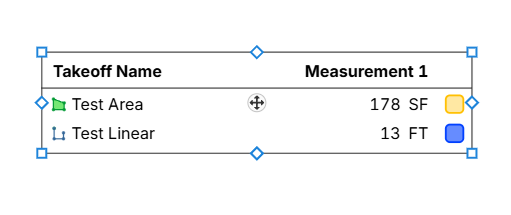
On the rectangle shapes such as legends, notes, and highlighter boxes, we have square nodes on the corners. This is different than the round nodes we have on an area, linear, etc. Any input is welcome on if you like or dislike this.
Ready to Test
Try it out and let us know what you think.
https://computed-nodes.feature.zztakeoff.com/app
Sam Romeo zzTakeoff7h 39m
Works great, looking forward to being able to do the Same on Areas and Linears with Width to adjust the Width
👍1 You must be logged in to post replies. If you don't have an account you can signup here.