











 Inside Track
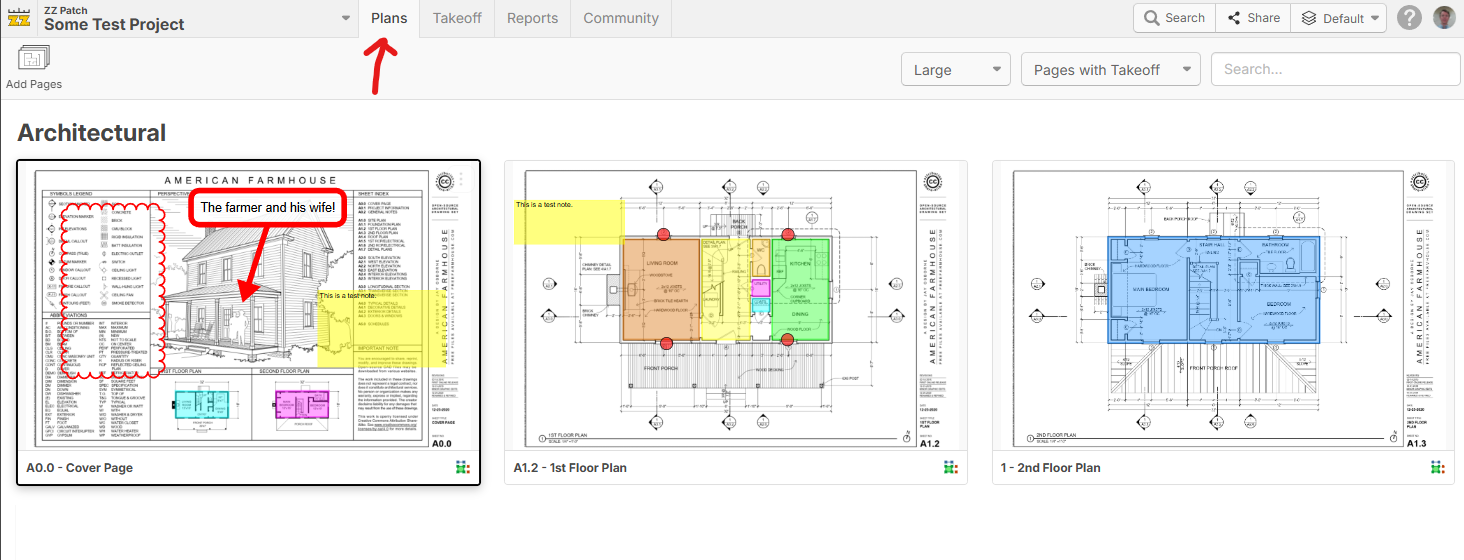
Sneak Preview: Plans Tab with Thumbnails
This is just the beginning (bare bones) of this tab where you can see thumbnails and previews. We have some plan versioning features coming in the next major release, so this is a good time to introduce a bit more plan overview tools. I anticipate there will be tools in here for page rotation, re-arranging, filtering, etc. Just kind of a zoomed out view of the plans. We will also separately allow you to swap out the left sidebar on the "Takeoffs" tab for thumbnail view if you choose (or you could just collapse it altogether). Lots more coming.
Any input is welcome for what you would like to see on this tab (we've also seen various posts regarding a "Blueprints" tab or similar). Thank you all for your feedback to help us make zzTakeoff better. 🙂


%22%2F%3E%3Ctext%20x%3D%2232%22%20y%3D%2233%22%20text-anchor%3D%22middle%22%20dominant-baseline%3D%22central%22%20font-family%3D%22Arial%2C%20sans-serif%22%20font-size%3D%2226%22%20font-weight%3D%22600%22%20fill%3D%22%23fff%22%3EUS%3C%2Ftext%3E%3C%2Fsvg%3E "Ulises Salazar")
Maybe the option to print and deleted from this view? Like HP Click printing software?
👍3
I want to challenge the group.
Let’s take one zzTakeoff project…
…and load all drawing sets (SD, DD, CD) into the same project.
Because the real pain in 2D takeoff isn’t tracing shapes.
It’s updating quantities when the next drawing set drops.
That workflow should feel seamless, not like starting over.
We need tighter connections between layers, milestones, filtering, and sharing.
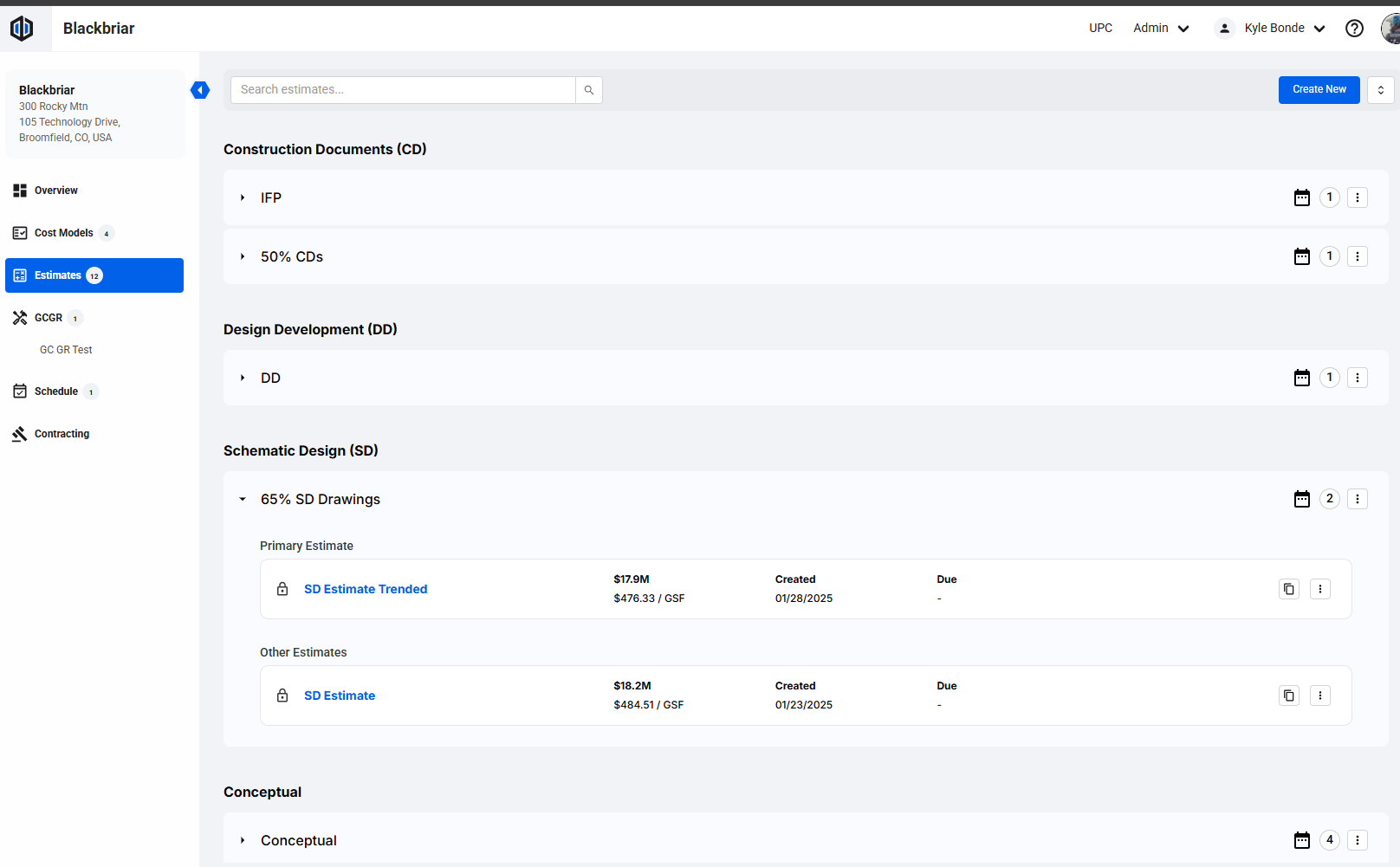
I dropped in an Ediphi screenshot showing how they handle versions — I think zzTakeoff can bring that same clarity to drawings.
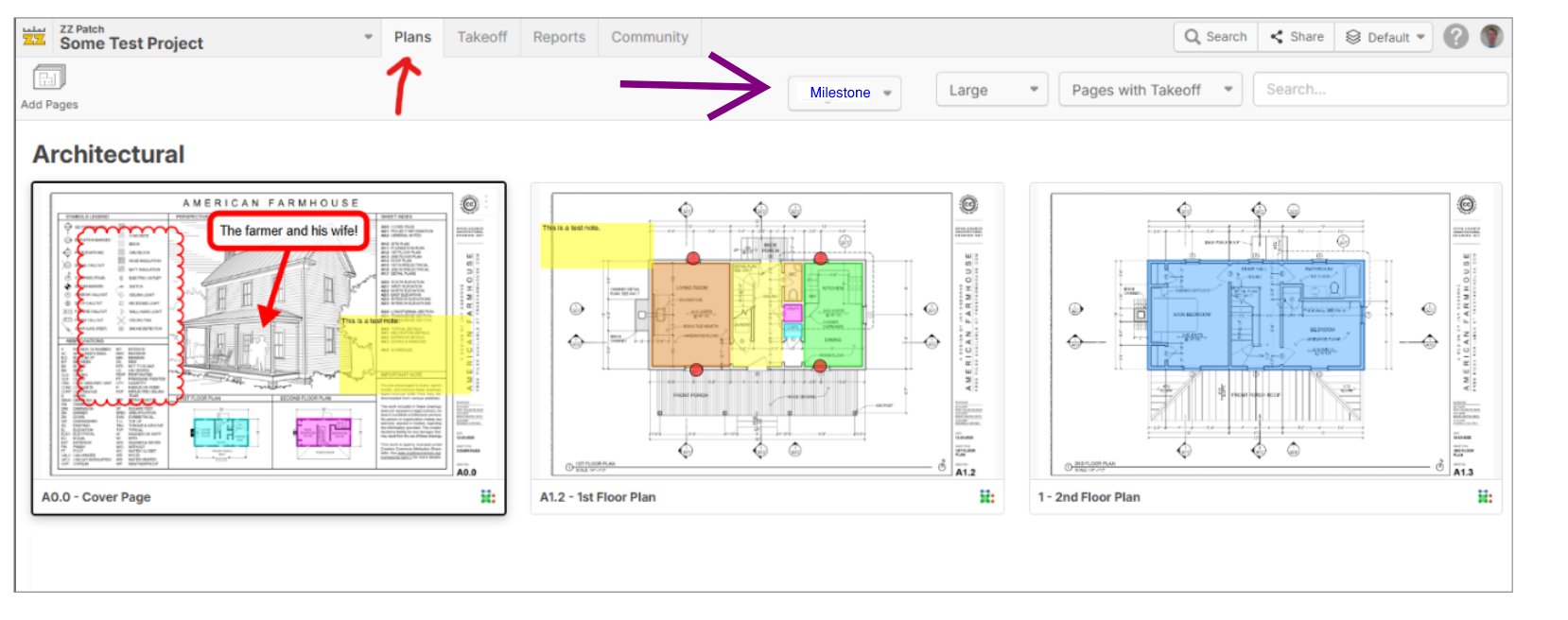
Simple milestone dropdown.
Assign sets cleanly.
Filter to exactly what we’re working on.
Because the future of takeoff isn’t “faster clicking.”
It’s updating without redoing everything.
@zzTakeoff Team — I’m also planning a “show us your best workflow” session with a few other 2D tools like STACK and Togal.
Not a battle, just a transparent look at how each platform handles SD → DD → CD without the rework nightmare.
We’ve got an awesome group of precon nerds at mutiple GC's you would showcase this too.
You game to jump in?
Let’s make updates suck 80 percent less.
I suggest we add a dropdown called "milestone" shown below in blue.
%22%2F%3E%3Ctext%20x%3D%2232%22%20y%3D%2233%22%20text-anchor%3D%22middle%22%20dominant-baseline%3D%22central%22%20font-family%3D%22Arial%2C%20sans-serif%22%20font-size%3D%2226%22%20font-weight%3D%22600%22%20fill%3D%22%23fff%22%3EJ%3C%2Ftext%3E%3C%2Fsvg%3E "Jes")
Are you planning on adding some type of notes/to-dos capability into this new Plans tab?
I know some users just add a blank page to each project and use the note tool to jam a bunch of their notes into there, but I think it would be cleaner if you built some note taking mechanism into one of the panels that we could instantly pop things into. Would also be way cleaner for people who do collaborative takeoffs
👍2