Inside Track
 Heber Allred zzTakeoffUnpublished
Sum Function in Formulas
The "sum" command is on the Test Server for anyone that wants to test with it.
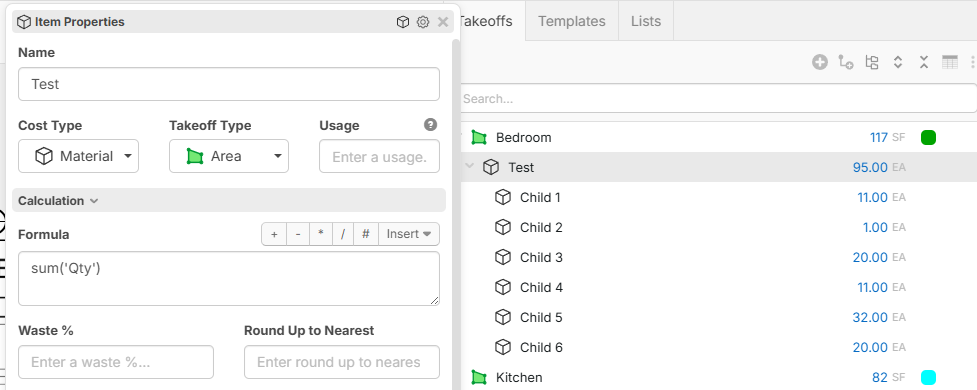
Example Formula: sum('Qty')
Will total the Qty of all child items.
I would suggest using it with caution to ensure you don't double count things (by configuring something that is counted in parent with a sum + counted in child item). Most of the time you wont need a "sum" command in a formula because the reports will often automatically sum based on how you group, but there are some advanced assemblies where you may need a custom sum. We're also separately working on a way in reports to define Custom Properties columns that auto sum based on how you group.
We are planning to also have an option for "excluded" which will cause a takeoff or item to be excluded from reports. This will be useful along with sum if you're trying to aggregate a bunch of things together into a parent item, and you want the child items to not count in reports anywhere. It will be useful for some advanced assemblies.