











 Inside Track
Upcoming Feature: Calculation Sequence - Calculation at Takeoff Level or Object Level
Behind the scenes we're working on a foundational feature that will allow you to control the formula calculations better.
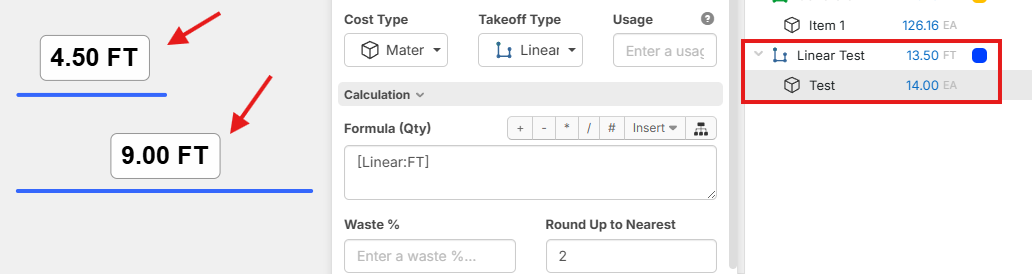
For example: suppose we have a "Linear" takeoff that is made up of 2 linear objects on the page. I have configured the "Round Up to Nearest" to 2.
With current default behavior (Takeoff Level), the "Test" item will first total up the lengths of all the objects to 13.5, and then round up to the nearest 2 which is 14.
If I change the formula to calculate at the Object Level, you can see that it will run the formula separately per object (4.5 would round up to 6, and 9 would round up to 10), then they and then total up to 16 at the takeoff level.
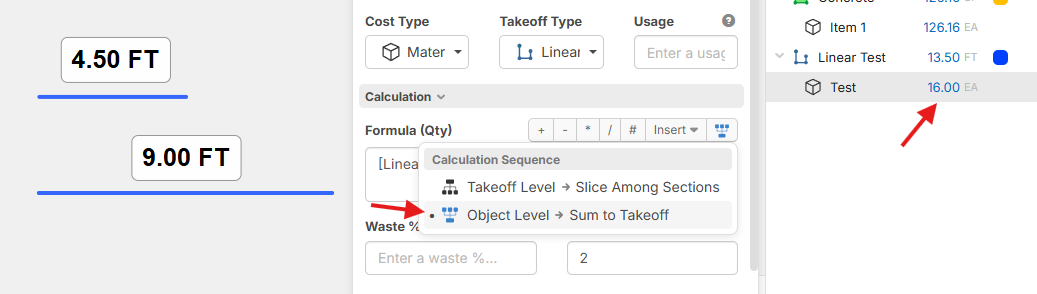
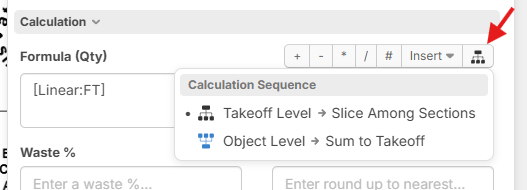
Users have been running in to scenarios that need to control this better. We've called it "Calculation Sequence". We made the Object Level calculation show a blue icon so it's easy to visually notice if it's calculating per object.
A particularly important one is for rounding joist or beam lengths per segment.
For clarification, filling in the "Round Up to Nearest" as 2 is just a shortcut equivalent to putting this in the formula: roundup([Linear:FT], 2)

Love the 2 mini black and blue picture & the "Calculation Sequence" is a great term, however the options under it, the definitions/terms are confusing tho.......This is perhaps better..??
 Total all OBJECTS then sum & round
 Round each OBJECT then sum.
EDIT: Just read the thread on the "Section" Definition, new news is this is now replaced with "Objects" as the new term. Now I'm square. For those who dont know what im talking about, zzTO is changing the term of "section" to "object". There are 2 OBJECTS shown in Hebers Screenshot 4.50' and 9.0'.
👍2
that's awesome! I'm in a situation where most of the time I'm hoping for functionality to go the other way with roundup. totaling all matching items on all takeoffs and rounding up
On another note, can redefining objects get us closer to custom properties at the "Object" level? would make for awesome functionality to customize breakouts after the fact etc. a problem most of us deal with daily removing the need to duplicate takeoffs etc.
👍1
@Luke Yes, this is one of the primary purposes. You can tag data (or override data that the object inherited from the takeoff) at the object level and will be very useful for Work Breakdown in reports. We are making really good progress on this. Object level properties will be disabled by default, and would only show if the user enables for their workspace in settings (just to keep the UI more simple for those who don't need it).
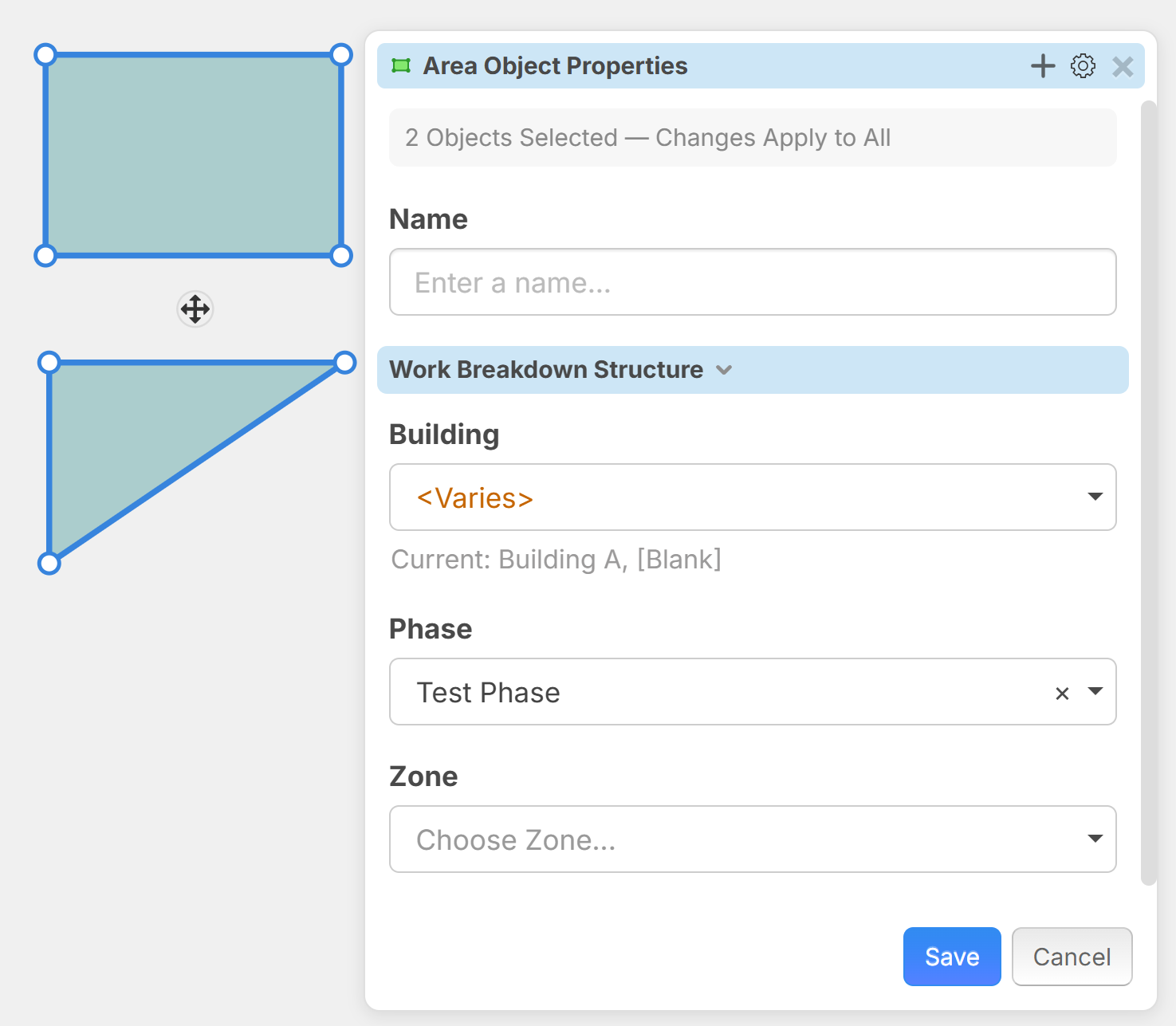
Our current thinking is this "Object Properties" option:
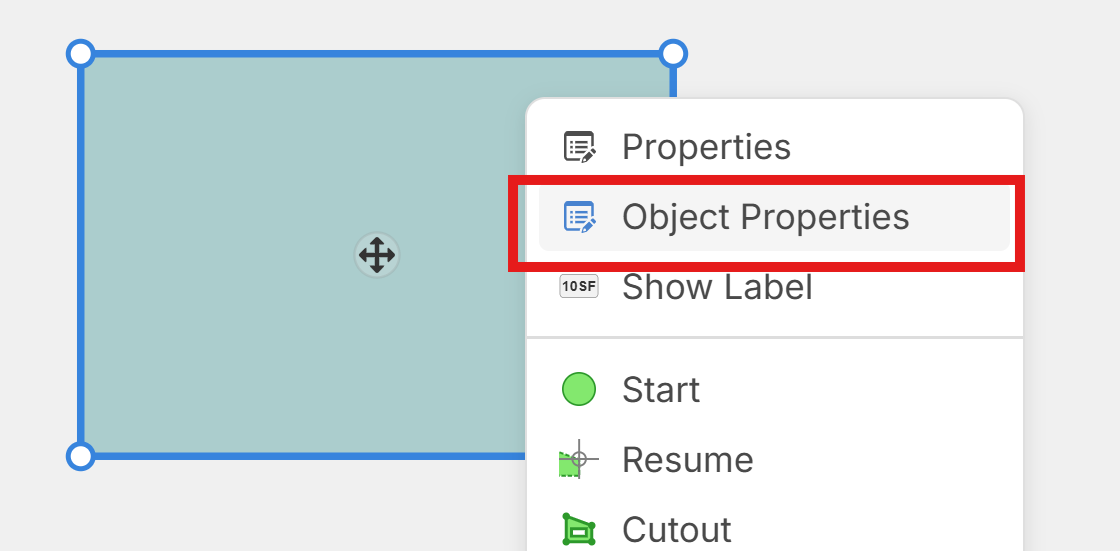
Then you can edit Object Level properties. This popup is capable of multiple objects on the page being selected. Then you can update many at the same time. We have changed the title color to blue as a visual indicator to make it clear this is a "different" properties popup from the main properties on the takeoff.
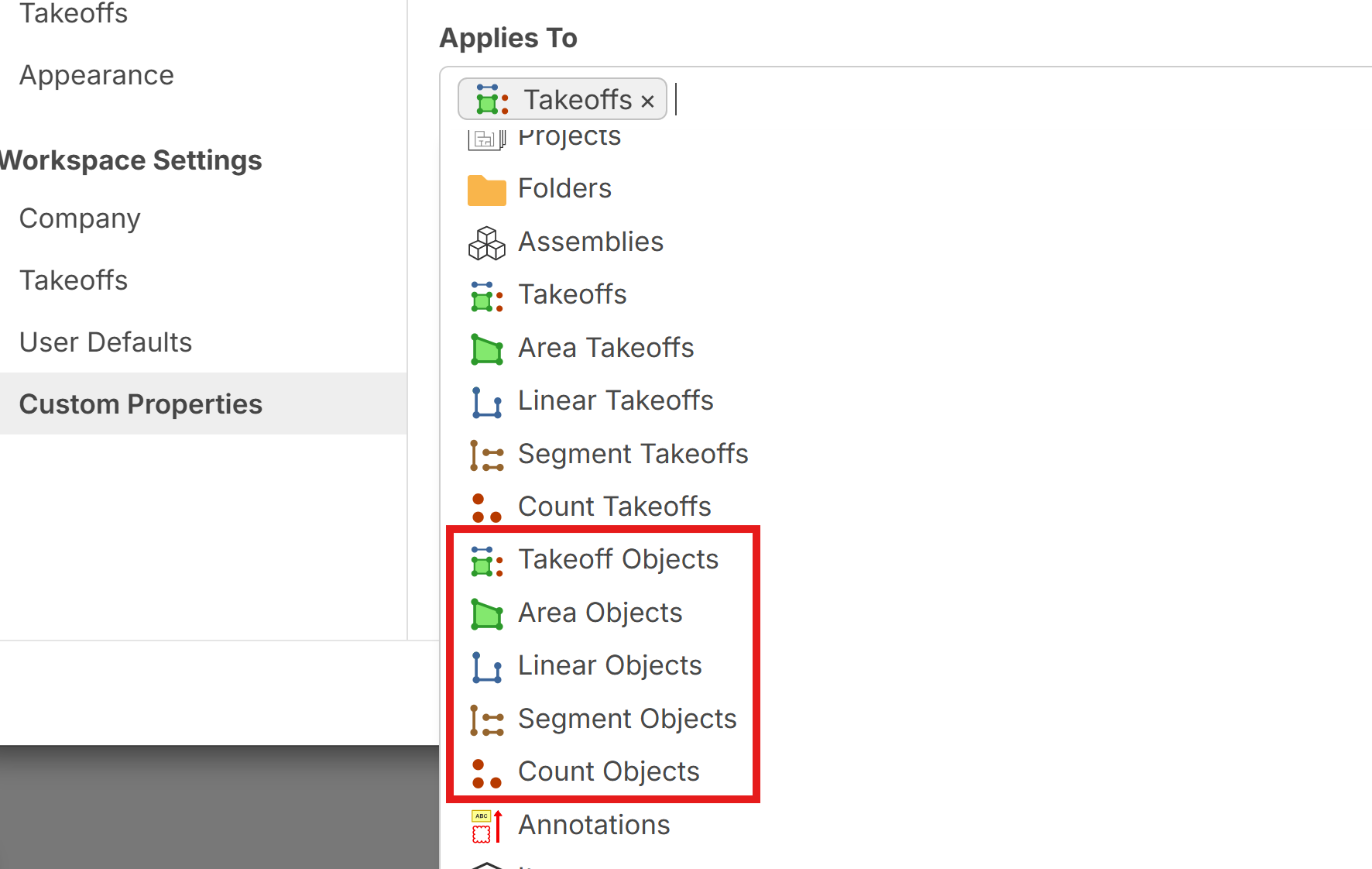
You will be able to control "Applies To" for custom properties specifically to show at the Object level if you want. Note: in this screenshot, we haven't applied new icons for object level yet but they will be distinguished.
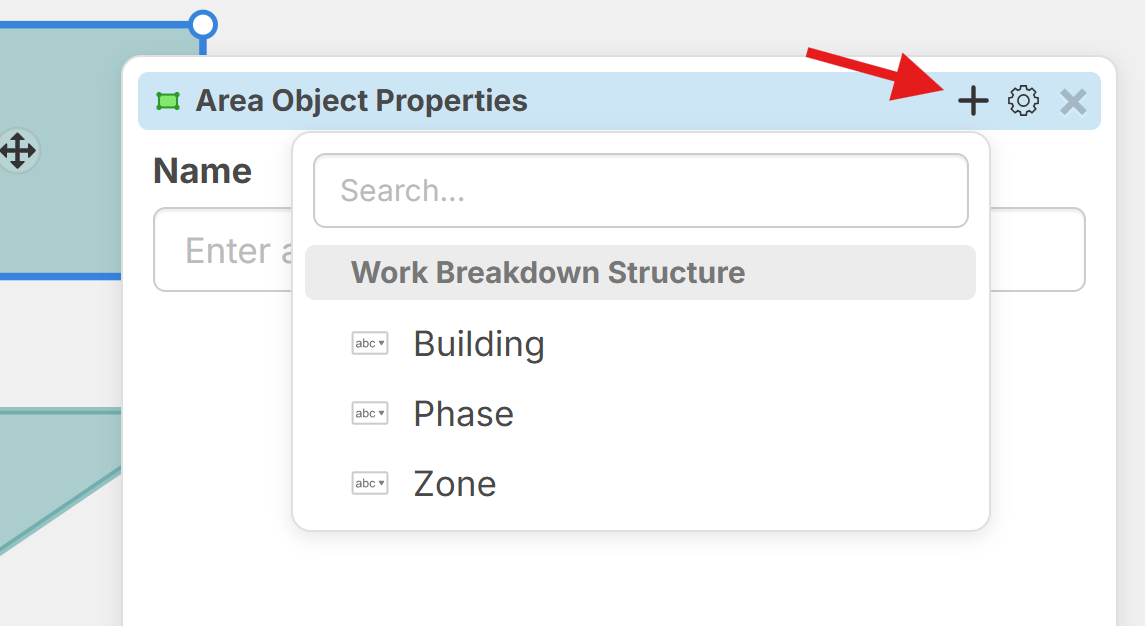
Then if you want properties to be "Hidden by Default" you will be able to add them on the fly.
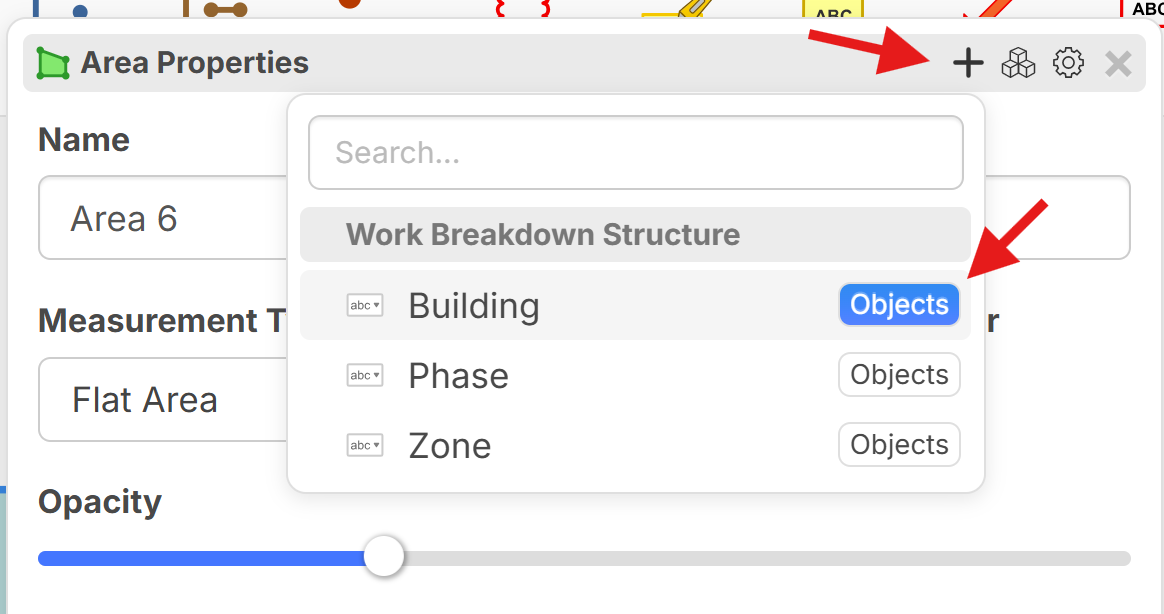
If the properties are hidden by default, you will also have an option at the parent takeoff level to apply the property to all objects that are part that takeoff. This will allow you to pre-configure templates with specific object level properties that are visible for all objects on the takeoff without having to "show" them individually for each.
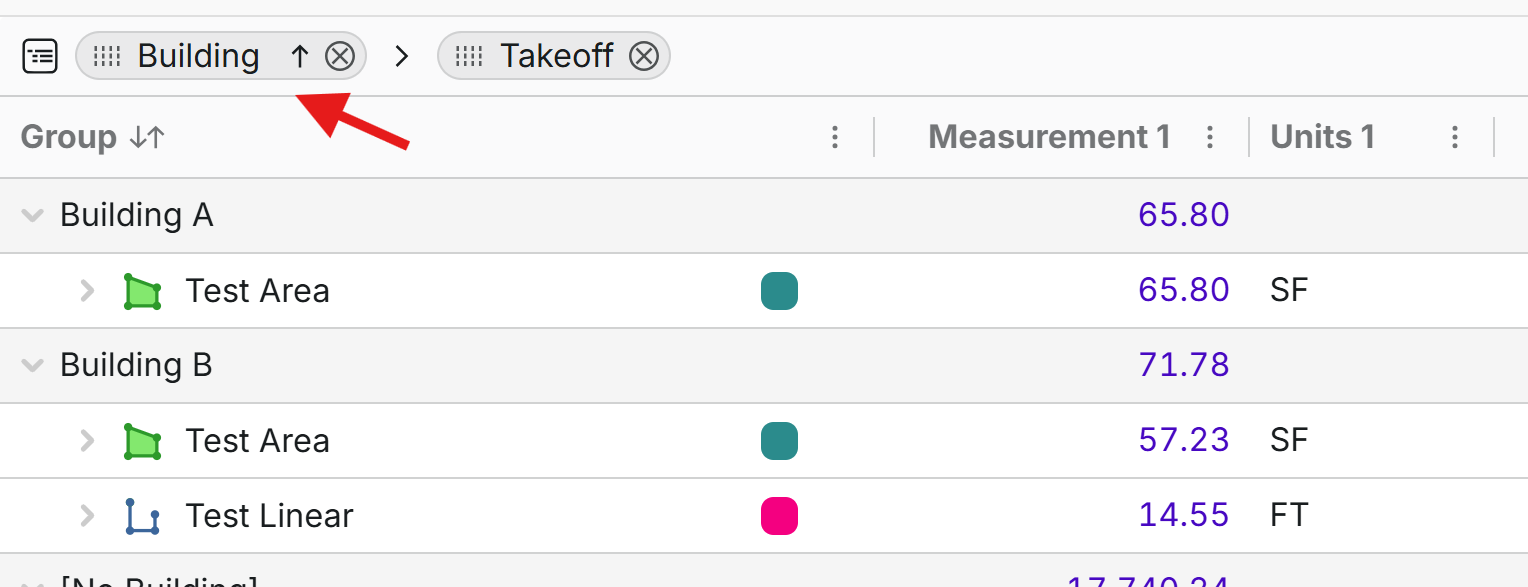
Then in takeoff reports you can slice & dice your takeoff data accordingly:
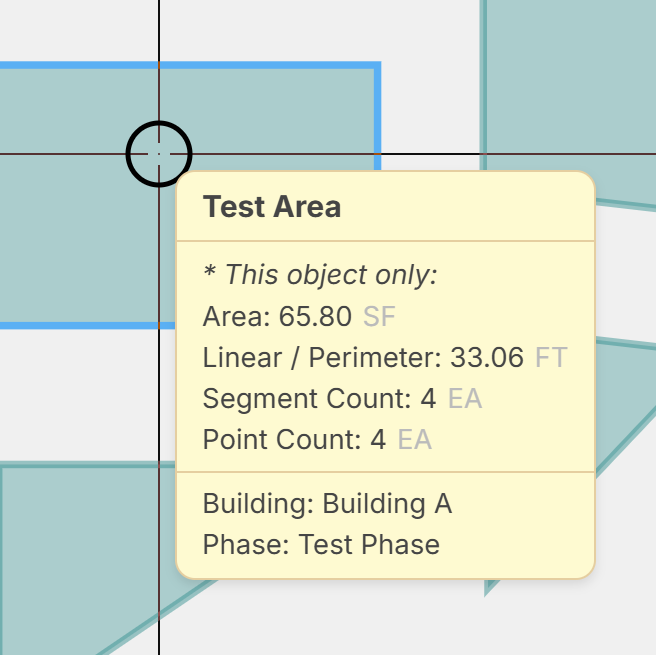
When you hover over an object you will see the additional object level properties:
This will unlock a new dimension for zzTakeoff 😊
Again, all of these options are hidden by default to not confuse the users that don't need it.
🚀1Very cool! i'm hopeful there will be a workflow to multi select takeoff items on a page. Or are you thinking properties like Building, Phase and Zone would also be able to be set as Page level properties that could be tied to the Objects automatically, but also overridden? I suppose a customized reports tab to find and change object level properties could work too?
looking forward to test!
👍2