











 Product Updates
New Update: Enterprise SSO, PDF Hyperlinks, Realtime Follow User, Undock Reports, Takeoff Tree, Takeoff + Item, Array, Offset, etc.
We deployed another update over last weekend. Here's a list of the updates:
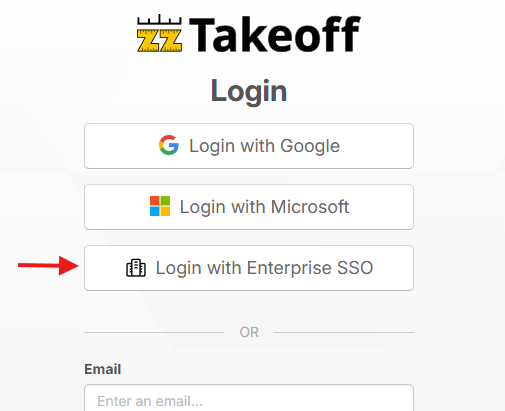
Enterprise Single Sign On (SSO)
We now support logging in with Enterprise SSO. Just reach out to us if you need it configured for your company.
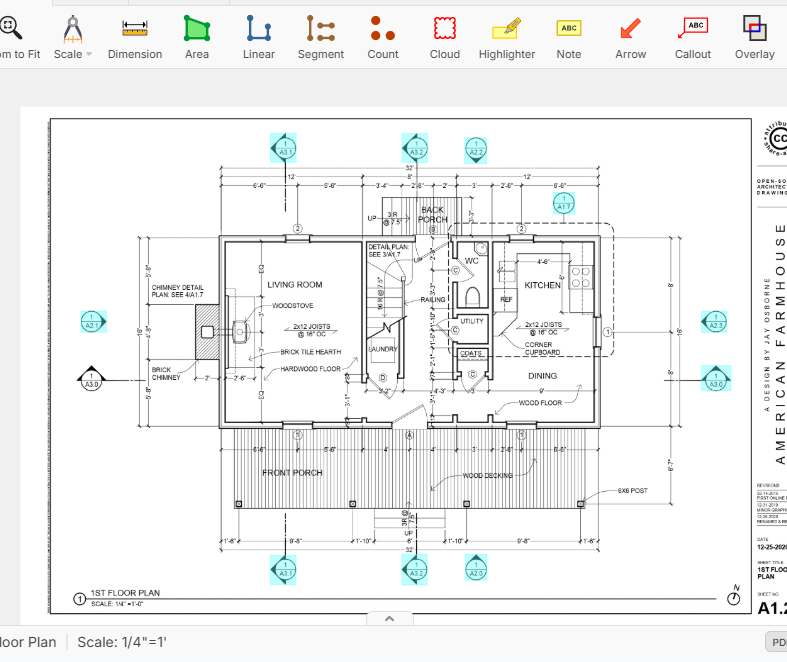
PDF Hyperlinks
Some PDF files already have hyperlink data built in, such as linking detail callouts to section detail pages. If the original PDF has this data, it will automatically be extracted and displayed on the plans. In the future we will be using AI to auto extract these if the PDF doesn't have the data already.
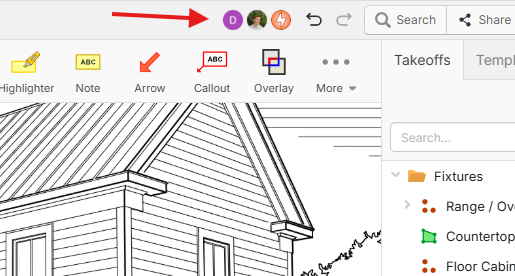
"Who's Here" in the Project
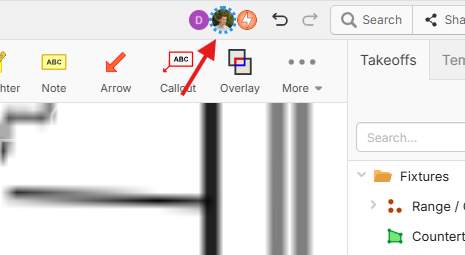
You can now see in real-time the icons for "who's here" in the app header. This allows you to easily see other users that have the same project open.
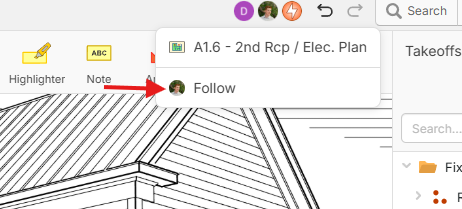
Real-Time Follow User
When you click a user icon, you can either click the page they are on to navigate to that page, or click "Follow".
While you are following a user, zzTakeoff will go to the same page & zoom/pan location as that user. Then as they zoom around and switch pages, your browser will follow them. Great for collaboration.
Undock Reports / Dual Monitor
You can now undock reports to a separate window.
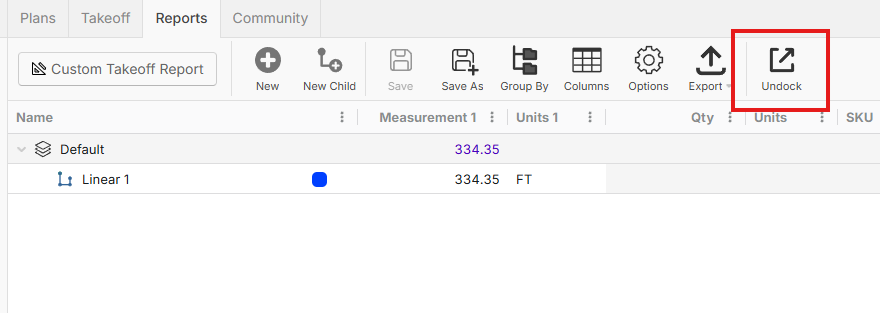
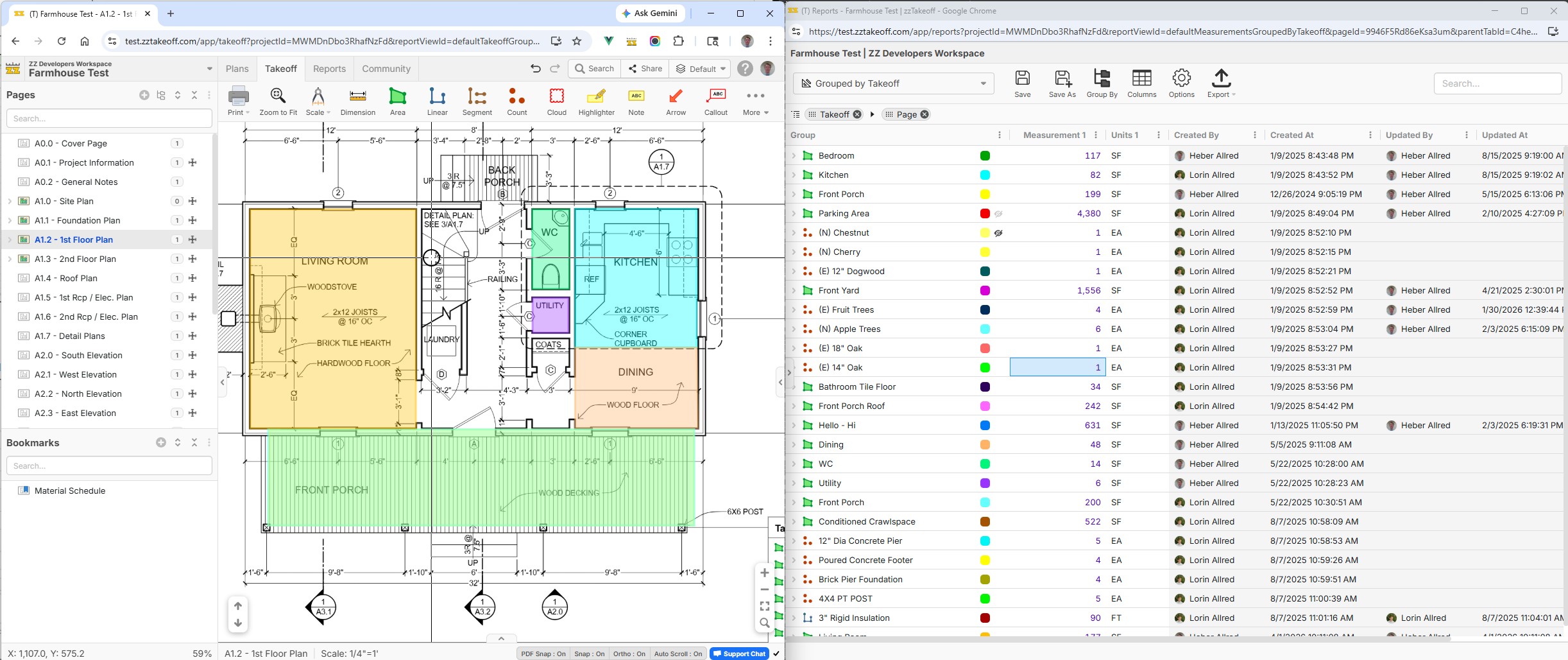
The 2 windows will stay in sync. You can start takeoff from the undocked window and it will communicate back to the main window to start takeoff.
Note Annotation Updates
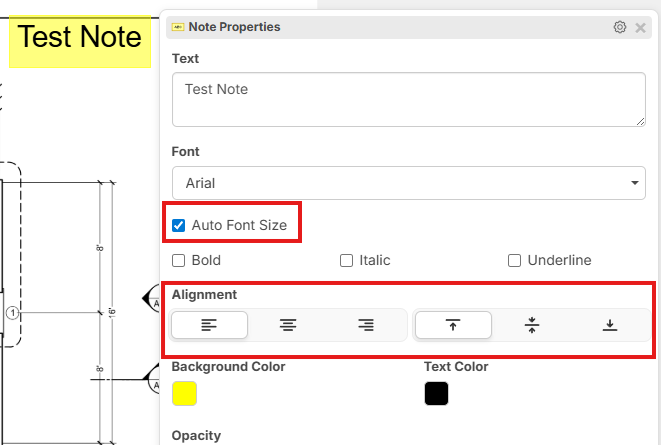
You now have options for "Auto Font Size" as well as "Alignment" on the "Note" tool.
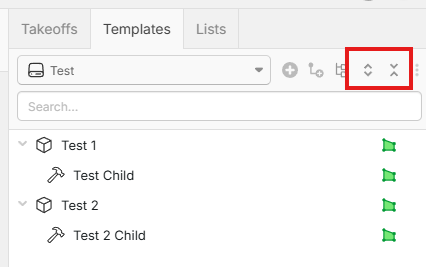
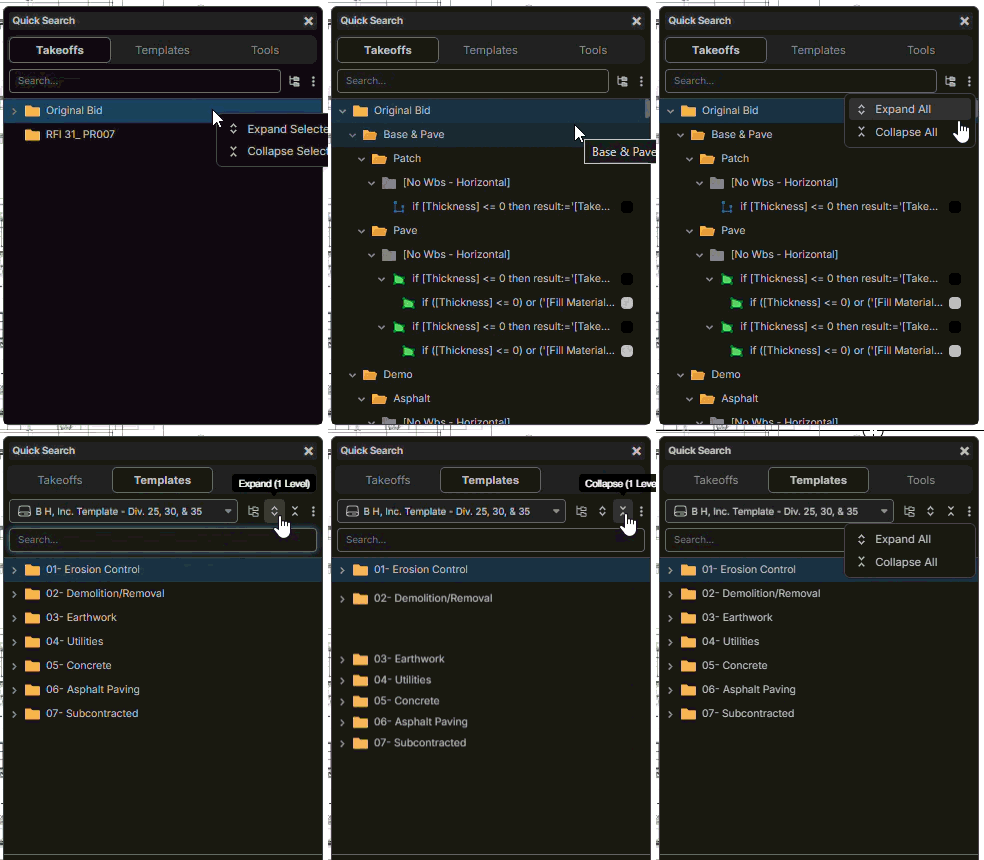
Expand / Collapse 1 Level
Many users were requesting the ability to expand/collapse 1 level at a time. We've added these buttons.
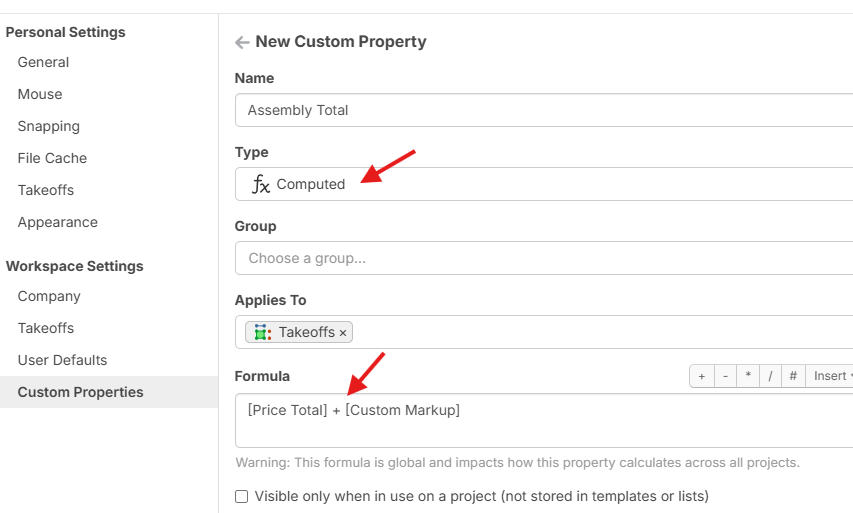
Custom Property Type for "Computed"
This allows you to create a global formula that auto applies and is easily changed in a central location. This is great for customized "Total" columns.
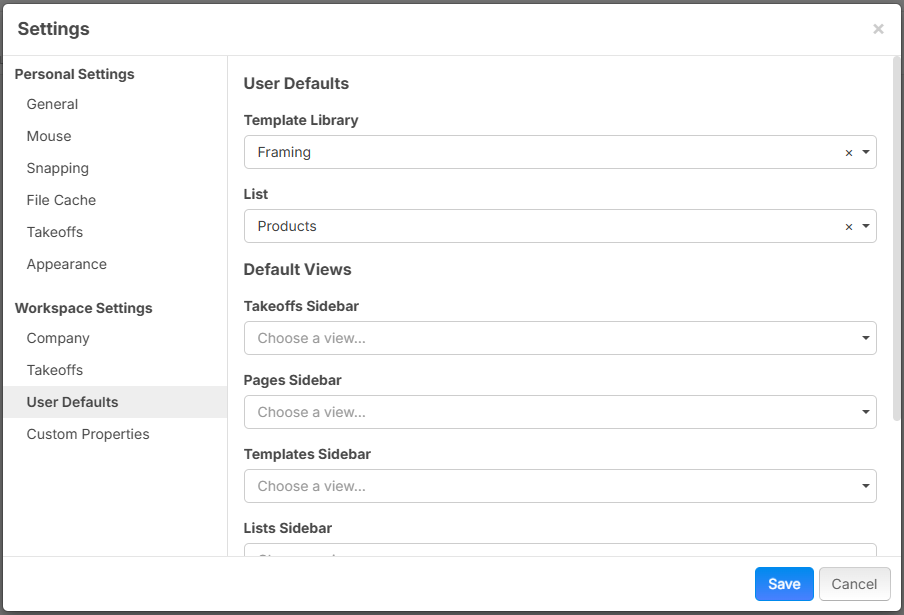
User Defaults
Now you can control the default views that new users see when they join your workspace. Great for onboarding within large organizations.
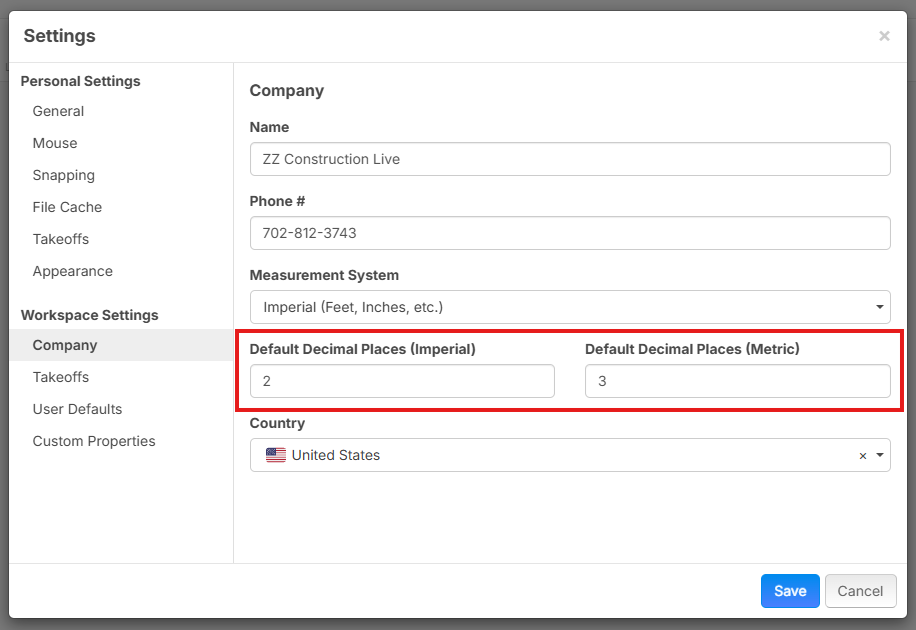
Default Decimal Places Setting
For takeoff measurements, you can now control the # of decimal places separately for Imperial and Metric measurement systems:
Takeoff Tree Report
Now in reports you can show the same parent/child relationship as in the takeoffs sidebar on the right, but with more columns.
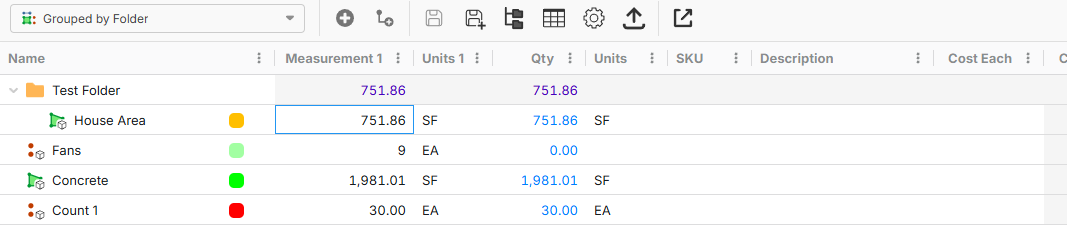
Takeoffs as Items
Typically when you start a takeoff as an Area or Linear, it works as an Assembly. Now you have the ability for a takeoff to also be an item.
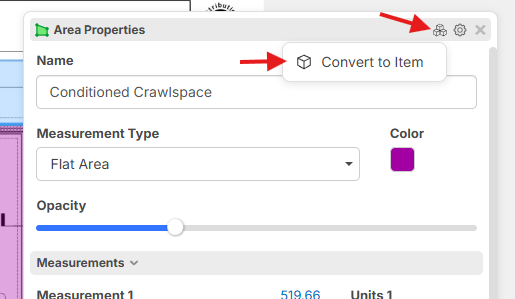
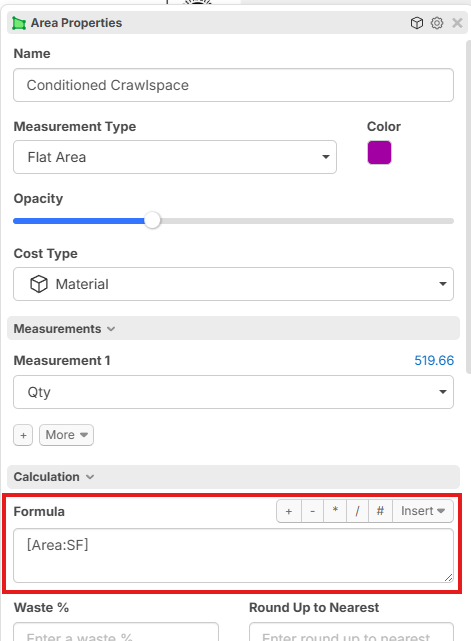
If you convert the takeoff to be an item, you can see it now has a Formula to calculate Qty and also has SKU, Cost Each, etc. If you are using assemblies, most of the time you will not need this feature. Typically you will want the parent takeoff to stay as an assembly, and attach child items to it. Some users need them to be combined, and this is for those users.
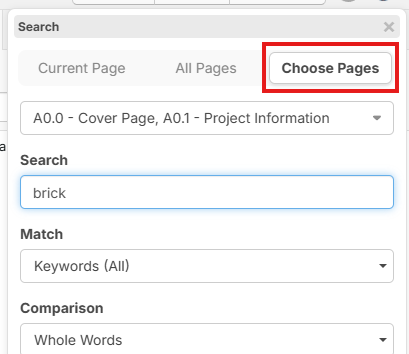
Search Improvements
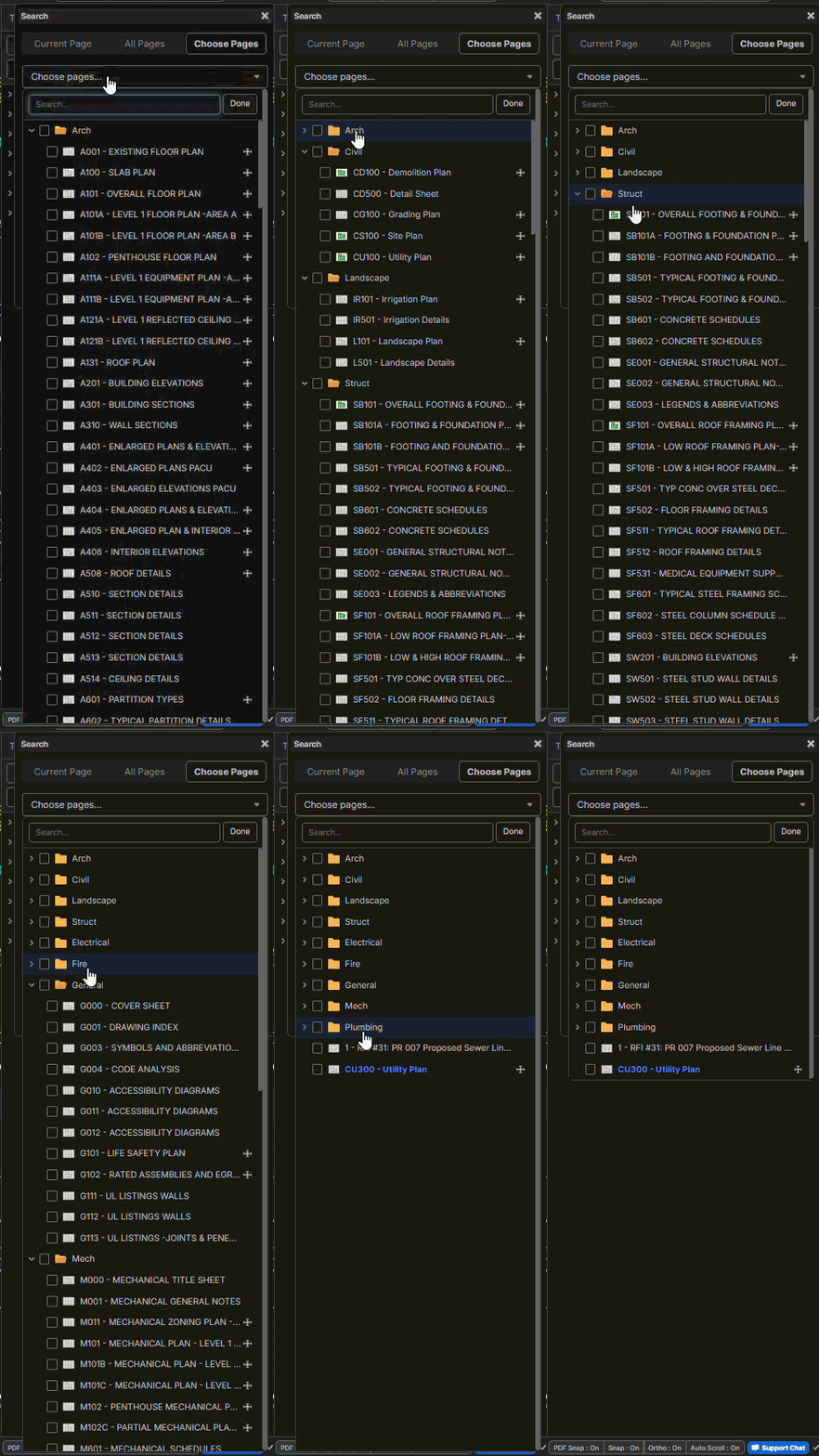
You can now search specific pages.
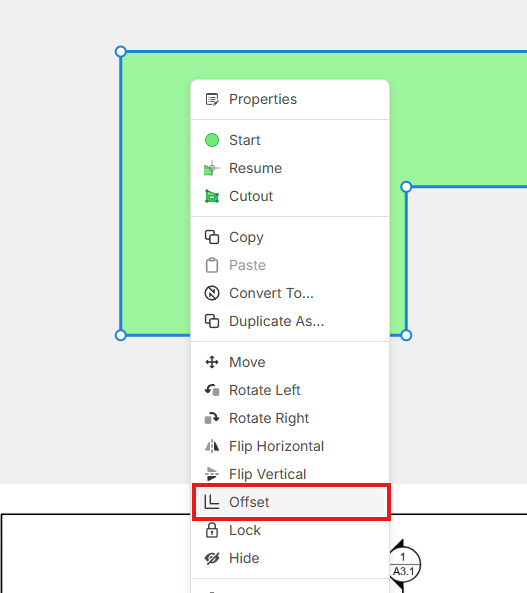
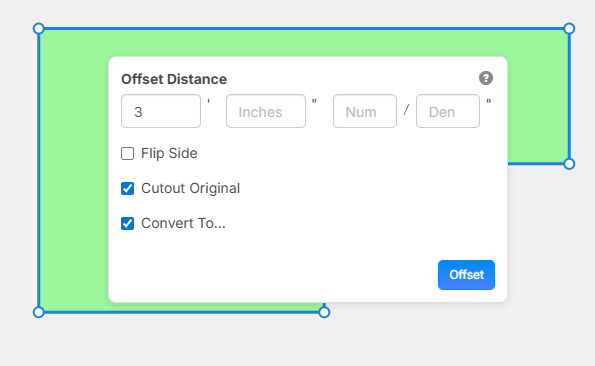
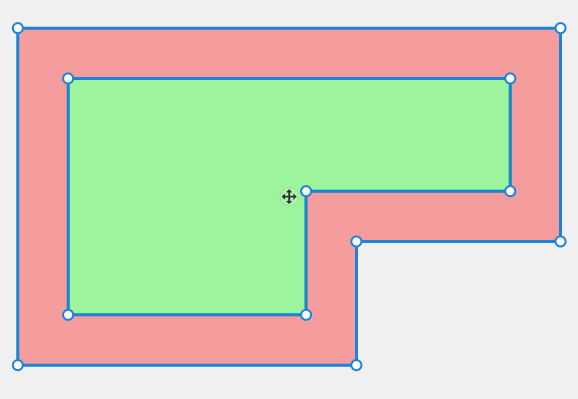
Offset Command
Now you can offset from either an Area, Linear, or Segment takeoff. You have options to cutout the original, etc.
Array Command
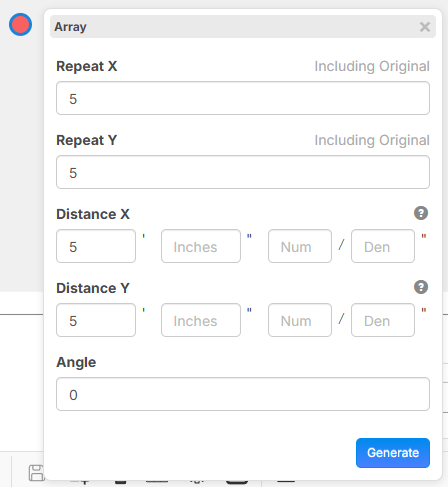
You can build arrays in 2 ways:
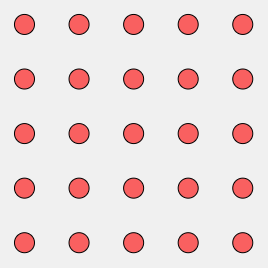
1. Select objects on the page, and press an arrow key in the direction you want to do the array
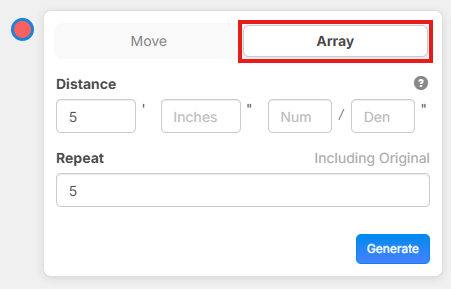
2. Press "/" hotkey and choose array from the list of tools (more array options for X, Y, and angle).
Resulting array of objects
Misc. Updates
- Undo/Redo improvements in reports
- Ability to clear recent projects
- Ability to show/hide all dimensions on a page
- Ability to invite a user as "Not Assigned" license
- Improved hover hint for Count objects - shows total for all pages
- In reports you now have the ability to export specific columns as "Upper Case" or "Lower Case". Click the "..." for the column and go to "Column Settings", then adjust "Text Case". Note: this only applies to text columns not numbers.
- Ability to Lock or Unlock objects on the page (right click on the object, and "Lock").
- Date Issued and Date Received properties editable on pages
- Dark mode toggle is available for users with "view" permission
- We upgraded our database speeds and increased server memory. This should be a good speed boost for loading projects.
- Various UI improvements
I apologize for the delay creating this post about the new features. Thank you all for your support and help to improve zzTakeoff 😊🚀

What an amazing update! There are so many improvements to test out.
👍3🚀3%22%2F%3E%3Ctext%20x%3D%2232%22%20y%3D%2233%22%20text-anchor%3D%22middle%22%20dominant-baseline%3D%22central%22%20font-family%3D%22Arial%2C%20sans-serif%22%20font-size%3D%2226%22%20font-weight%3D%22600%22%20fill%3D%22%23fff%22%3EBS%3C%2Ftext%3E%3C%2Fsvg%3E "Ben Stewart")




These updates continue to be amazing. Thanks for all the work that goes on behind them!
Question for you on the search function. By default, all the folders are expanded. Can we have an option to set the default to collapsed? Can there be an option when you right-click to expand/collapse as we have going for Pages, Takeoffs, Templates, and Lists?
%22%2F%3E%3Ctext%20x%3D%2232%22%20y%3D%2233%22%20text-anchor%3D%22middle%22%20dominant-baseline%3D%22central%22%20font-family%3D%22Arial%2C%20sans-serif%22%20font-size%3D%2226%22%20font-weight%3D%22600%22%20fill%3D%22%23fff%22%3ED%3C%2Ftext%3E%3C%2Fsvg%3E "Dylan")
There's a bit of an annoying thing that happens with those auto updates that disrupts my workflow. These are by default "locked" when they are auto added. My takeoffs require me to make cropped pages of enlarged unit plans (multifamily construction) when there are multiple enlarged plans per page so I can apply the proper scale and have them on separate pages for the sake of organizing on reports.
But when I try to highlight the area I want to crop, it ends up "selecting" these hyperlink boxes. I have to manually right click, unlock, then delete every single hyperlink that was applied. Which in the case of this project, is tedious as the architect decided they wanted 30 different styles of units in this apartment building. Maybe there's a toggle to not add these hyperlinks, when initially uploading, but that doesn't help me now, and I like the feature so I wish there was a way to just quickly highlight and crop the page without selecting these hyperlinks. :/
👍1One more for you on the folder level expansion/collapse... When I hit the "spacebar," I would like to have the option for those folders to be collapsed or expanded by default (Feature request?). I see that I have the option to expand/collapse "all" on the Takeoff tab, but then I have the option to expand/collapse by "one" or "all" for the Templates. Can you make this uniform?
%22%2F%3E%3Ctext%20x%3D%2232%22%20y%3D%2233%22%20text-anchor%3D%22middle%22%20dominant-baseline%3D%22central%22%20font-family%3D%22Arial%2C%20sans-serif%22%20font-size%3D%2226%22%20font-weight%3D%22600%22%20fill%3D%22%23fff%22%3ERJ%3C%2Ftext%3E%3C%2Fsvg%3E "Rulon Jessop")

Thanks for all the feedback and support.
@Dylan If you hold the CTRL key while drawing the box, it will give you the menu for crop as new page instead of selecting the objects in the box. No need to delete the objects first.
@Justin Improvement requests noted.
👍3
@Heber, is it possible to add the new expand/collapse buttons to the Reports tab as well? That would be nice.
💯1👍2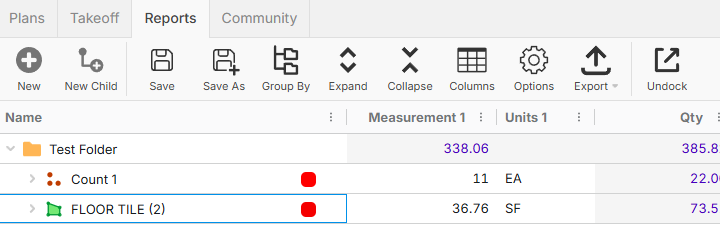
@Heber I've said it before and I'll say it again. You guys are awesome!
It genuinely makes using this program from more fun/exciting.
👍3@Justin We have a great team of people working here that really care. It's a lot of fun. We are also super grateful for all of you supporting us and providing feedback to help us make zzTakeoff better. 🚀
👍1%22%2F%3E%3Ctext%20x%3D%2232%22%20y%3D%2233%22%20text-anchor%3D%22middle%22%20dominant-baseline%3D%22central%22%20font-family%3D%22Arial%2C%20sans-serif%22%20font-size%3D%2226%22%20font-weight%3D%22600%22%20fill%3D%22%23fff%22%3EJ%3C%2Ftext%3E%3C%2Fsvg%3E "Jes")
%22%2F%3E%3Ctext%20x%3D%2232%22%20y%3D%2233%22%20text-anchor%3D%22middle%22%20dominant-baseline%3D%22central%22%20font-family%3D%22Arial%2C%20sans-serif%22%20font-size%3D%2226%22%20font-weight%3D%22600%22%20fill%3D%22%23fff%22%3EDH%3C%2Ftext%3E%3C%2Fsvg%3E "Daniel Harvey")
Thanks for the additional text markup formatting!