










 Bug Reports
%22%2F%3E%3Ctext%20x%3D%2232%22%20y%3D%2233%22%20text-anchor%3D%22middle%22%20dominant-baseline%3D%22central%22%20font-family%3D%22Arial%2C%20sans-serif%22%20font-size%3D%2226%22%20font-weight%3D%22600%22%20fill%3D%22%23fff%22%3EJ%3C%2Ftext%3E%3C%2Fsvg%3E "Jes")
Filter button in reports tab
Not sure if this is a bug but are these filter icons supposed to be functional after you set a column filter, or are they just an indicator to let you know the column has been filtered?

When you try to click on them it just resorts the column A-Z like usual

Thanks for reporting. We will check into this. We hid the filter icon for un-filtered columns (and put it in the ... menu) to help it feel less cluttered, and maybe this was impacted in the process.

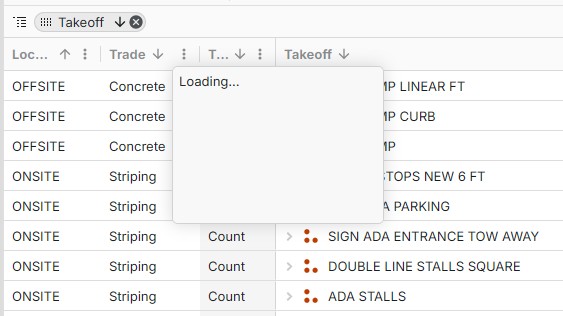
Is the filter supposed to work with custom properties too? I just get this loading box when trying to use it on one of those columns.

Hey Jes, we recently put out a patch to make the filter clickable again.
@Nicole, that looks like a bug. I was able to replicate that behavior on my end. We’ll dig into what’s causing it.
👍1