











Grading 2D/3D Plugin Shows incorrect Plan Image
Tried out the new beta earthwork plugin today, so far I'm very impressed! One bug I came across; the plugin is displaying the incorrect plan image in 2D & 3D mode. Great job so far though!

Hey Eric, thanks for reporting! We’ll get that fixed. 🙂

Hi Eric, any chance I could get that plan to see what is happening?

@Todd I opened up ZZTakeoff this morning and it is displaying the correct page now! Unfortunately unable to grab a screenshot of the issue I was having, sorry.
I created the contours, LOG, etc.. on page C-201 Grading Plan. On the Grading 2D/3D tab, I loaded from project. The project page name on the dock was displaying the correct page (C-201), but for some reason it was grabbing a random structural page (S-102) to display behind the 2D and 3D view.
Not sure if that information helps at all, but for now it seems to be working. I'll comment back with screenshots if I experience the issue again.
Thanks
okay, thanks for the update. If you put a contour measurement on a second page it may show up in the 3d and 2d. It is meant for multiple grading sheets, so that could be it. But please keep us updated if it happens again. Enjoy and keep us posted!
%22%2F%3E%3Ctext%20x%3D%2232%22%20y%3D%2233%22%20text-anchor%3D%22middle%22%20dominant-baseline%3D%22central%22%20font-family%3D%22Arial%2C%20sans-serif%22%20font-size%3D%2226%22%20font-weight%3D%22600%22%20fill%3D%22%23fff%22%3EDB%3C%2Ftext%3E%3C%2Fsvg%3E "Douglas Burgos")
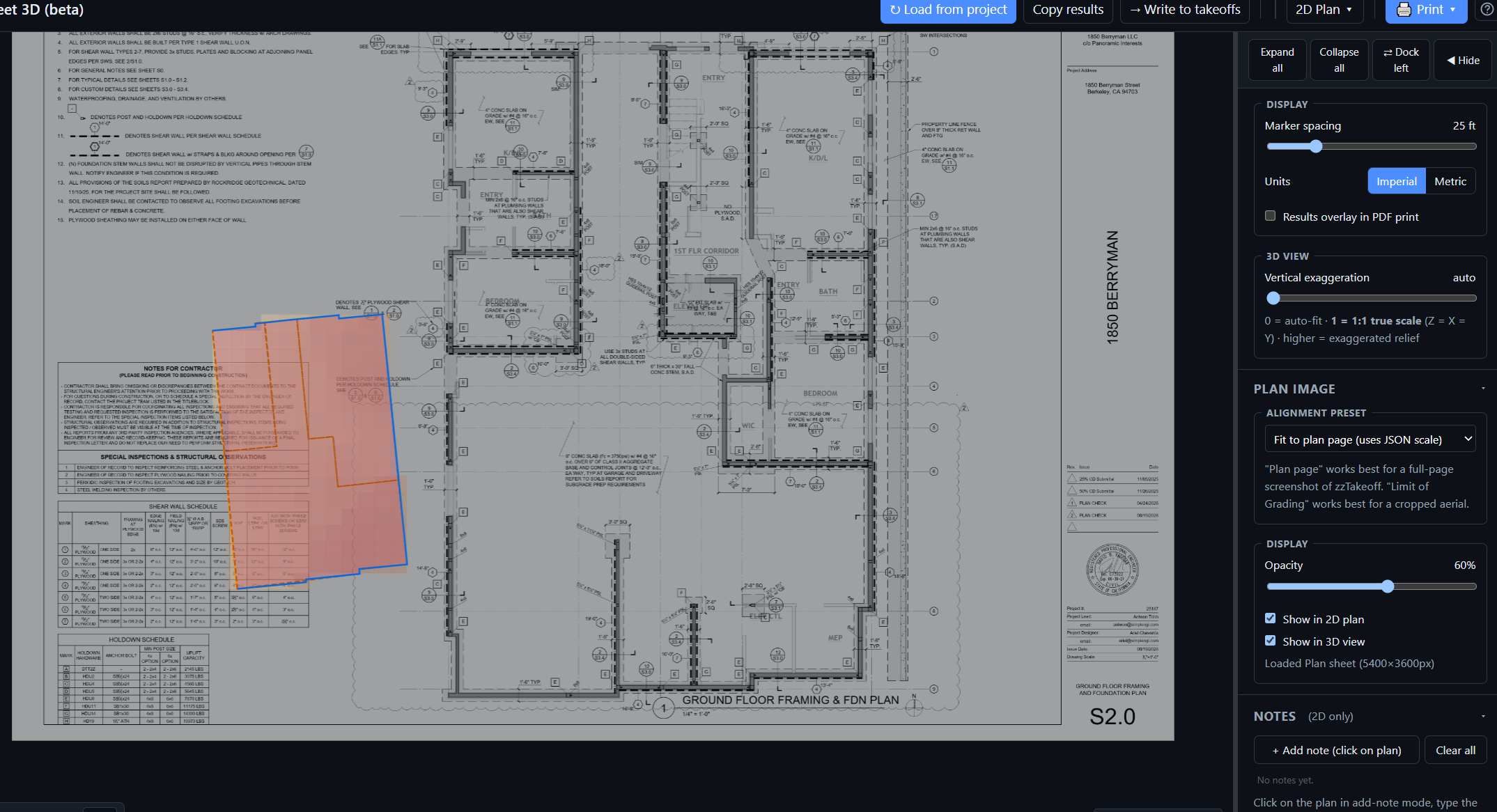
I am having the same issue I was able to grab a screenshot
Thanks, Douglas! We'll try to replicate this on our end. Do you remember what steps you took before this error happened? (Did you switch to the foundation page, then back, etc.?)
I used the toolbox to make my takeoffs on the correct sheet then hit load from zz.
👍1Hi Doug can you chat in tomorrow in the support line and ask for me, I would like to see what caused this, I do not see any contours lines, so just curious on everything

Where do we access this beta?

@Trenton, Click on your picture on the right top & click "Plugin Store".

Having the same issue. It choosing a random page to do the overlay, not the page where the takeoffs were created. 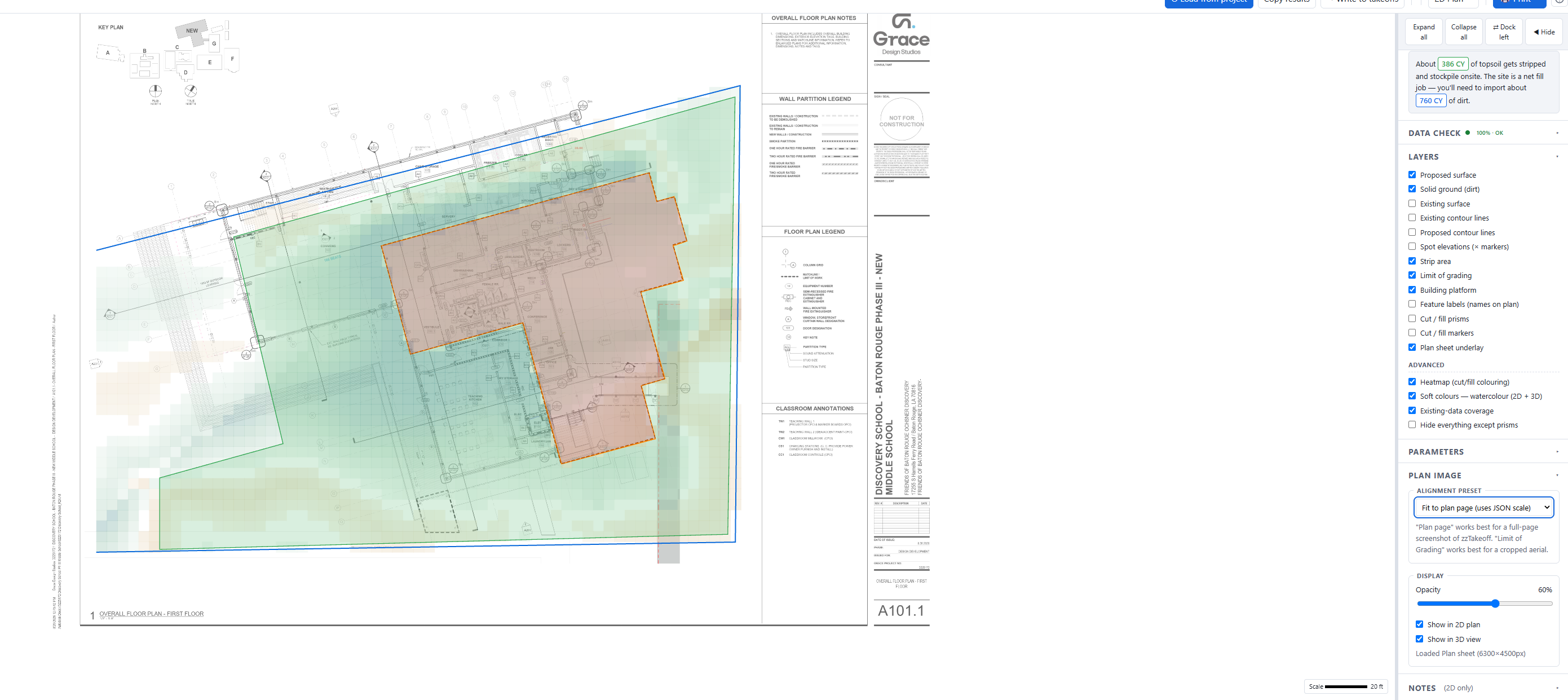

Same issue here. Awesome tool though!
It grabs a random page from the print I'm working on, then if I switch jobs it still uses the random page from the previous job until I refresh.
Then when I refresh it grabs a random page from the correct print. It seems to always be the same page from each print, but never the one with the contours.
Hi All, I will see what is going on with this, and maybe beat the heck out of Claude in the mean time and will see if I can have a fix by tomorrow morning.
🚀1😁1Hi Ralph, can you reach out thru the support chat and ask for Todd tomorrow. I have the fix for the issue and would like to test it on your project if that is okay.
Thanks
the tool was picking the plan sheet with the most takeoffs instead of the one with the grading, and it wasn't clearing the image when you switched jobs. Both fixed in tomorrow's update — thanks for the razor-sharp reports, they led us straight to it.
I will push the update out by noon tomorrow and let everyone know thru this chat, thanks!
🔥1I'm still seeing the same drawing.
Hi JD. can you download the new version of the plugin, we just issued an update for Vector lines, I would like to meet with you to see the plan if it still comes back.
I have re written the code and tested the heck out of it, so it should be fixed.
There may be a chance you did not updated after that fix
That did it! I needed to update the plugin. Thanks, Todd!
I am so very glad to hear that, we always want to make it right! Let me know on the vector lines what you think.
There is a new video on our YT channel on how to use it. https://youtu.be/Mb3OlPm83ec
Todd, I'm just playing with vector lines now and getting this error: 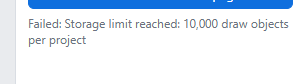
I just now saw your reply, but that bug is fixed for me. The correct page is the background layer now.
thanks!
@J. D. We just released a patch that will apply if you refresh your page. This was a limitation on how many sections/annotations the plugins can create per project, and we just raised the limit to 25k.
🚀2❤️1