










 Bug Reports
Gray Folder at Project Level Not Working with Custom Properties
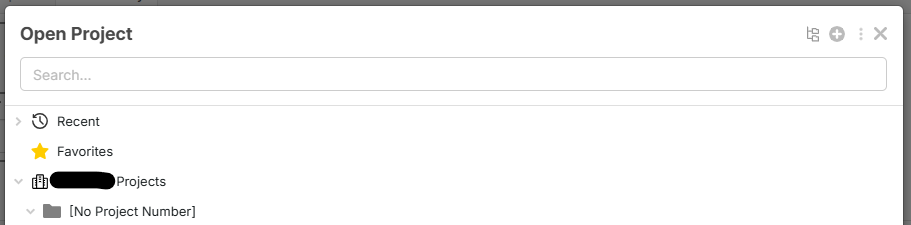
I have created a custom property 'Project Number' and I'm attempting to group my projects in the project viewer by a 'Project Number' gray folder. It currently says this for all projects:

I know I have a few projects that have project numbers:
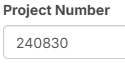
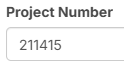

Thanks for reporting - we'll dig into what's causing this.

Hi, if you are trying to group by project number using the Reports tab, you need to use Takeoff Folders and not Page Folders. Page folders are on the left sidebar for the Takeoff tab and Takeoff folders are on the right sidebar. Only Takeoff folders show up under Reports.
%22%2F%3E%3Ctext%20x%3D%2232%22%20y%3D%2233%22%20text-anchor%3D%22middle%22%20dominant-baseline%3D%22central%22%20font-family%3D%22Arial%2C%20sans-serif%22%20font-size%3D%2226%22%20font-weight%3D%22600%22%20fill%3D%22%23fff%22%3EVT%3C%2Ftext%3E%3C%2Fsvg%3E "Victor Tengowski")
@Stephen, this is in relation to project organization in the file explorer, not the reports tab. When I hit 'Open Project' in the top left, I want my projects to be organized by the custom property I created- 'Project Number'
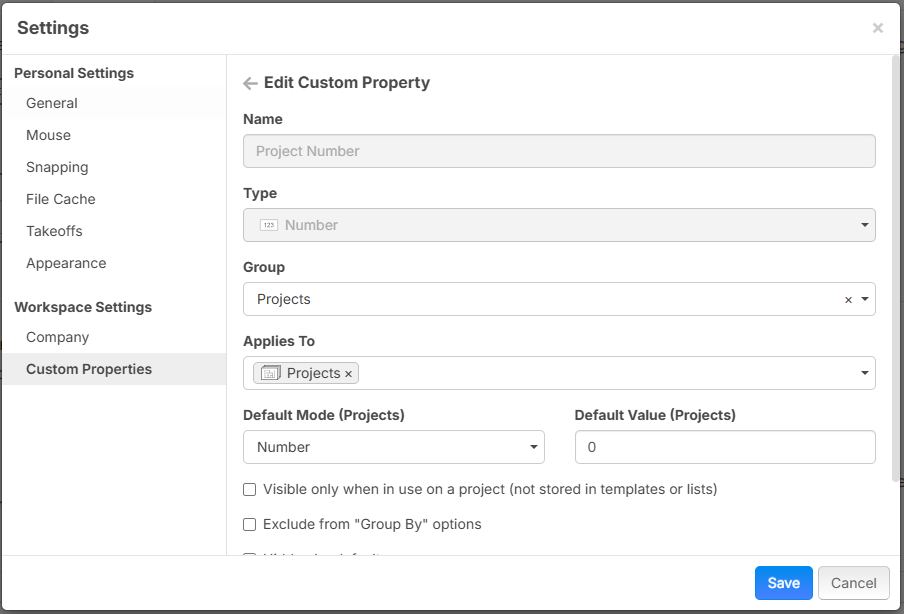
Jumping in here. This bug has been fixed on our TEST server and will go out in our next minor release.
👍3Our latest minor release included this bug fix. Is the grouping working for you now?
👍1
Working for me on my end, thx! Already dropped many suggestions on top of it now in the inside track section :)
🚀2