Feature Requests
Ability to skip a color in automatic takeoff color cycling
Right now when starting a new takeoff a color is assigned that should automatically be a good contrast color to the last one. Sometimes I don't like the option it chooses so I manually pick a different one. However, every subsequent takeoff I start will keep applying the color I didn't want until I actually use it.
Even if I let it use the color for a takeoff and then open the properties to change it after the fact, the next new takeoff will use that color again.
So say it's trying to assign red. If I do a takeoff and let it use red, then open the properties and change it to say green, when I start a new takeoff the color of that new takeoff will be red again.

I would like to add: it would be nice to be able to assign a color and block that color from being used.
👍4
Hi, thanks for the feature request, I really like the idea of block/skip and dont use a color, and have shared it with the dev team!
%22%2F%3E%3Ctext%20x%3D%2232%22%20y%3D%2233%22%20text-anchor%3D%22middle%22%20dominant-baseline%3D%22central%22%20font-family%3D%22Arial%2C%20sans-serif%22%20font-size%3D%2226%22%20font-weight%3D%22600%22%20fill%3D%22%23fff%22%3ESQ%3C%2Ftext%3E%3C%2Fsvg%3E "Steve Quiroz")
I would like to see a way to "lock" a color until I choose to change it. I like using the same color for a system so they are easy to identify and separate from another system.
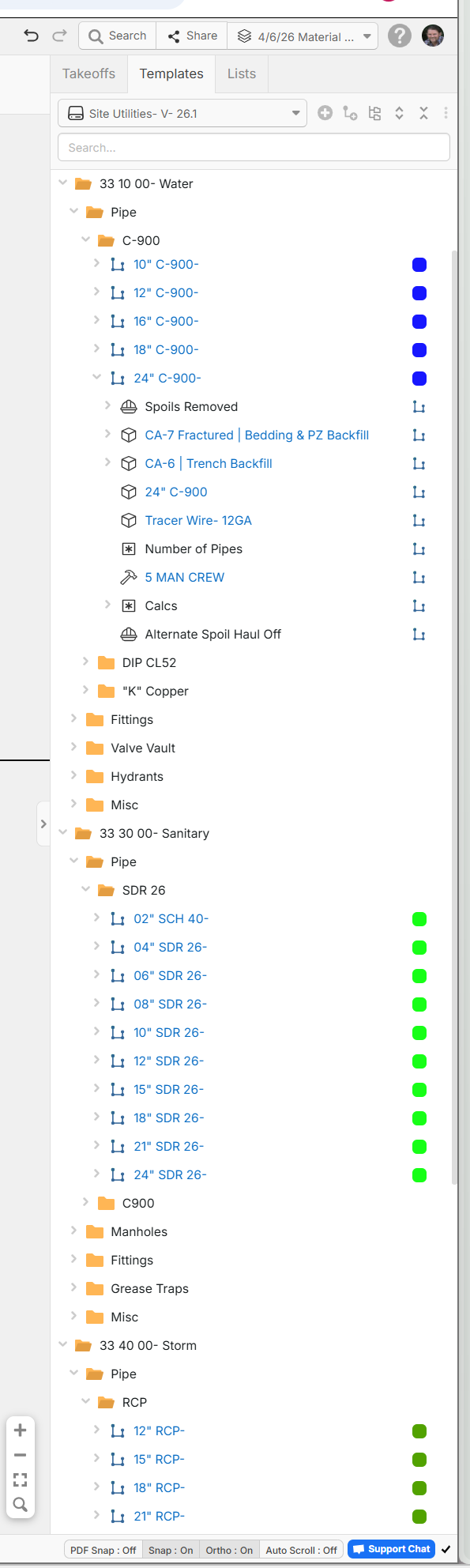
For example, I like to use dark blue for potable water lines and all the fittings and valves, red for fire lines, green for sewer, etc. I will change for different sizes but always stay in the same color family.
👍3
Steve, I have created templates with most of my items and assigned the same color for that scope. It has really helped me out and was worth the time to build. Hope this helps