











 Feature Requests
Ability to turn off page renaming
the page renaming is usually not helpful. Most of the time it just calls it "page 1" and so on. When it does "kind of" work, i still have to edit the names and with my OCD it just causes more work at this point

That's unfortunate; it's one of my favorite tools in the program. I highlight the page name first, followed by the page number. I find that you will encounter issues if you try to do both simultaneously. I hope this is useful.

Thank you for letting us know. Shane would you mind emailing me the job you are having troubles batch renaming? I will load it into my zzTakeoff and see if I'm getting the same result. I'm also happy to jump on a zoom call with you if you would like. Below is my contact information:
darin@zztakeoff.com
801-803-3561

Hey Shane, I think this will help clarify what's going on. When you first upload a PDF, some of the PDFs have built-in page/sheet names, and some don't. zzTakeoff tries to pull the page names/labels from the PDF if they exist, otherwise we fall back to page 1+.
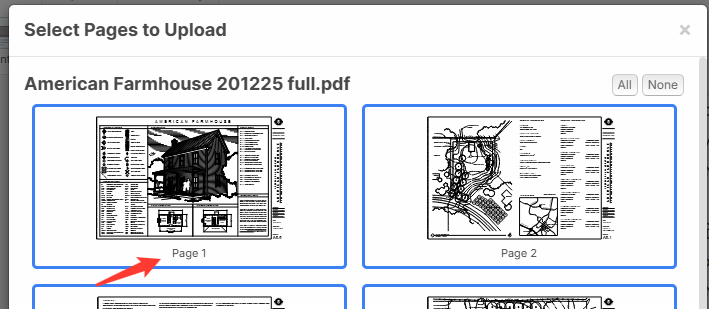
In this example, the PDF does not have any page names, so zzTakeoff defaults to page 1+.
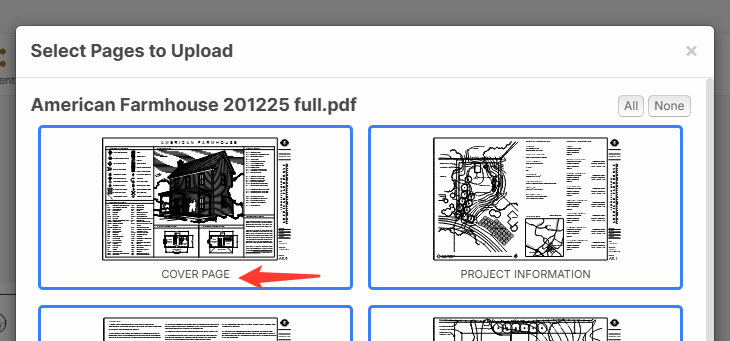
On the other hand, if I manually add page names to the PDF before I import it, those will get pulled in instead of the page 1 +
For your use case, do you want an option for the pages to be pulled in as page 1+ regardless of the PDF page names?
As a side note, we have an AI feature to rename your pages that has been pretty helpful for a lot of our customers.

@Lorin
I too am having this issue. I know the auto renaming exists and that works pretty well usually.
But I would like the option for my pdf pages to all be uploaded with the name of the pdf file. For example a pdf named "Architectural" would name every page "Architectural".
Sometimes we get plans that are already in separate pdfs by architectural, civil, etc. So when I upload them all at once, I just get a bunch of pages named "page 1", page 2" "page 3" etc. (unless someone named each page within the pdf which isn't often the case). I know I can use the batch renaming tool, but if it was named the same as my pdf, I wouldn't necessarily have to. I could quickly see what plans are what without any extra steps.
At the very least, it would be helpful if there was a way to manually rename multiple pages at once. Currently, if I select multiple pages, right click, and choose rename, it only names the first one.