











 Feature Requests
(Feature) Custom Header
I think being able to customize the header (Area where the measurement tools)
I do like all the tools that are there, but sometimes it gets a little bulky with tools not used often. And in future updates, there probably will be more tools.
A customizable bar would help curb this bulkiness, and prepare for future tools. This can be done in advance setting, or creating custom "Header View" so you can switch between different tool sets.
For example, I created what I like to call, "Old Man Tool Set", where it just focus on take offs of most used tools, and clear away any "Possible Confusing Icons". Also useful for training new estimators to just focus on the basics of take off.
In the example, I also moved thing around. Zoom to Fit is already on the bottom right, and the Scale is already on the bottom left. Print is a general thing and can be put on the upper tabs. I really only used Dimension to double check if the scale is correct. Segment is similar to Linear, so new estimator doesn't always know which one, and since Linear is a higher level, I keep them with that. The rest of the tools are more advance or manager revisional tools.
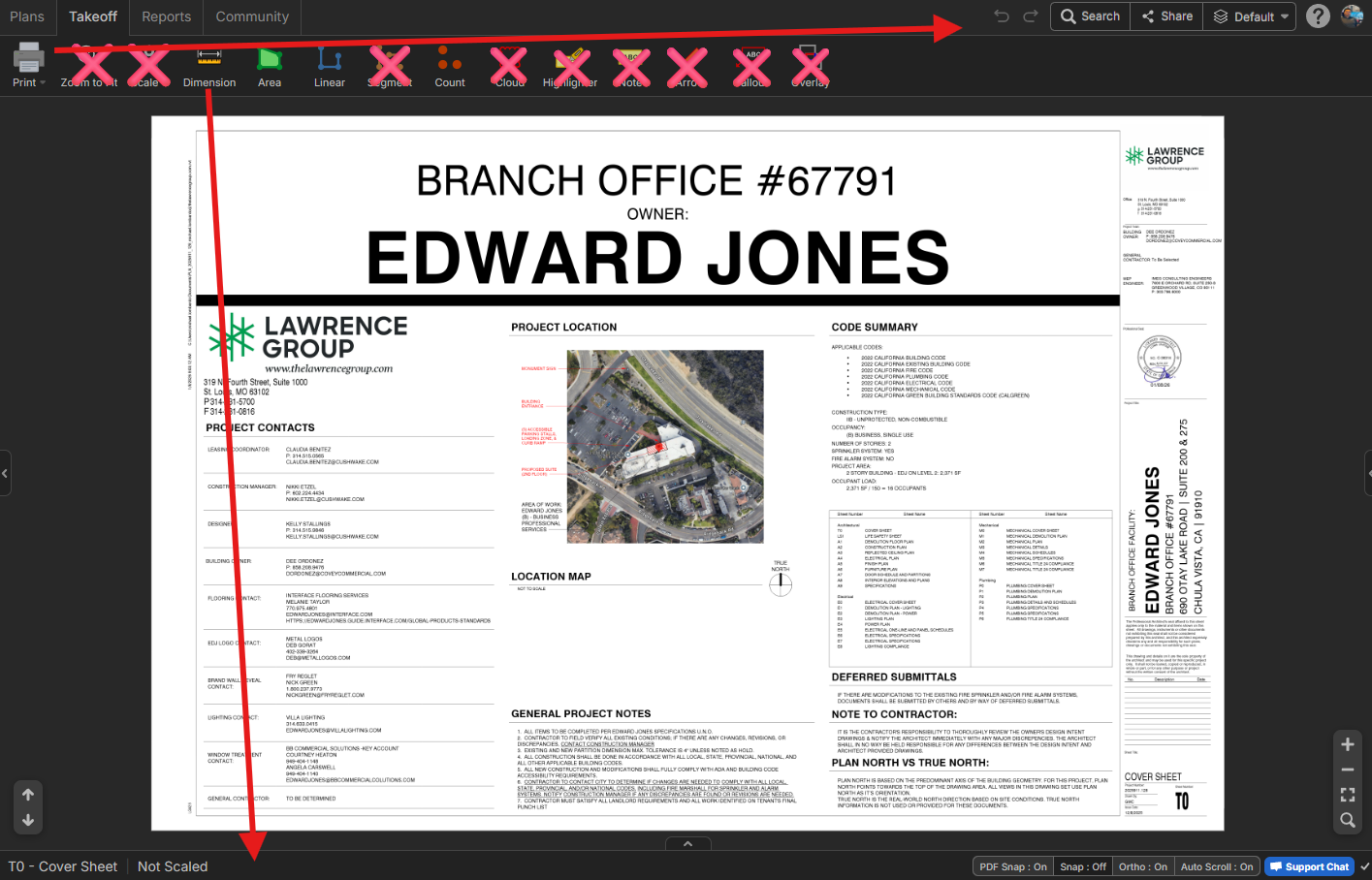

I believe we all have different preferences, which I can understand and respect. I suggest adding a setting to allow users to change their views. For each user's preferences.
👍1