











 Feature Requests

1h 0m
Page Name vs Sheet Name fields - toggle
Under Review
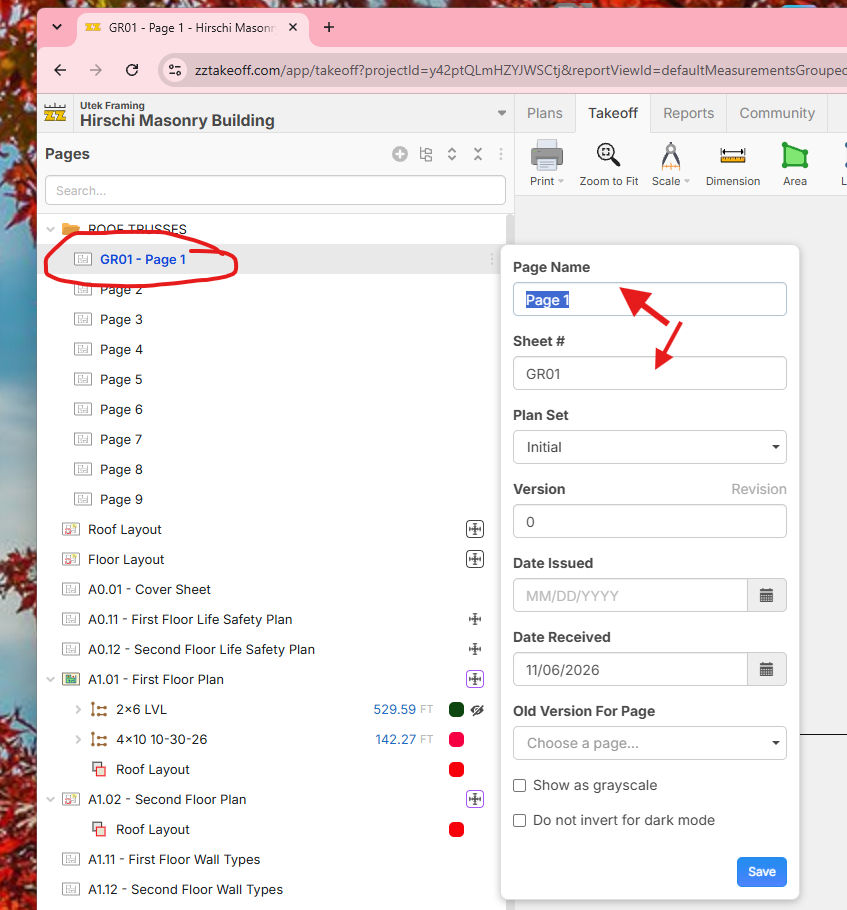
At times both of these are AI generated field. Sometimes I want to list the Page Name first on the main list and the Sheet # second. What controls which is first? Is it a toggle?

Lorin Allred zzTakeoff51m 39s
Hey Jeremiah! Right now, the pages always display as "(Sheet #) - (Page Name)". If there is no Sheet #, then it's displayed as "(Page Name)". We don't have a way to control the order of how this is displayed yet, but I'll forward this to the team to see if we can add this as a user setting.

Shawn M 40m 51s
you could manually change it, you can highlight on the plan what you want the page to be called, then choose page name all, do it again for the sheet number and select all choose sheet # all.
You must be logged in to post replies. If you don't have an account you can signup here.