











 Feature Requests
Revison Overlay
When importing a revision, can you also have the option to overlay with previous drawing as a pull down?
Or in the page properties, have a pull down that allows to overlay with previous version
%22%2F%3E%3Ctext%20x%3D%2232%22%20y%3D%2233%22%20text-anchor%3D%22middle%22%20dominant-baseline%3D%22central%22%20font-family%3D%22Arial%2C%20sans-serif%22%20font-size%3D%2226%22%20font-weight%3D%22600%22%20fill%3D%22%23fff%22%3EJO%3C%2Ftext%3E%3C%2Fsvg%3E "Jeffery Osborn")
I have no way of know what the changes are unless I overlay the drawing separately

Thanks for the feature request! I have shared it with the dev team.
How is this feature request coming along, this is a big item that we need to compare revisions. Thank You
Hi, this is under review, and I'm not aware of a release planned at the moment.
So it appears this will take a while to implement, I was thinking, about cropping an outdated page as a new page, however, we cannot even crop an outdate page as a new page. Will allowing cropping be a quicker solution in the meantime? I really need the ability to overlay revisions, the feature is great, but having an overlay option will be even better.
👍1Thanks for clarifying @Jeffery . I'm not sure which would be quicker, I can share with the dev team.

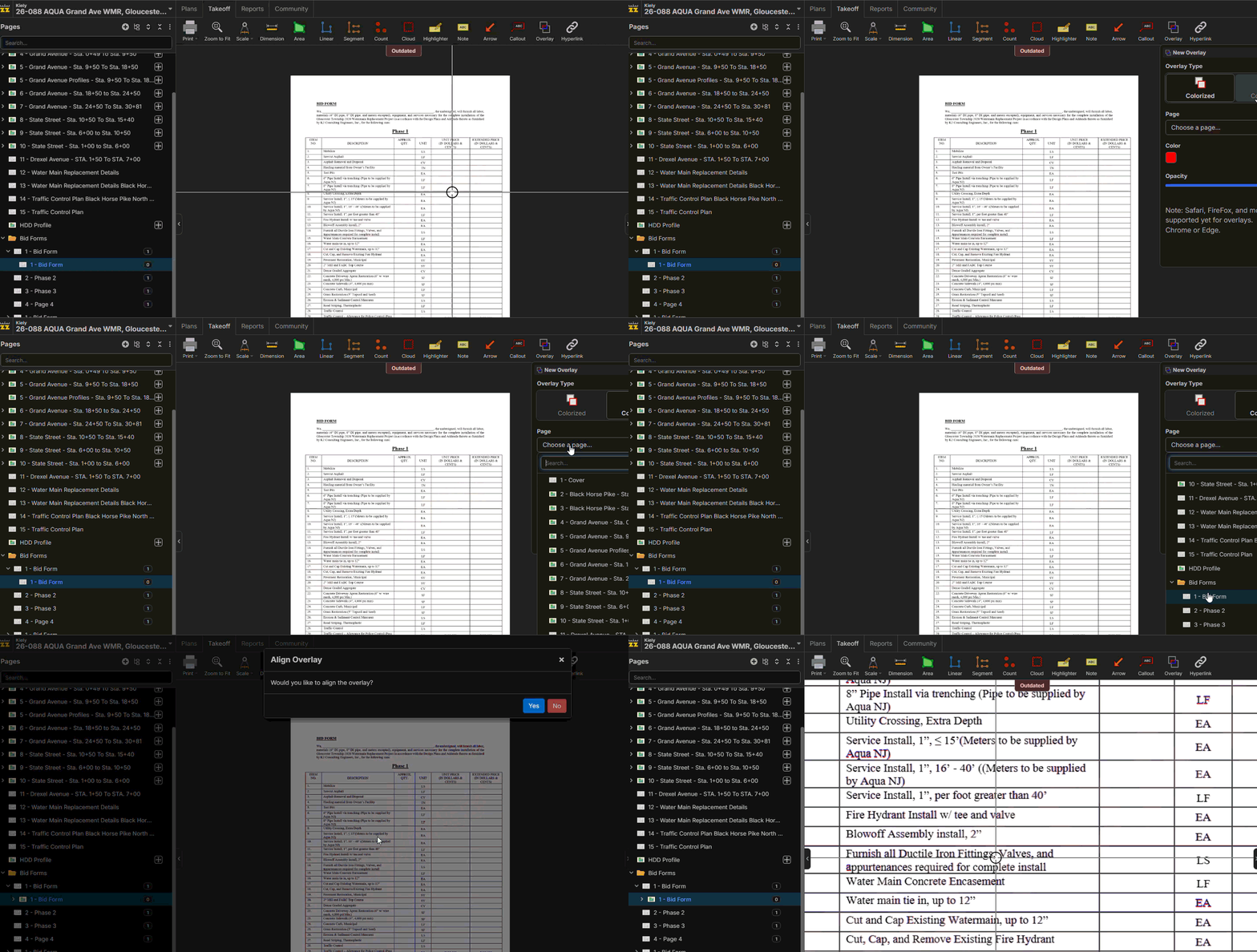
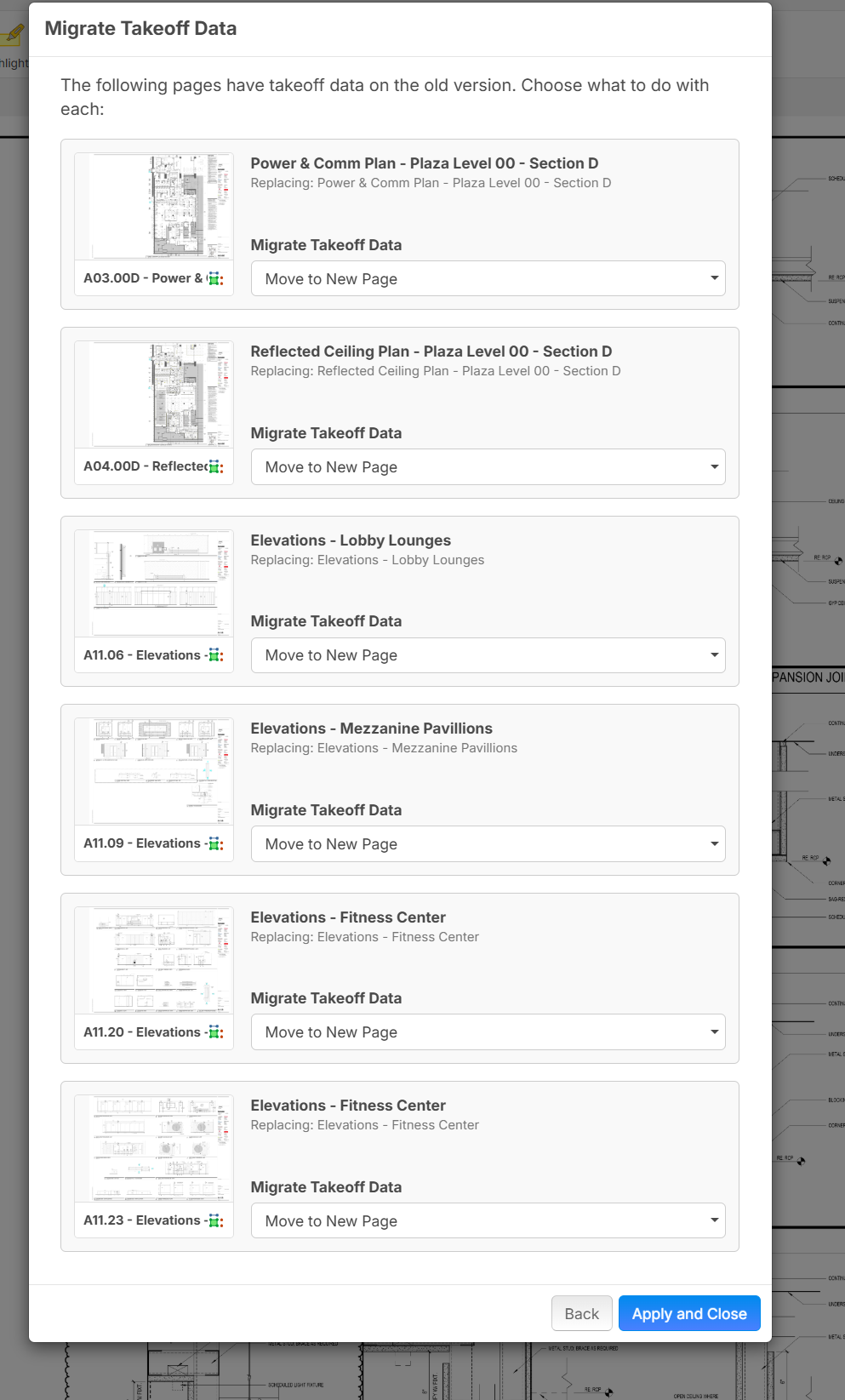
Perfect, thanks, so then I can takeoff on the old plan and then move it to the new one. Thanks Again!
👍1%22%2F%3E%3Ctext%20x%3D%2232%22%20y%3D%2233%22%20text-anchor%3D%22middle%22%20dominant-baseline%3D%22central%22%20font-family%3D%22Arial%2C%20sans-serif%22%20font-size%3D%2226%22%20font-weight%3D%22600%22%20fill%3D%22%23fff%22%3EJ%3C%2Ftext%3E%3C%2Fsvg%3E "Jes")
Are you guys talking about this? You can already overlay an old set to the new revision by clicking the revision button on the left, selecting the old plan, holding the SHIFT key and dragging it over the current version as shown here:
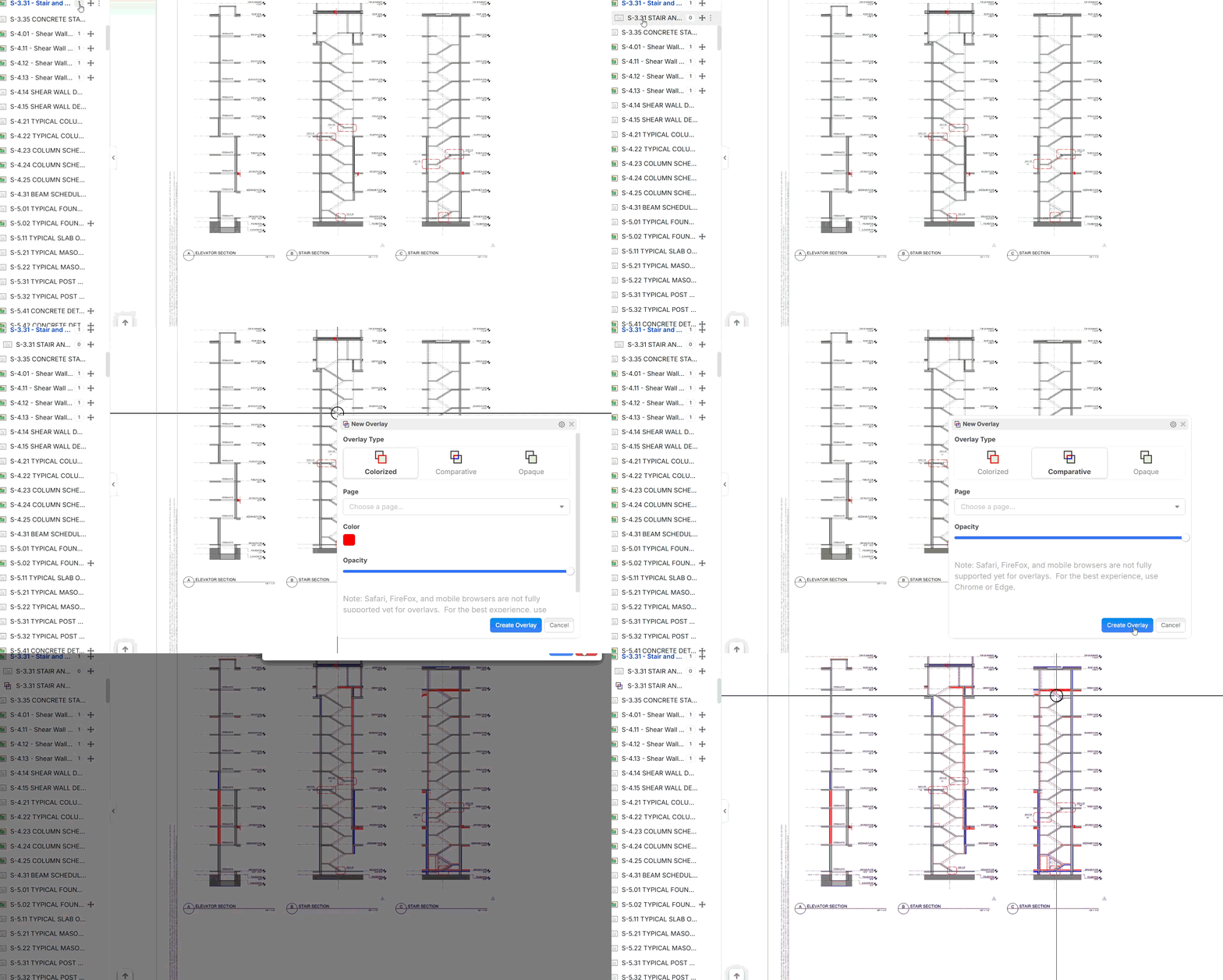
That being said, doing this for 20+ pages does get annoying and I would definitely like to see a feature added to have it auto-overlay after uploading the revision.
🤔1For now I can overlay the new drawing on the older revision this works find for now, but would be nice to have the option to overlay when updating with new revision.
👍4🚀1Just wanted to share this functionality as well in case you guys weren't aware of it, which is accessed by right clicking on any page and going to Properties:
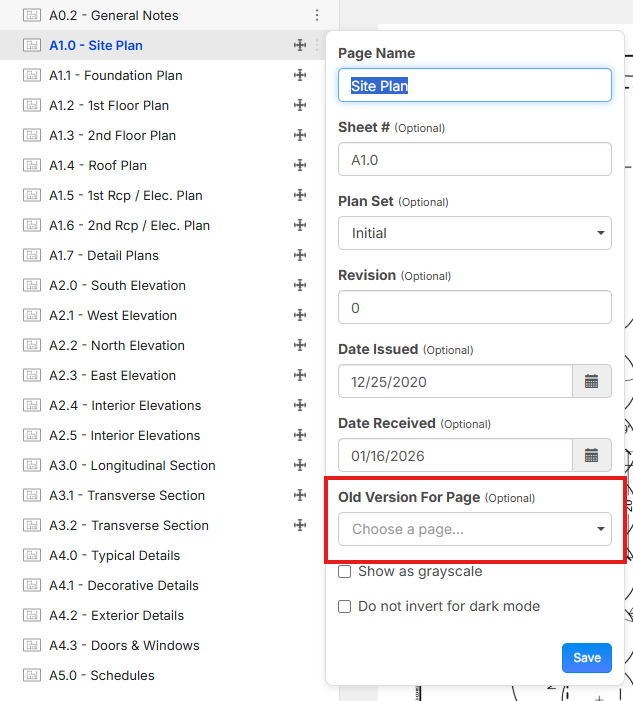
I have to use this when the zz module doesn't end up linking some of the revision pages after the upload.
But it can also be used in reverse, and you can mark the new revision as the "old version" in case you want to work off the old pages and not the new ones for whatever reason.
👍1That does not overlay the page to get a visual of changes, I have the solution for now.
👍1
Eventually all old versions of a page will be able to be toggled on/off with 1 click as an overlay.