








 Feature Requests
Show/Hide Grey Folders
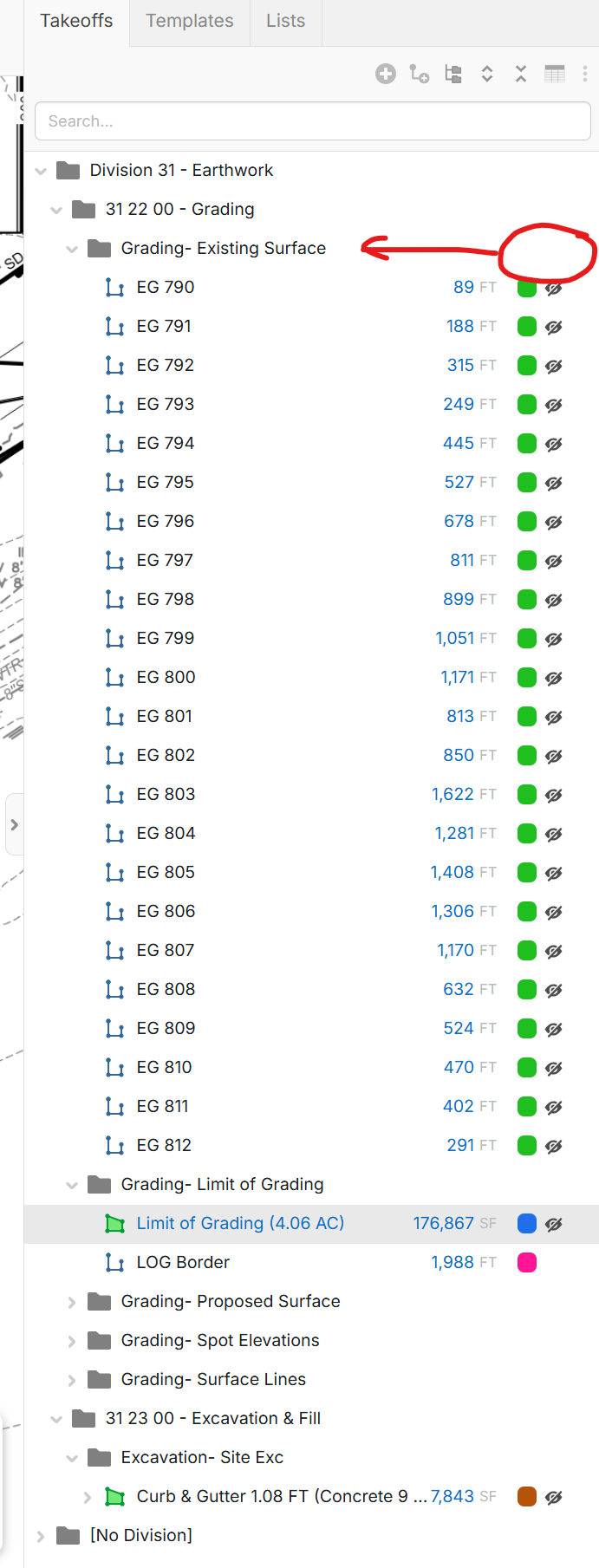
Can we get ability to show/hide the grey folders with the eyeball? Ideally trying to get off the yellow folders since it appears the grey folders will be the best workflow moving forward with consistency and tying to our estimating software, but not exactly sure.


Thanks for submitting this request Kyle. I'll send it along to the development team.
👍2
Any update here? Or similar request would be another work-around here too: LINK
After 156 days of using these grey folders we are loving it! Still want the ability to show/hide all the objects with the eyeball!
🤞1
I'm with Kyle here. It would be very nice to be able to show/hide via grey folder or have the ability to multi select and hide.
Similarly, I'm not sure if this is a bug or not, but when you right click and select 'Unhide All' in the takeoff window it does not unhide the measurements that you hide via measurement selection pane.
🤞1
Yeah I definitely still love this too. Still sure there's a reason why it's too complicated
👍1
We have this working in local development. The catch, though, is that since the grey folders are computed, if you hide a grey folder, it hides the child takeoff/folders (so any new takeoffs that get added to that grey folder would not inherit the hidden state, as a normal folder would). Another thing is that the hide/show icon on the grey folders is aggregated from the child takeoffs/folders (because the grey folders don't actually exist). I'll bump this with the team and see if/when we will have something on our test servers.
👍3
Ditto on this request.
When reviewing takeoff, if there is a lot of takeoff on one sheet I find myself wanting to (at a minimum) hide everything, unhide what I want to review, then unhide everything and continue on ....
Anyone have a workaround that works for them?
*I did get one pro tip from Kristi on the chat. Rather than click each hide/show icon individually when you click, hold down the button and drag down. That hide/show property will engage or disengage on the items you hover over. While not ideal it doen help speed things up and mitigates us all getting repetitive strain injuries by clicking a million times to review a heavy takeoff.

@Aaron,
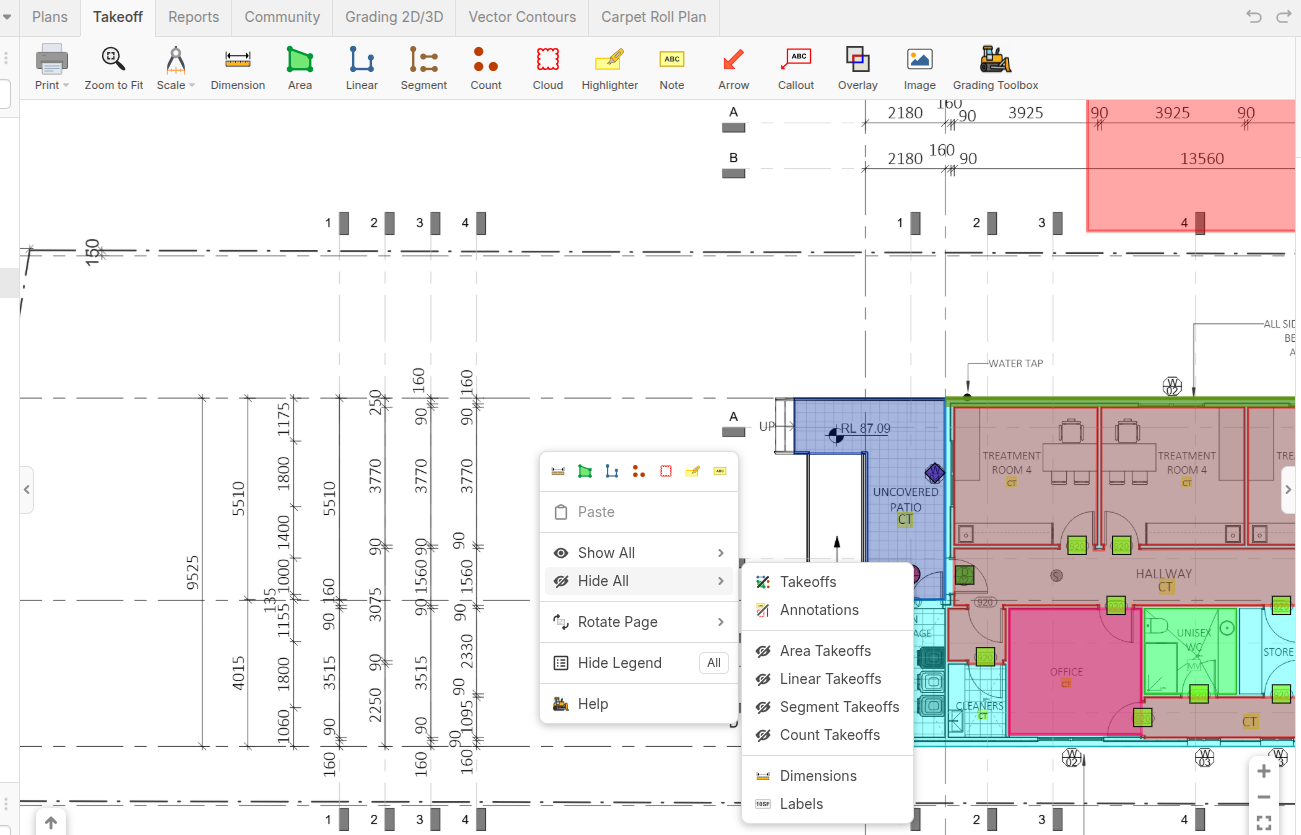
If you right Click on a blank portion of the Page you get an option to Hide All