











 Q & A
Q & APrinter Layout
Hello! Wasn't sure if this should go here, bug reports, feature requests, etc.
Current workflow for us, we print our takeoff reports for our jobs as part of record keeping but also as how we do our estimates. But when I go to print, I can't pick portrait/landscape and some other standard options. I was trying this in Firefox, but I just tried in Chrome (the supported browser) and come upon the same thing. When I ctrl+P, I sometimes see the options there before they disappear. I am able to do this on other tabs/windows (choose portrait/landscape).
I am wondering if this is something zz controls, and if so, if there is a reason for this to be the case?
Thanks,
Kevin
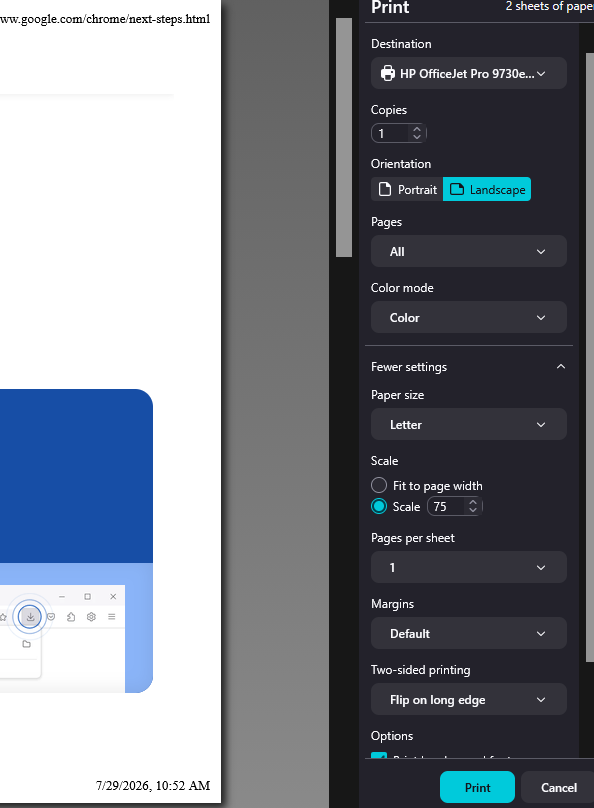
Standard Print Interface
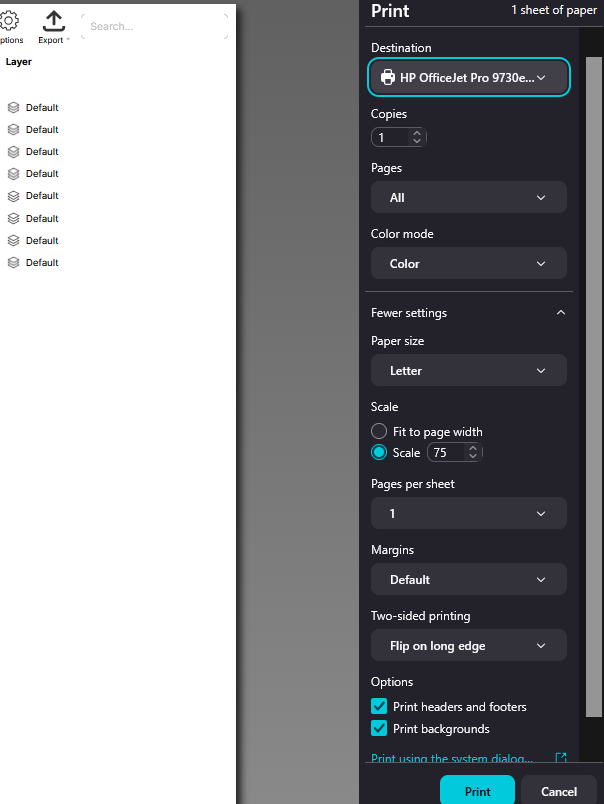
zzTakeoff Print Interface

Hey Kevin, I'll mention this to the team to see if they know what's going on.
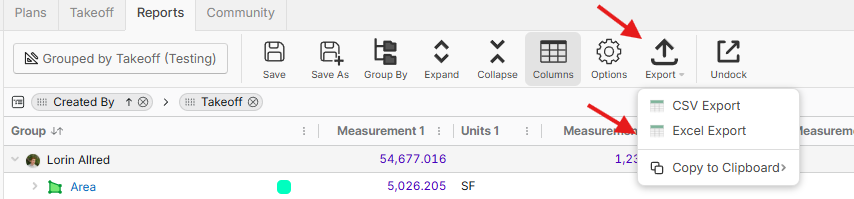
Side note: the reports page has not been optimized for printing and may not include all report information. We recommend exporting the report to CSV or Excel for now.
%22%2F%3E%3Ctext%20x%3D%2232%22%20y%3D%2233%22%20text-anchor%3D%22middle%22%20dominant-baseline%3D%22central%22%20font-family%3D%22Arial%2C%20sans-serif%22%20font-size%3D%2226%22%20font-weight%3D%22600%22%20fill%3D%22%23fff%22%3EK%3C%2Ftext%3E%3C%2Fsvg%3E "Kevin")
Lorin,
Thanks, I appreciate you investigating. I can understand re: the page not being optimized; I have noticed some minor information like takeoff colors not printing, but the information we need has been printing, and exporting is an extra step that I'd like to avoid if possible!
Thanks again,
Kevin
👍1Awesome! We put out a bug fix to address this with our latest release. 🙂
👍2