











Reports Customization/Organization
I was wondering if there is a way to further customize/organize the reports? Our previous estimating/takeoff software would print/export the reports the way it is shown in the image below.
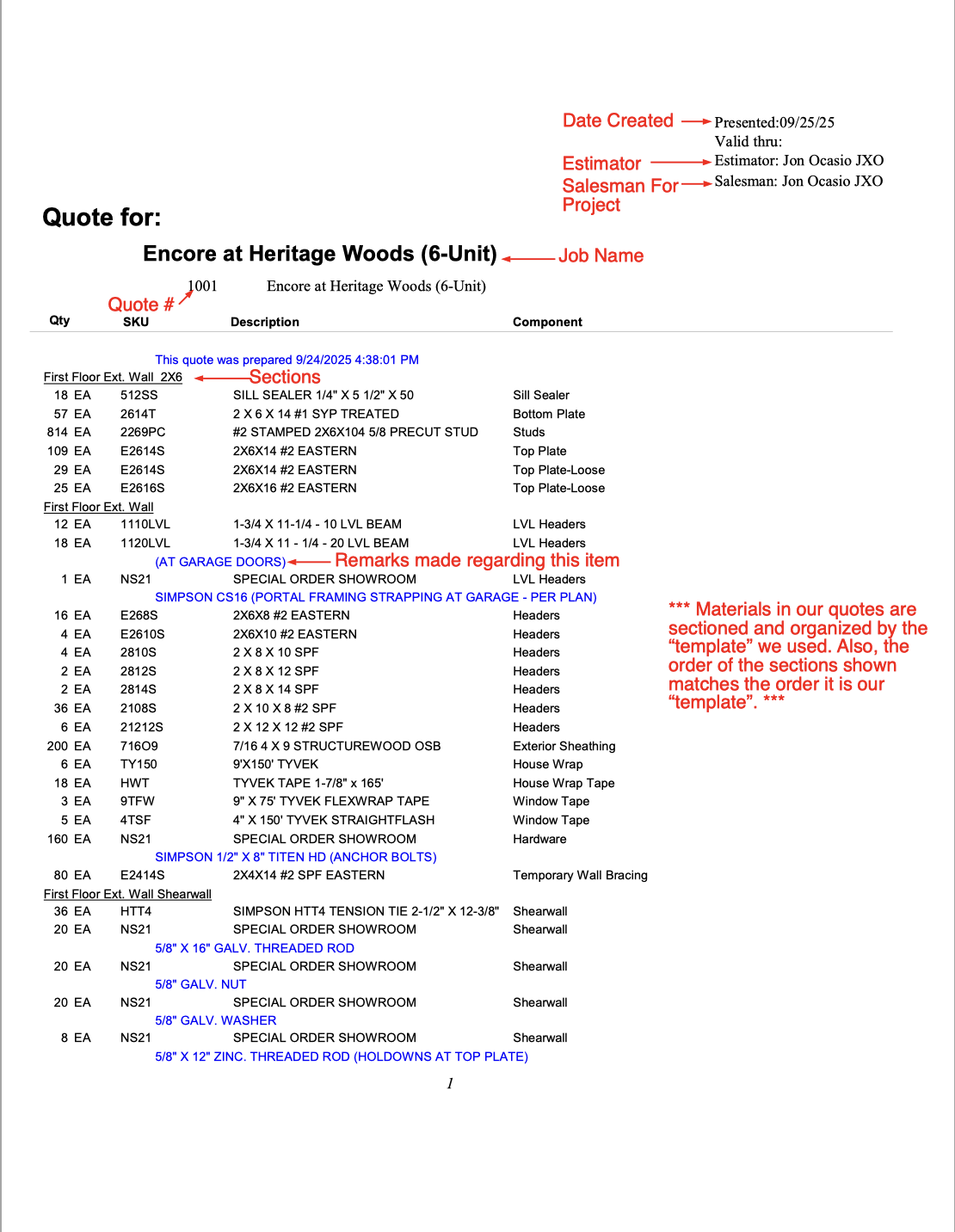
Also, the way our old oftware organized the material was based on how & where we had it in our "template" so to speak, so essentially we would build our templates in the way/order that we wanted according to where the material was needed. Once we created our "templates" whenever we had a new project to estimate we would choose the "template" that would best fit the project and then begin our takeoff.
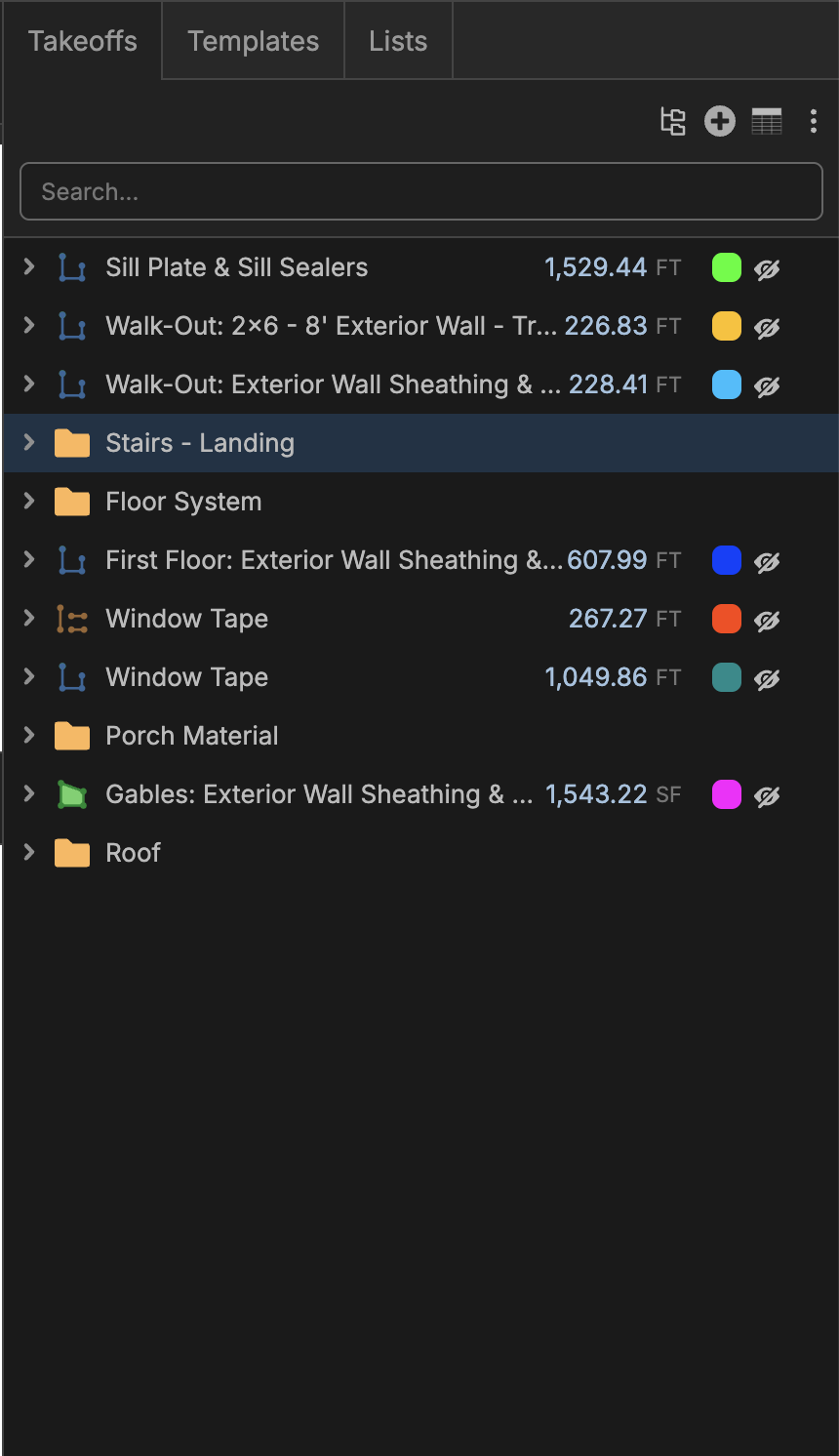
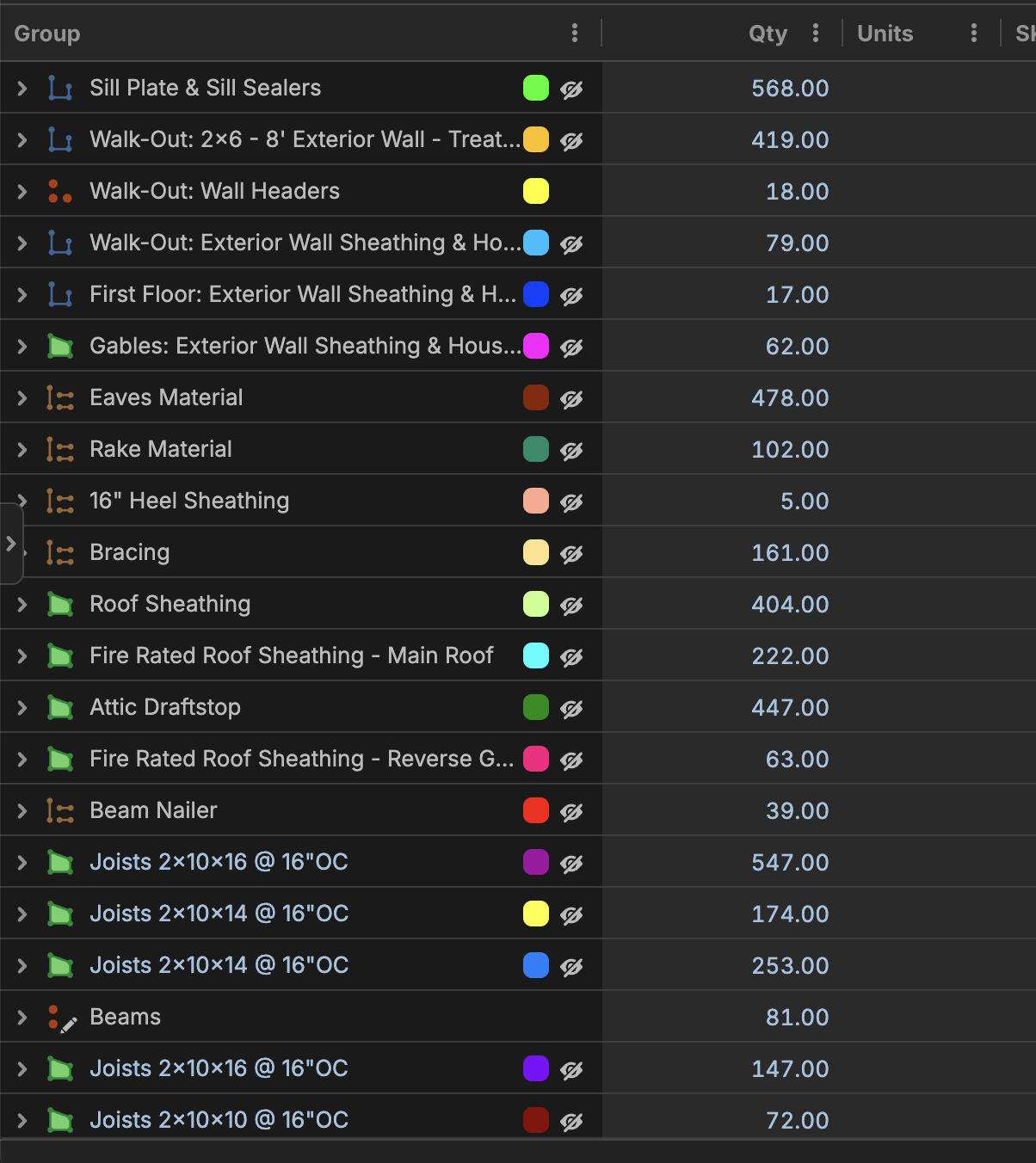
However, I noticed in zz that no matter how I try and organize my report with the available options, I can never get it to match how I have it orgainzed in my takeoff. (See images below) Some material that is I had in the middle of takeoff ended up at the end of my report. Is there something that I am doing incorrecly or is there something that I can do to make the report match the order I have it in my takeoff?
Takeoff:
Report:

Hey Jon, we are planning to add a PDF report engine to the software soon (This may be a feature of our zzTakeoff "Ultimate" plan) that will allow you to further customize the way your reports look.
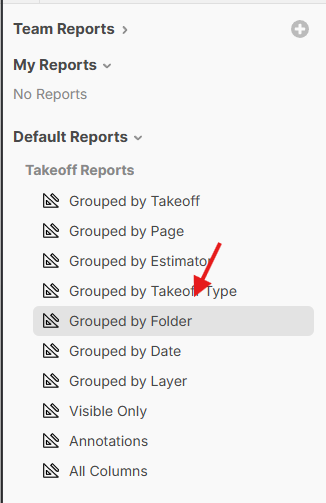
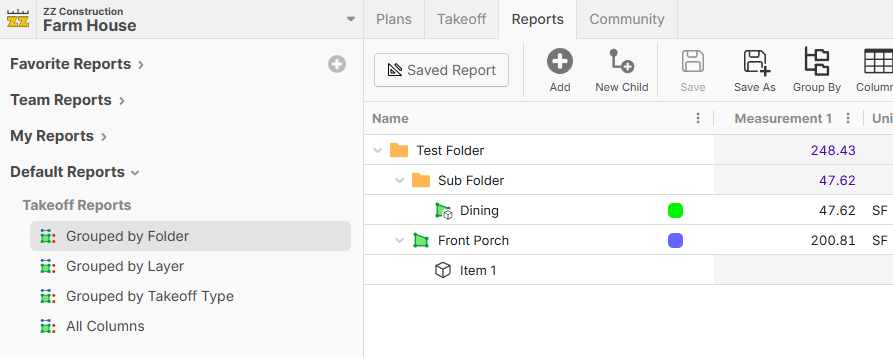
Regarding the data in your reports not matching the takeoff sidebar. I think for now, you should be able to use the report "Grouped by Folder" to display the folder groupings. As long as you are not sorting by any columns, the order should match the takeoff sidebar order.
As a side note, we are working on a new report that will replace Takeoff Reports (Takeoff Reports will be renamed to "Advanced Takeoff Reports"). This report will basically be the takeoff sidebar, but with additional columns & aggregation.
%22%2F%3E%3Ctext%20x%3D%2232%22%20y%3D%2233%22%20text-anchor%3D%22middle%22%20dominant-baseline%3D%22central%22%20font-family%3D%22Arial%2C%20sans-serif%22%20font-size%3D%2226%22%20font-weight%3D%22600%22%20fill%3D%22%23fff%22%3EJO%3C%2Ftext%3E%3C%2Fsvg%3E "Jon Ocasio")
Any update on the PDF report enginge to allow our reports to be exported to PDF as well as allowing customization to the way the PDF report looks?
While we don't have a dedicated PDF report engine yet, with our most recent release, we introduced Plugin UI components. Using the UI Components, you can code/build your own PDF report exactly how you want (AI is your friend if you don't know how to code).
We haven't done an official post about the Plugin UI components, but we should have that, along with more documentation, soon.
%22%2F%3E%3Ctext%20x%3D%2232%22%20y%3D%2233%22%20text-anchor%3D%22middle%22%20dominant-baseline%3D%22central%22%20font-family%3D%22Arial%2C%20sans-serif%22%20font-size%3D%2226%22%20font-weight%3D%22600%22%20fill%3D%22%23fff%22%3EDJ%3C%2Ftext%3E%3C%2Fsvg%3E "Doug Jones")
Hi Jon, I created a sequence # property for every product list item and assigned a sequence # that meets our report "sequence order" requirements. It's a bit tedious to setup but saves a lot of time on the back-end trying to manipulate a report.
*Sequence # Tip:
Initially setup your sequence # 's to skip 5 or 10 numbers making space for future product items to be inserted without editing the entire list.
Ex:
1.00000
1.00005
1.00010
If the skipped numbers get filled, then I start adding decimal places. Anything to prevent mass edit, until we have a mass edit tool.