Q & A
Q & A
Resolution Quality
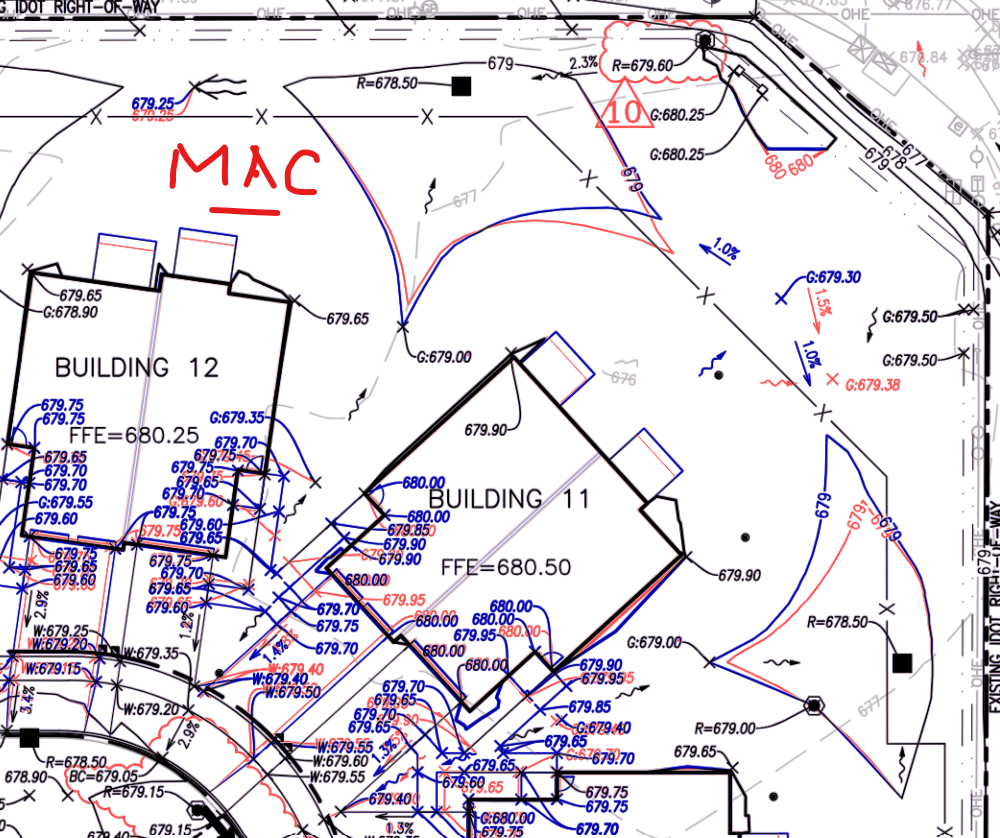
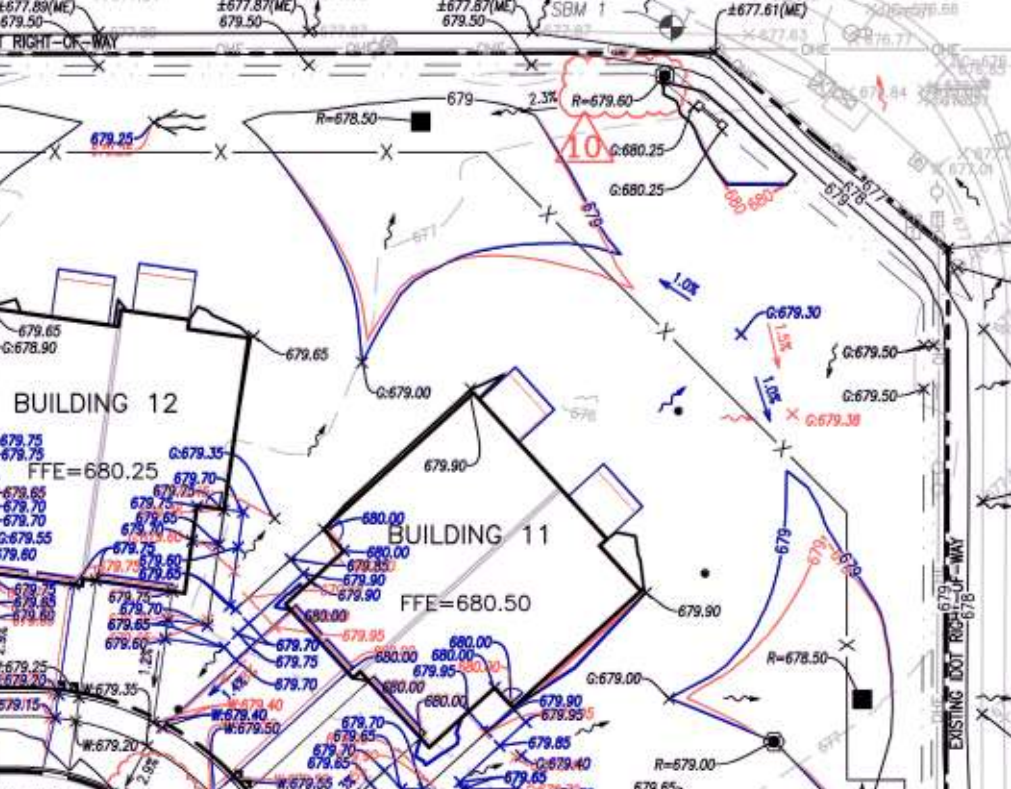
I have noticed the difference in resolution from zz to bluebeam. It isn't terrible but it is more noticeable as I age! Any simple reason for this?
zzTakeoff: Bluebeam:
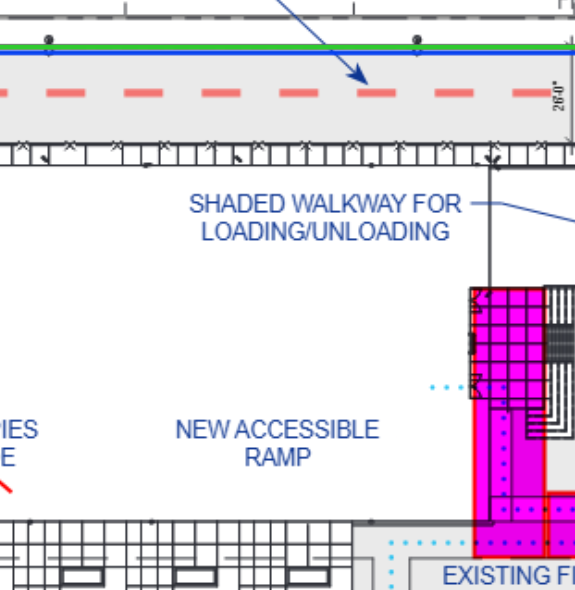
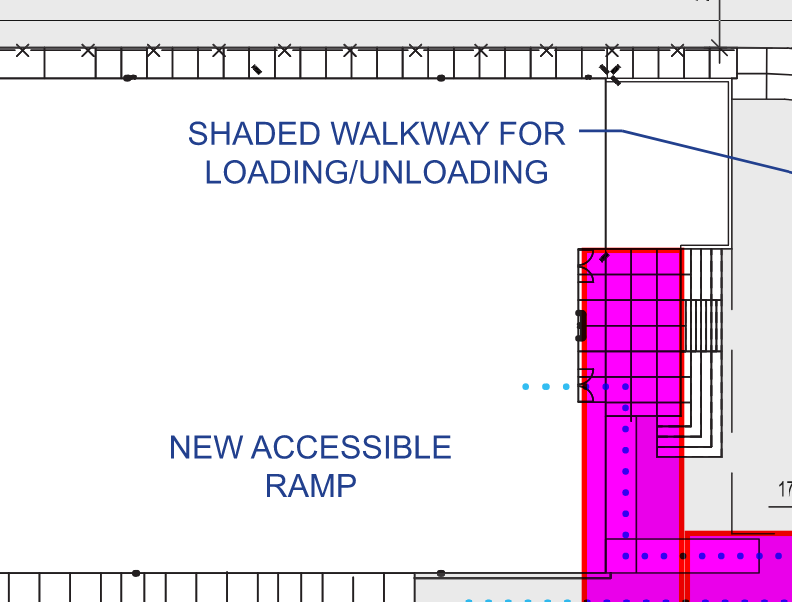

zz doesn't work directly with PDF files, while bluebeam does. zz exports the PDF files into images, that's the reason for the difference in resolution quality.

@Isaac is correct. Bluebeam currently re-renders the PDF as you zoom and pan, while zzTakeoff renders the PDF file to an image, so it is super fast to pan/zoom. We have some features we are testing locally that implement render on pan/zoom that should be coming soon.

%22%2F%3E%3Ctext%20x%3D%2232%22%20y%3D%2233%22%20text-anchor%3D%22middle%22%20dominant-baseline%3D%22central%22%20font-family%3D%22Arial%2C%20sans-serif%22%20font-size%3D%2226%22%20font-weight%3D%22600%22%20fill%3D%22%23fff%22%3EDB%3C%2Ftext%3E%3C%2Fsvg%3E "Doug Burwell")
Hey Trenton,
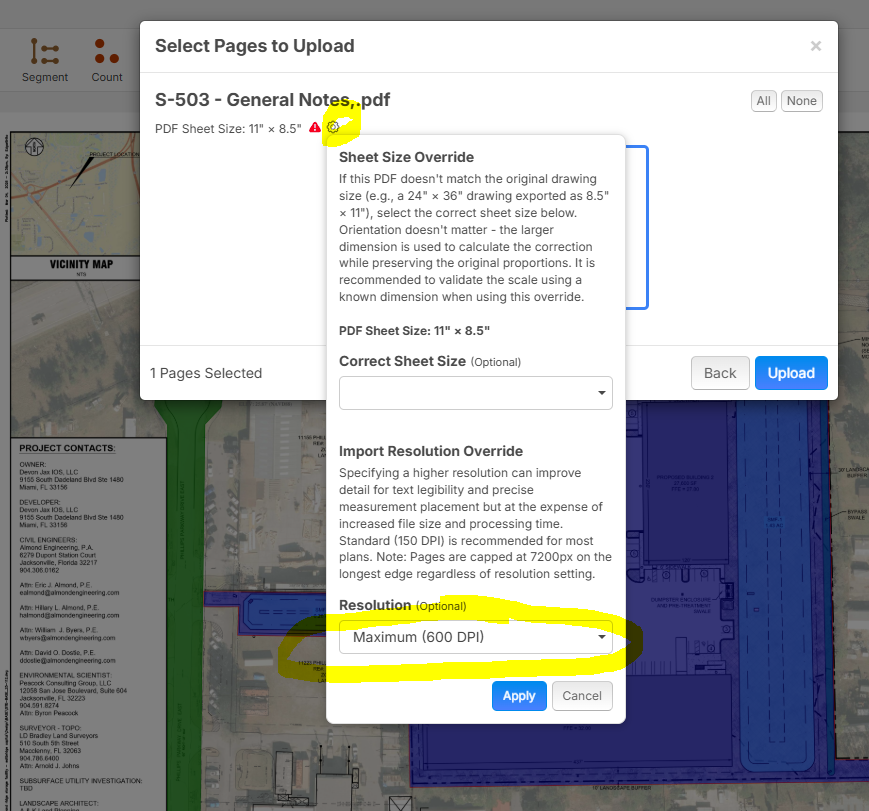
I ran into this a few times as well. I actually much prefer the way ZZ does it vs. Bluebeam. I use both. I also found a work around when it matters. I really like that ZZ automatically renders these files, so it's "super fast to pan/zoom" as Lorin mentioned. When I need a page to be super crisp, for example civil drawings, I adjust the DPI in the manual settings when uploading new pages. I'll max out the DPI to 600 on the pages I need to be extra sharp. This seems to give me the best of both worlds. Hopefully that works for you too.

I think you will like the upcoming update that will zoom/pan really fast (like it does currently), but when you stop panning, it will fade into a vector rendered version that is super crisp. 🙂
🚀1🤯1👍1
Kind of along this line, I discovered something interesting when "printing to pdf". Overlay of the same file from zz, one "printed" from a MAC and the other using Microsoft Print to PDF. Both were printed from Google Chrome. If you have the ability to print from a MAC, that will give a much clearer image.