











 Q & A
Q & A%22%2F%3E%3Ctext%20x%3D%2232%22%20y%3D%2233%22%20text-anchor%3D%22middle%22%20dominant-baseline%3D%22central%22%20font-family%3D%22Arial%2C%20sans-serif%22%20font-size%3D%2226%22%20font-weight%3D%22600%22%20fill%3D%22%23fff%22%3EN%3C%2Ftext%3E%3C%2Fsvg%3E "NWSledder")
Split Screen
It would be nice if we could split screen and have two plan pages side by side or split top and bottom, this would make it easier to verify enlarged details or other items.

You can already do this somewhat just by opening another tab and moving it to either a different area of the screen or another screen.
👍5
There is a way to do this, using the opaque overlay feature. I will try to get a video out in tips and tricks to show you how today.
👍2

%22%2F%3E%3Ctext%20x%3D%2232%22%20y%3D%2233%22%20text-anchor%3D%22middle%22%20dominant-baseline%3D%22central%22%20font-family%3D%22Arial%2C%20sans-serif%22%20font-size%3D%2226%22%20font-weight%3D%22600%22%20fill%3D%22%23fff%22%3EJ%3C%2Ftext%3E%3C%2Fsvg%3E "Jes")
I wanted to do this today so I could scroll through one side while keeping the other page in a fixed position side by side, and the only way I was able to accomplish this was to collapse the left and right panels on the takeoff screen, open up a separate browser tab to pull up the other page, and use the Windows snap feature by clicking on the other browser tab and hitting Windows key+right arrow key (or left arrow key) to split the screen in half as shown below. And I also undocked the takeoff panel on the right so I could still do takeoff without decreasing the screen real estate.
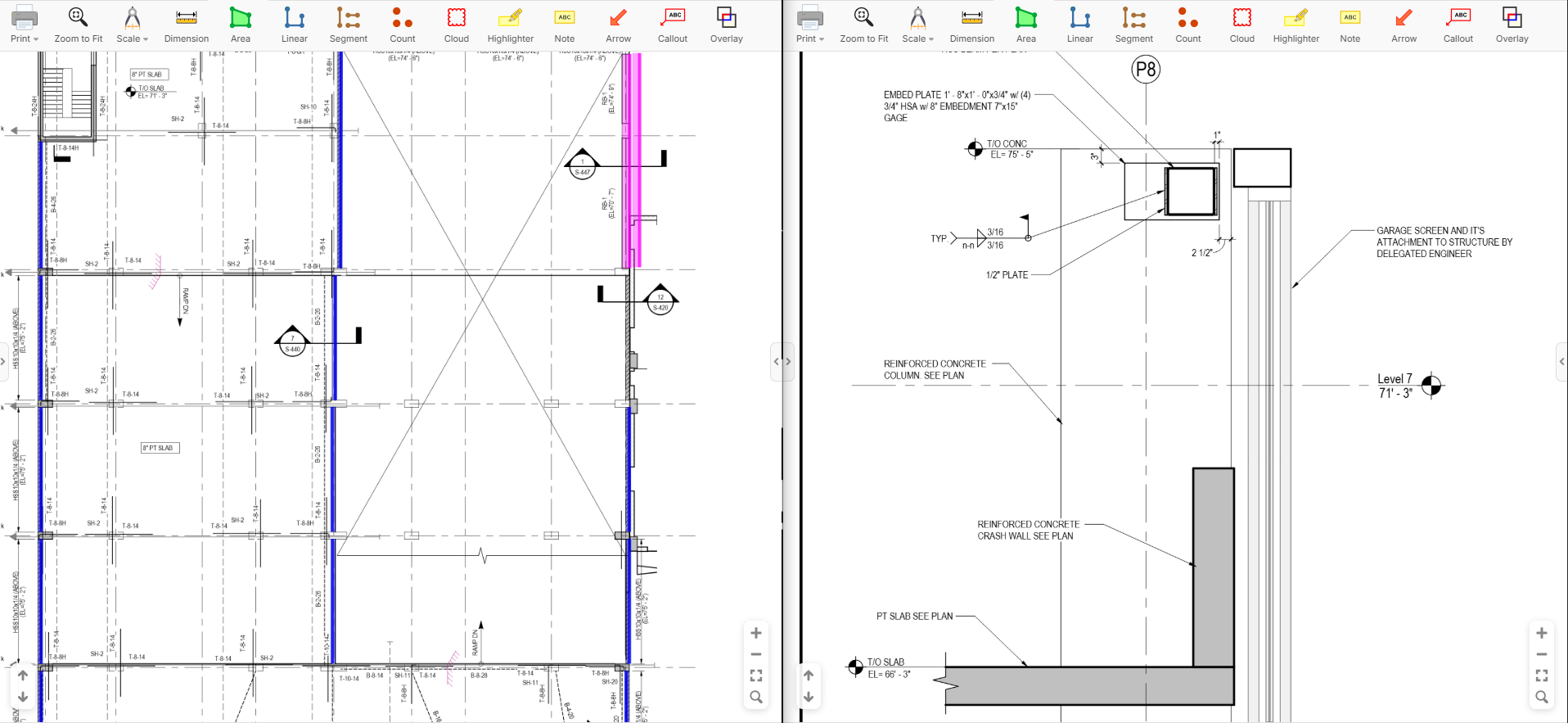
I must admit though that Bluebeam's method for handling this is very seamless
👍1%22%2F%3E%3Ctext%20x%3D%2232%22%20y%3D%2233%22%20text-anchor%3D%22middle%22%20dominant-baseline%3D%22central%22%20font-family%3D%22Arial%2C%20sans-serif%22%20font-size%3D%2226%22%20font-weight%3D%22600%22%20fill%3D%22%23fff%22%3EUS%3C%2Ftext%3E%3C%2Fsvg%3E "Ulises Salazar")
You can also use a Split View on Google Chrome - https://youtu.be/tZidbdLz4B4?si=UN84vSvEdd8j_FZD
👍2%22%2F%3E%3Ctext%20x%3D%2232%22%20y%3D%2233%22%20text-anchor%3D%22middle%22%20dominant-baseline%3D%22central%22%20font-family%3D%22Arial%2C%20sans-serif%22%20font-size%3D%2226%22%20font-weight%3D%22600%22%20fill%3D%22%23fff%22%3EA(%3C%2Ftext%3E%3C%2Fsvg%3E "Aaditya Desai (IN)")
If you are using microsoft edge, you can right click on the tab and select this option highlighted in red.
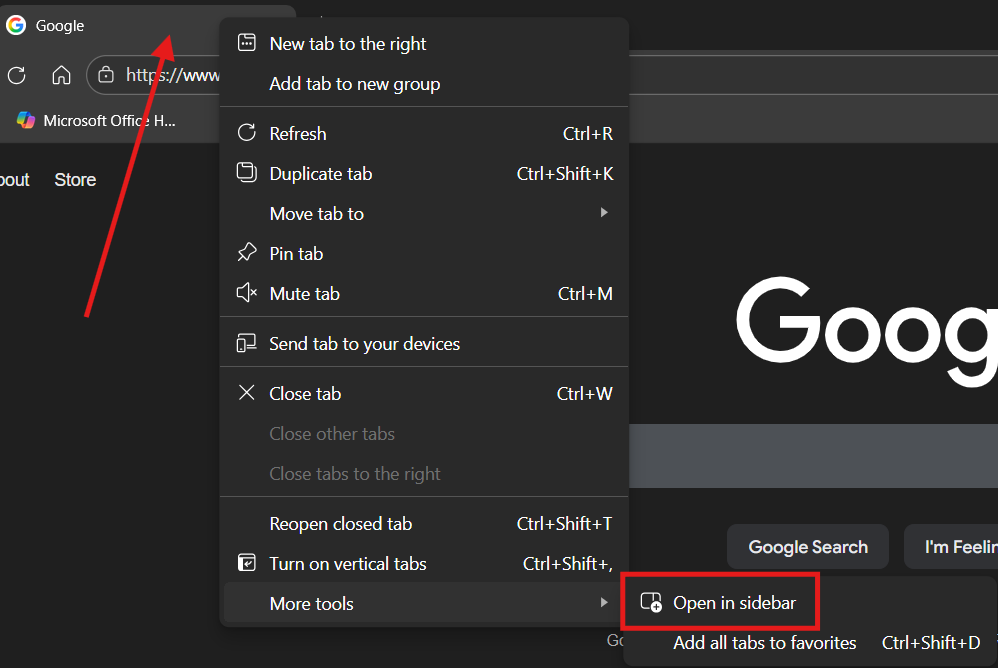
@Ulises I just saw that the latest Chrome browser update added the split view feature to my Chrome today and it's a little less difficult to put up a split screen now.
Just go to an open zz tab and hide your side panels
Right click that zz tab and click duplicate (if you don't already have another zz tab opened)
Then right click the zz tab again & activate split view
On the split view select the other zz tab
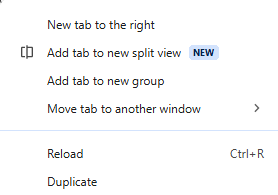
You can also put the browser into full screen view for a little more viewing space up top as well after activating the split.
🔥5👍1
I was just testing this Split View in Chrome. Seems pretty cool. I can't wait until we can control it with JavaScript (which is not available yet). Then we could give users the option to right click on a page or bookmark and "Open in Split View". At least there's a way for the user to do it manually for now. As we progress, we'll add more ways for the browser tabs to talk to each other for a seamless experience (we already have some inter-tab communication happening, but will expand on it).
Edit: the browser does have ability in the native right click menu to "Open link in right view", but not controllable by our own menus with JavaScript as far as I can tell.

I love Windows & Chrome split but so far I'm preferring just overlaying what I need to reference within the plan sheet itself. This is what I was already doing in BB and then importing my own reference construction documents so I could have the 6-7 details I needed to reference on the same page that my QTO was required. zzQTO just made it easier and better (with more development on the way I'm hearing). I see me getting away with cutting out BB within the year...