Inside Track
Ready to Test: Who's Here, Follow Users, Takeoff Tree Grid, Takeoff + Item Combined, Undockable Reports, & More
We have an update on our Test Server that we're planning to deploy tomorrow (Saturday March 28, 2026 at 8PM MST).
If anyone interested in playing with it, feel free to test. We will be creating a more detailed list of updates with screenshots and more complete descriptions when we release.
Hyperlinks
- Hyperlinks can now be added to highlighter box objects
- Hyperlinks are automatically extracted from uploaded PDFs (if the PDF contains hyperlink data)
Who's Here / Follow User
- "Who's here" indicator in the header showing which users are viewing the same project
- Follow another user's navigation, zoom, and pan in real-time
- Visual indicator (dotted blue outline) on the profile icon when following someone
Workspace Settings Expansion
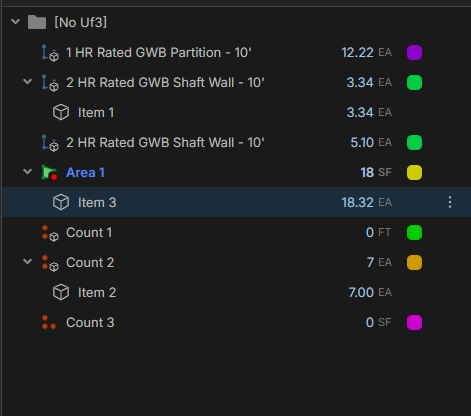
- New workspace-level setting: "Start New Takeoffs As" (takeoffs can now be either assemblies or items - previous behavior was that all takeoffs operated as assemblies and total their child items...now the takeoff itself can be an item)
- Option to skip the existing takeoff prompt when applying templates and lists
- Default decimal places settings for imperial and metric at the workspace level
- User defaults for template library, list, and default views across takeoffs, pages, templates, lists, projects, and reports sidebars
- Custom properties now support a "Computed" type
Reports Enhancements
- New "Takeoff" report type added; existing reports renamed to "Advanced"
- Reports can be undocked into a separate window
- Undo/redo fixes for reports
Search Improvements
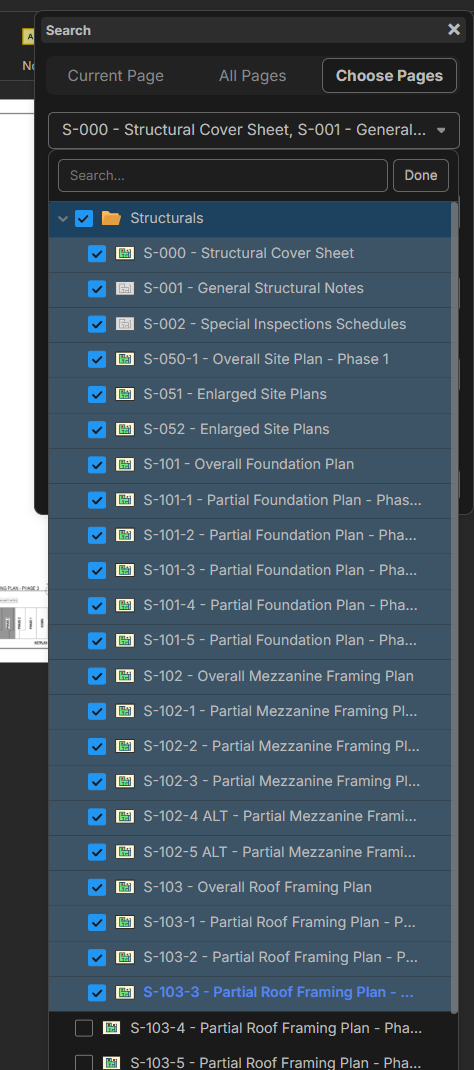
- Search can now target specific pages instead of only searching all pages
- Smart select search remembers your last "current page / all pages" setting
Notes Tool Enhancements
- Auto font size checkbox — text scales to fit the note
- Text alignment options: left, center, right, top, middle, bottom
Takeoff Worksheet Overhaul
- Insert above / insert below functionality
- Takeoffs can be either an assembly or an item
- Item properties can be added directly to takeoffs (previously the takeoff itself could not have item properties such as price / SKU directly attached)
- Ability to Show/hide all dimensions (in the menu when you right click on the page image)
- "Text Case" option in column settings (for example, to export units as lower case)
Sidebar Updates
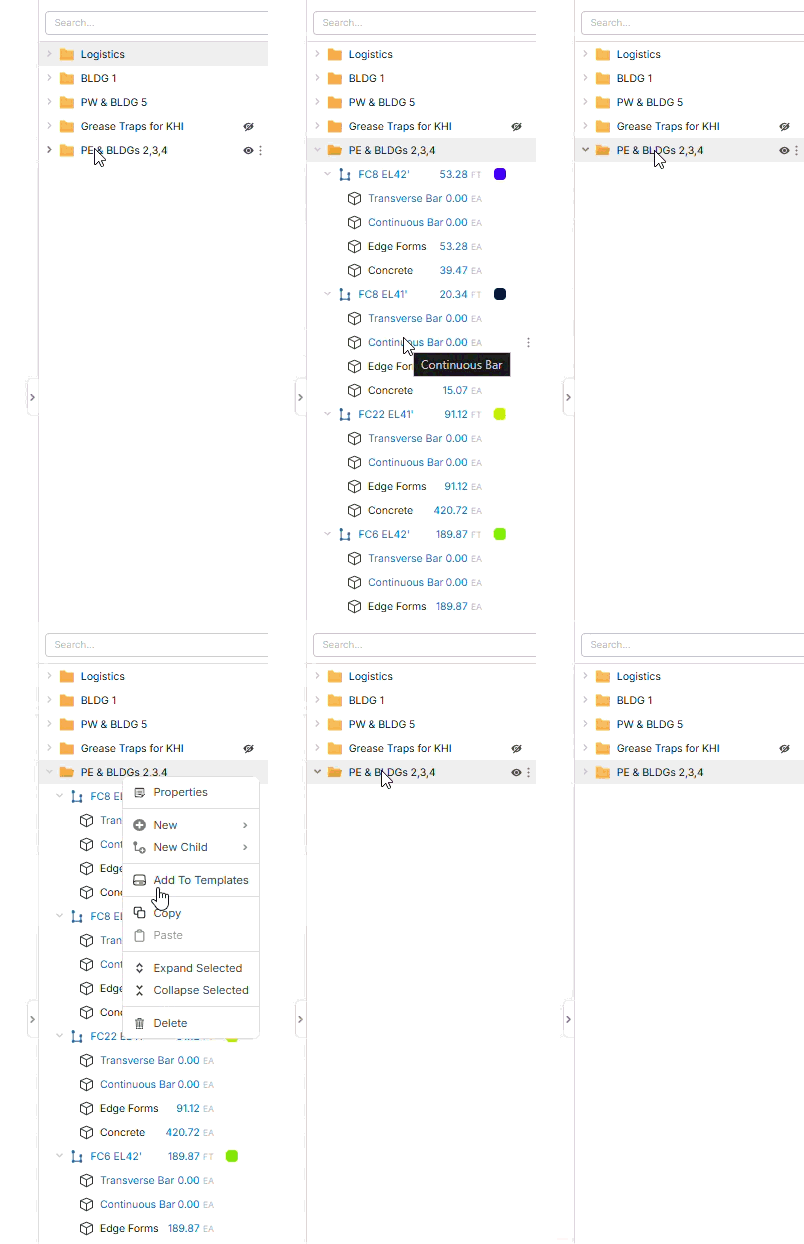
- Expand or collapse by one level
- Warning when dragging while in "Group By" mode
- Filled icon indicates when Group By is active
- New child item option on sidebar trees
- Automatically expands to show newly created takeoffs/templates
Offset & Array Commands
- New Offset and Array commands (hit / hotkey to see in the tools list)
Lock/Unlock Objects
- Objects on the page can now be locked and unlocked (in right click menu)
Bug Fixes
- Fixed measurement value formatting
- Dropdown fields now display validation errors properly
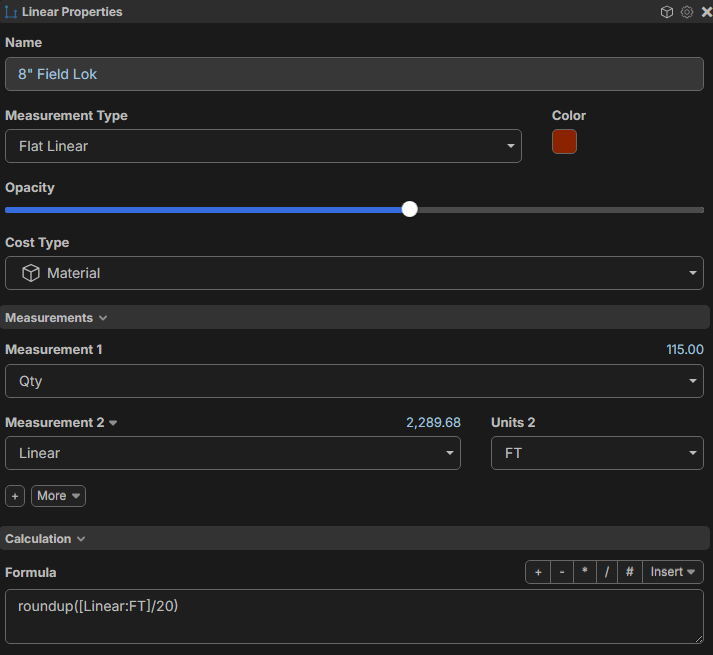
- Added "Qty" as a measurement value option (for example, if the takeoff is also an item, Measurement 1 can be linked to Qty formula)
Performance Improvements
- Improved server performance and session handling
UI Polish
- Dark mode now available for viewers (not just editors)
- Ability to clear recent projects
- Ability to invite a user as "Not Assigned" license
- Alt + Drag added to hotkeys list
- Improved hover hints on draw objects
- "Assemblies" added as a custom property applies-to option
- Various color and spacing adjustments
Thank you for all your feedback to help us make zzTakeoff better 🙂🚀

Now I'm going to skip how amazing all this stuff is and dive into the direct feedback.
1) Hyperlinks only show up on the default layer.....so sad they don't all transfer thru. I was hopeful as a workaround I could duplicate the default layer, but they don't follow....noooooo. Need a workflow to transfer all hyperlinks to layer asap.
2) When in my templates, I want to batch convert all my existing "one" assembly takeoff's to items.
5min link of me kicking things LINK

Can’t wait to check out assemblies. Lots of great updates. Happy about targeted page search. That’s a good start to bring able to search and count/highlight feature. I’m really excited 💥 about takeoff window on a side monitor while QTO. Text scaling sounds like a legit tweak - TY. So many fun things to try next week. Enjoy the weekend!
Yes we can KILL the decimals now, sweet! One minor problem right now is there are still decimals in linear takeoffs and items

Thanks for the input 🙂 Yeah, we'll have to figure out how to make those hyperlinks go to all layers. We'll check on that decimals setting to make sure it's properly applying to the right sidebar.
I'd say this is the biggest problem with having the takeoff parent also be the takeoff item is it is super confusing for the UOM. Need to make this more clear! Here is a 2 min vid on this topic.

If you're building assemblies, most users should not use takeoffs that are also items. The cleanest path is to build the parent takeoff (which is already an assembly by default) and add child items to it. They will total up nicely, etc. Using a takeoff that is also an item is primarily for users that don't use assemblies at all. Mix/match is possible, but not the intended use. There may be some ways of using this that we haven't thought of yet, though. We're listening, and also discussing internally.
For the most part, you don't want a takeoff that is also an item having child items. You would want the parent to be an assembly so it totals up its children, etc. This is our first iteration with this feature, so we'll be for sure adding more safety guards and simplifying things as we go.
EDIT: Another thing I want to clarify for any new users reading this: on the live server (before this update) all current takeoffs are already assemblies. With this new update a takeoff can be either an assembly or an item. Most of the time takeoffs should be used as assemblies.
@Kyle
So for example what if the workflow involve a top-level LF takeoff driving a nested assembly? I would want to ensure that a single LF input at Level 1 can correctly scale Level 3 sub-items that require different units (EA, SF, and LF) within that same template. Which I know we all do. Are you just saying the default should inherit the top level qty/UOM?
@Heber,
100% agree with your logic for detail trades work takeoffs AKA selfperform work. Parent - Item. setup that we are rolling with and its a great setup. Was heading this direction for our GC takeoffs too, but every parent would need a item which is confusing for the user.....so low and behold you dropped this update that's getting soooo close.
My problem (that this is getting close to solving) is I'm trying to find the best work-flow for our "GC" estimate people. Most of what we need is only one single parent item so I want a SIMPLE workflow for that.....but there are cases when it make sense to make a assembly for this "GC" Takeoff.....now that we are mixing and matching its confusing now. I feel like the auto-inherit the measurement qty/uom is the final tweak we need.
@Chaz - Yeah, Inherit the top level MEASUREMNET for qty/uom when using a parent takeoff as a item.
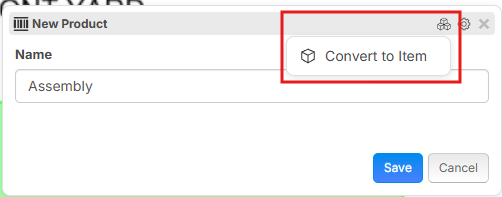
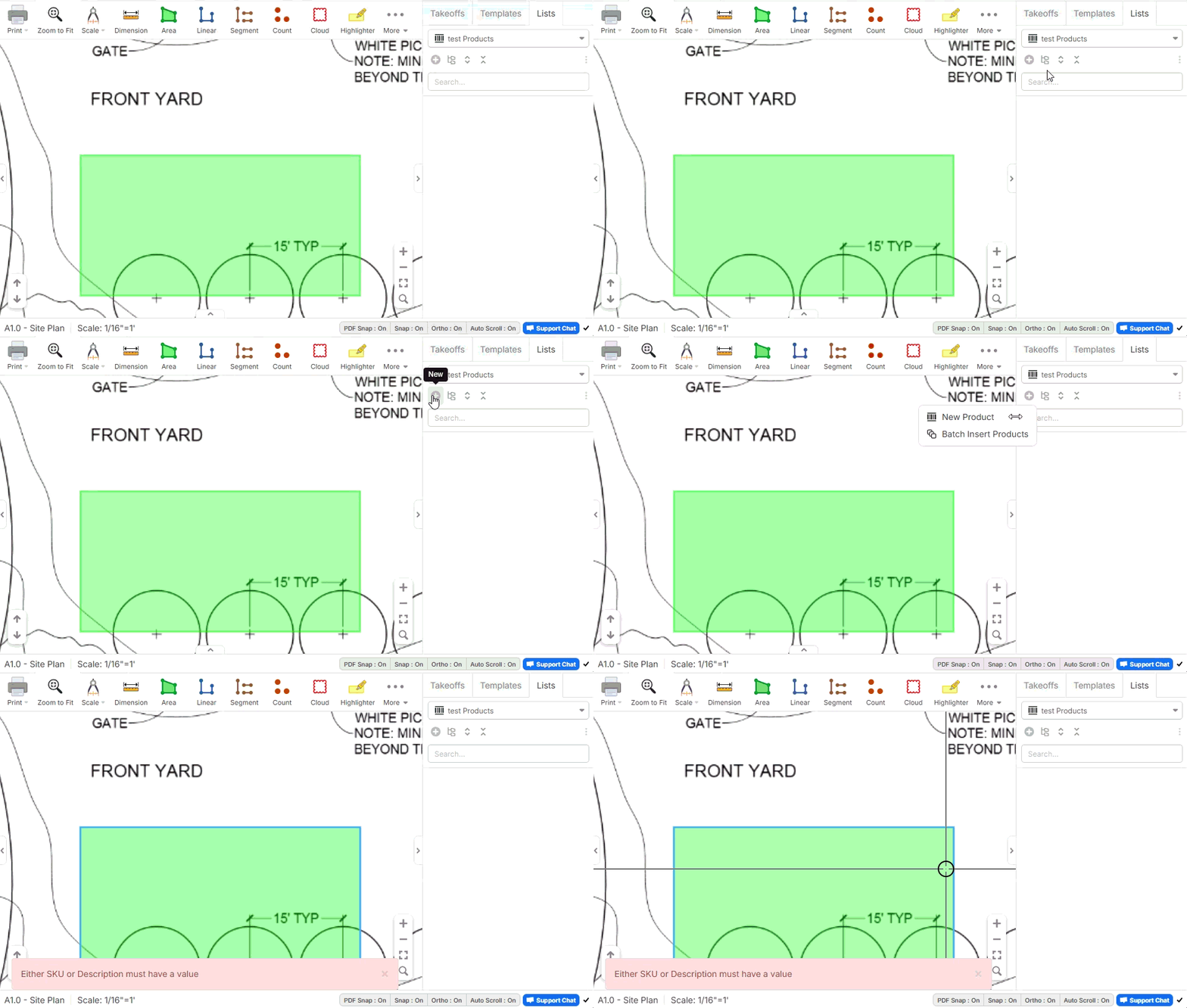
Might be an issue with the list items?
I kept getting this error. Ended up just clicking on the new fancy "Convert to Item" button

For the linked drawings feature here is a a couple suggestions:
Stack had this and I thought it was pretty cool, for all of Stack's failings their drawing management was pretty good.
1) When a link is clicked, it would be cool it the software found that detail and there was a popup of that detail, then if the popup was clicked, it would take you to the page. The use case is, most of the time, I just want to see what that detail represents to see if the situation I am taking off matches the detail when I come across them.
I am sure this would be quite difficult to auto program the link to view the actual detail, if it can't be programmed perhaps links could be customized by detail call out. For example, If I find a link that shows 3 on s1.2 or something, I could right click and say, "find detail on page" then it would take me to the linked page and I could select the area that represents that detail. Then the software could find every detail that says 3 on s1.2 and update it the same way. Then the pop-ups could show that detail.
2) Up at the top just below the measurement tools there could be page tabs for the "open" pages. As these links are clicked they could open them in a new page tab. Sometime the list of drawings on the left is quite long when I really only want to reference a few. The group by feature is really good, but page tabs for open pages would be epic.
3) If not the page tabs, then a back button would be nice. So at least when I clicked on the page link and it took me there, I find the information I want, and then I simply hit back to go where I was prior to clicking the page link.
Thank you for continuing to add such great features!
Question for the Custom Property Formula:
I was trying something out for rebar, If I have a custom property formula, even if its messy, for determining rebar weight per footing, but I can reference it simply through a custom property formula that would be awesome, so I made this custom property:
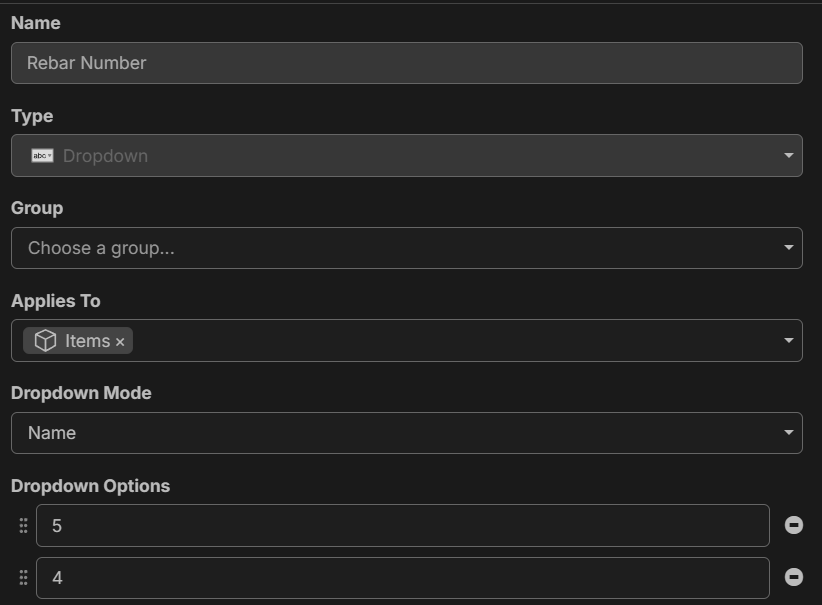
And this property Formula: (Edit: I had an error in the formula, I fixed it, I think, but still no result for the final)
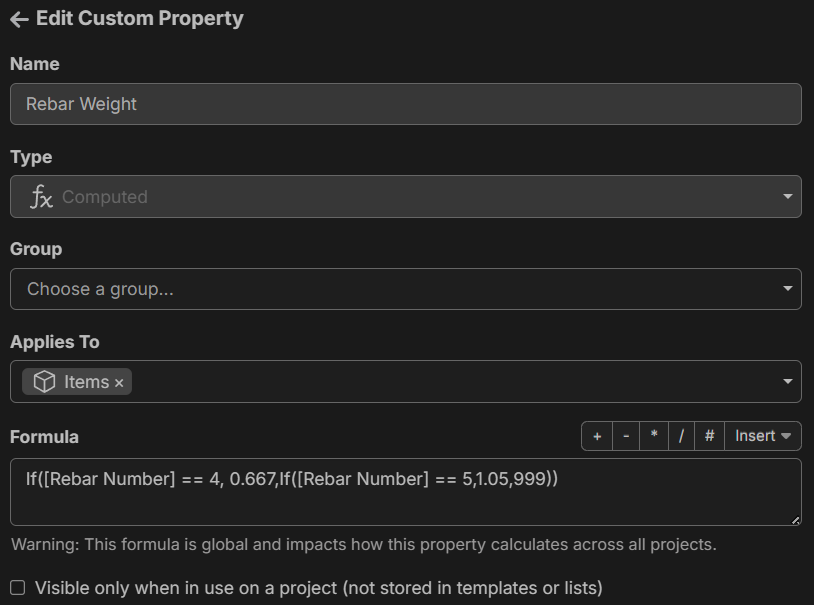
I was hoping that I could make the Rebar Number property visible, which when selected would make the [Rebar Weight] variable return the rebar weight based upon the number selection.
I know I could technically do this already with a drop down Number & Value right now, but If it was this way, then both the [Rebar Number] & [Rebar Weight] variables are accessible for renaming items and doing other calcs.
I can't seem to get it to work, so maybe I am misunderstanding how the "Custom Property: Formula" works. Thanks.
@David
Yeah I also liked that about stack with the tabs at the top. One pointer is you need to buy a mouse that has the 2 side buttons next to your thumb… when you hit that it takes you back to the previous page thus functioning as a back button…. Or I also learned you can just hit the back button on your browser and it does the same thing.
Oh yeah! I always forget about those buttons. I have the Logitech MX3s that has them, and they work great! Thanks for the tip.
Possible bug:
I have my [custom property | formula] "Rebar Weight" hidden by default. When I uncheck the variable it remains visible in the variables list.
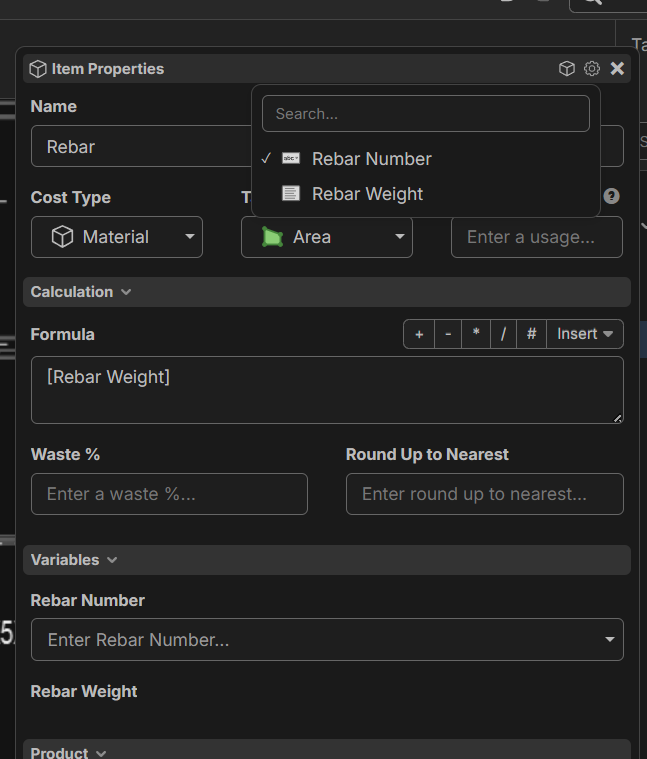
I think it is due to the fact that in the formula I have [Rebar Weight] written as a variable so whether it is selected as visible or not it still is there, however, if it is a custom variable function, then if I try to use it it just shows up as a blank variable with no input. I think that is ok, just a user knowledge concept.
Thanks for all the input guys. We just deployed various bug fixes to the Test Server.
Bug Report: The group by takeoffs seems to be adding in a bunch of pages that do not include any takeoffs for some reason. The only page that actually has a takeoff is S3-1.
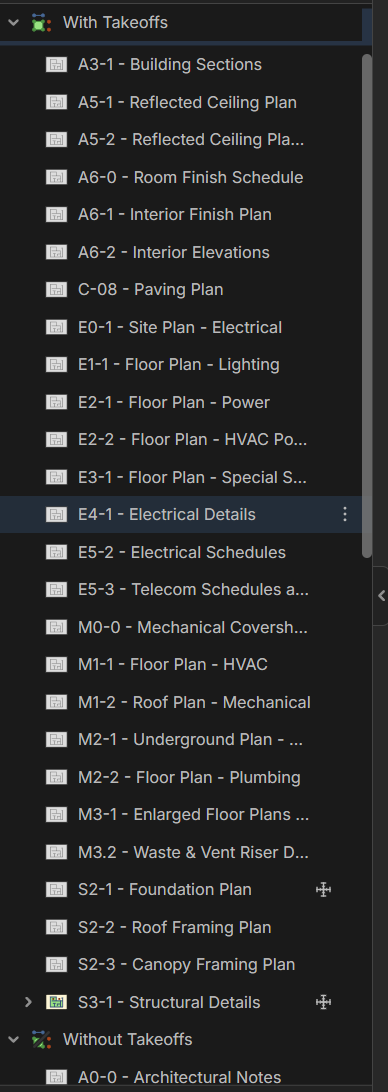
@David Thanks for reporting. I wonder if maybe there is data on other layers for those pages causing it to do that. We'll check and get it fixed.
EDIT: I think it's actually detecting the automatic hyperlinks on the pages (those should be ignored since they are system generated). We'll dig into this.

just happened to me as well. all pages look to have hyperlinks that were auto extracted. cool that works now! but probably should omit these from counting as "with takeoffs" 😜

Awesome addition, Thank you!!
Search is amazing and love that you bring the folders with! one suggestion is to put the expand/collapse buttons here too.
Also hyperlinks working great, now when I duplicate the layer they also copy thru. (Now when I make a new layer I need them to keep coming thru is your final level!)

I have an ask for the hyperlink tool. Could there be an option for "create return link" for internal ZZ links that places a link on the destination drawing page linking back to the page that you're linking from? I find it helpful to be able to click back and forth and this would save me some time. There could be options like "place link in top right corner/other corners/page center" or manually place link on page.
@Gillian,
I've worked with several companies on this with no MVP yet. The challenge with that is there are many, many pages that all point to the one detail, so you would have a ton of links on the final detail. What I do is hit the back button on your browser or use the back button on your mouse (the buttons above your thumb)
I do end up with a lot of links (which hasn't been a problem for me), but I think if you make it something to opt INTO rather than out of, the links don't have to get out of hand. Often the info I'm looking for is spread on many pages (schedule, plan, elevation, section, detail). Sometimes working in split screen with a back button is enough, other times it isn't. And sometimes a bookmark works better than a link (which might be true of the type of detail you're describing) if it's a page that would otherwise hold many many links. My goal is to end up with a takeoff that I can hand off to an engineer and have them be able to navigate it without much effort or searching.

Team, on the folder expand/collapse (thank you for this!), I can double-click (left mouse button) the folders on the "right-hand" side to expand and/or collapse, but if I do the same function on the "left-hand" side, it wants me to rename the folders. On one hand, I like being able to double-click to expand/contract, but on the other, I like being able to rename the folder. Regardless of what function is set (maybe this can be a setting in personal preferences), can you set the functionality to be the same for both sides?

Also, from the right-click menu, if I expand, it expands "all" levels. Can we have the expand/collapse by one level be an option here?