










 Product Updates
 Lorin Allred zzTakeoffUnpublished
New Update: MCP / AI Agents, Dev Tools, Plugin Store, OCR + PDF Text Search, etc.
We released another update based on community feedback. Thank you for your participation here and for helping us improve zzTakeoff.
Check out our videos for the new features:
- New Features - Details (28 min)
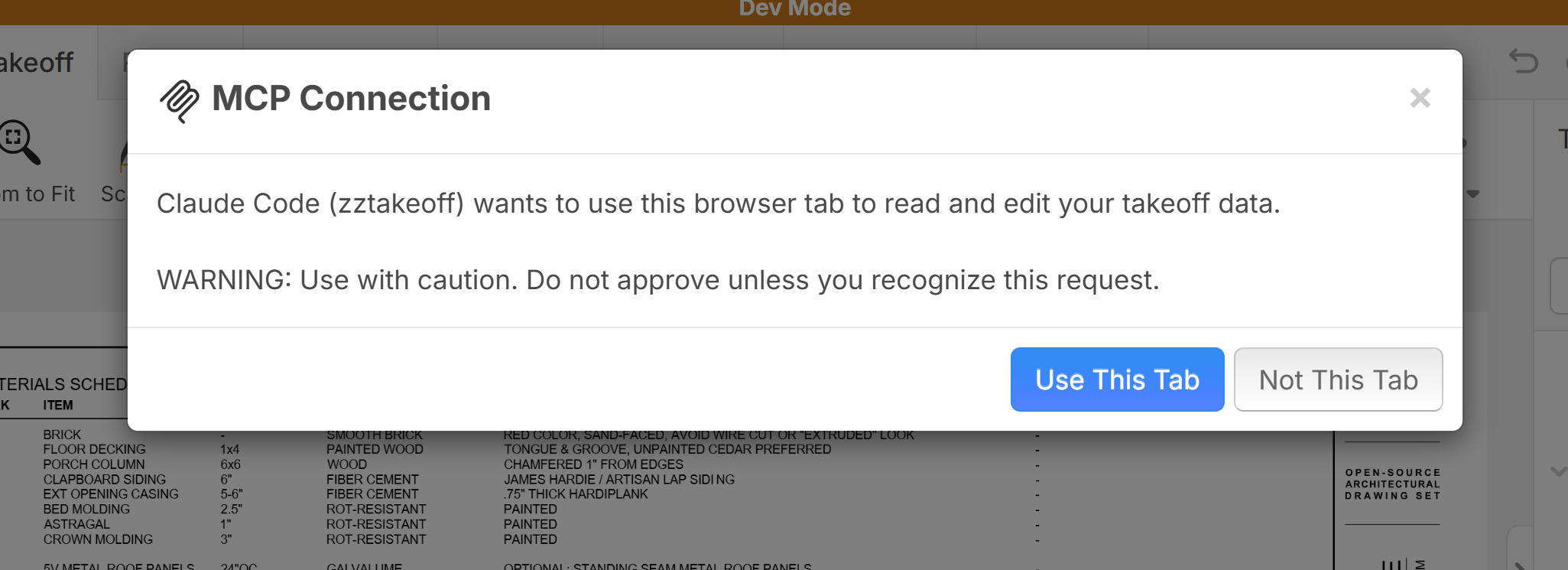
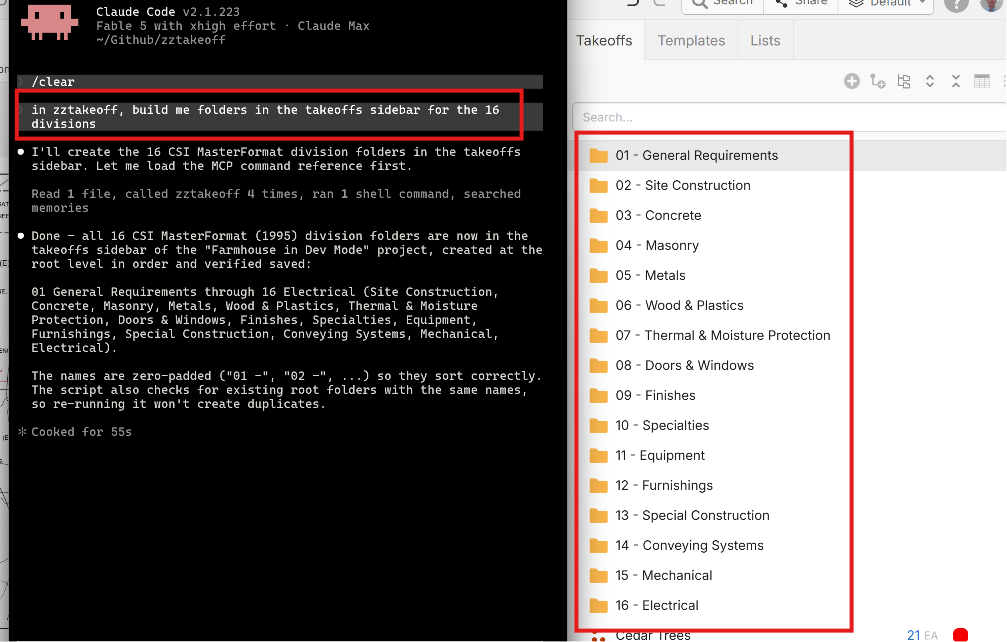
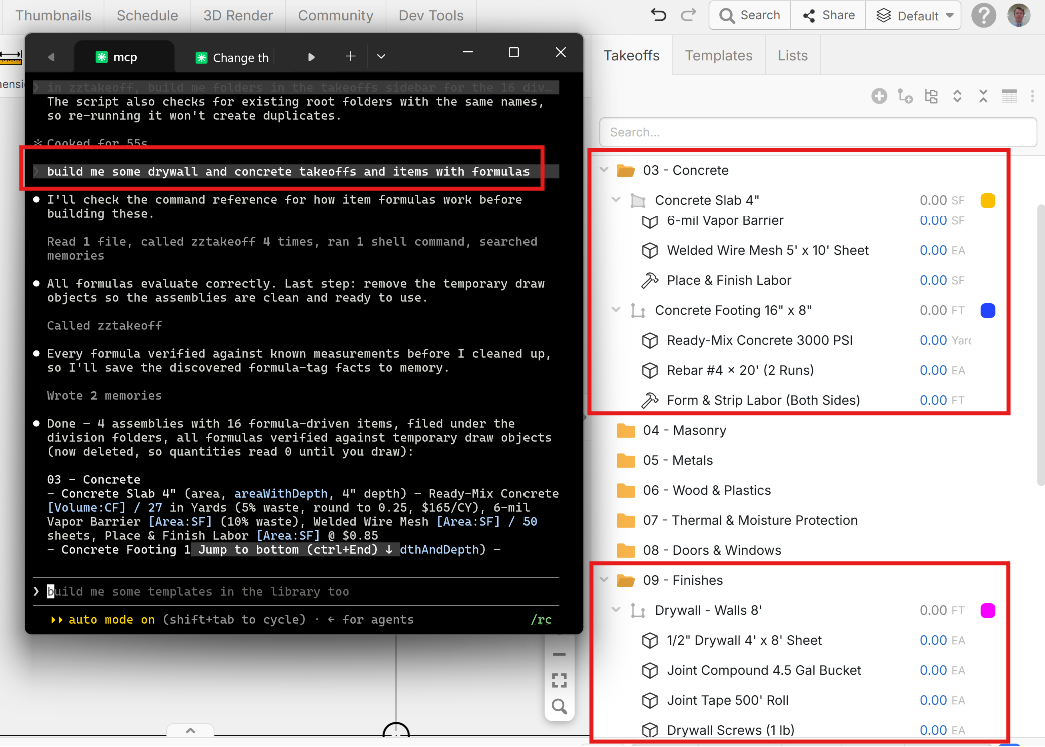
MCP / AI Agents - Now available for all Pro Users
You can now connect AI assistants like Claude, ChatGPT, Grok, and Gemini directly to zzTakeoff. Once connected, you can ask your assistant to work in your open zzTakeoff project, like reviewing takeoffs, making bulk changes, or pulling numbers. It also works with command-line tools like Claude Code, Codex, and Gemini CLI.
Dev Tools
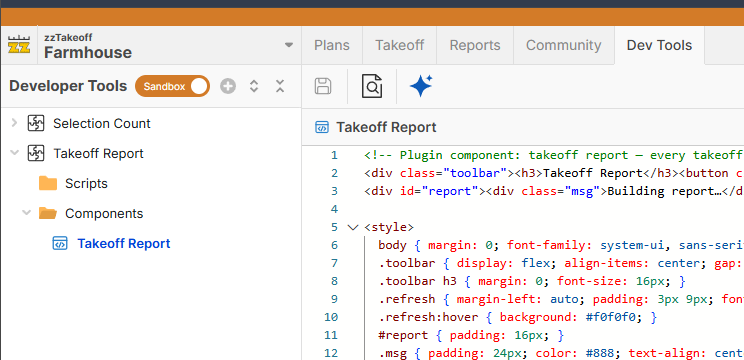
Dev Tools lets you add your own custom UI components/scripts to zzTakeoff, so you can extend the software to fit how your team works. You could build custom reports, dashboards, calculators, or panels that work with your project's takeoffs, pages, and properties, and they appear right inside zzTakeoff.
Plugin Store
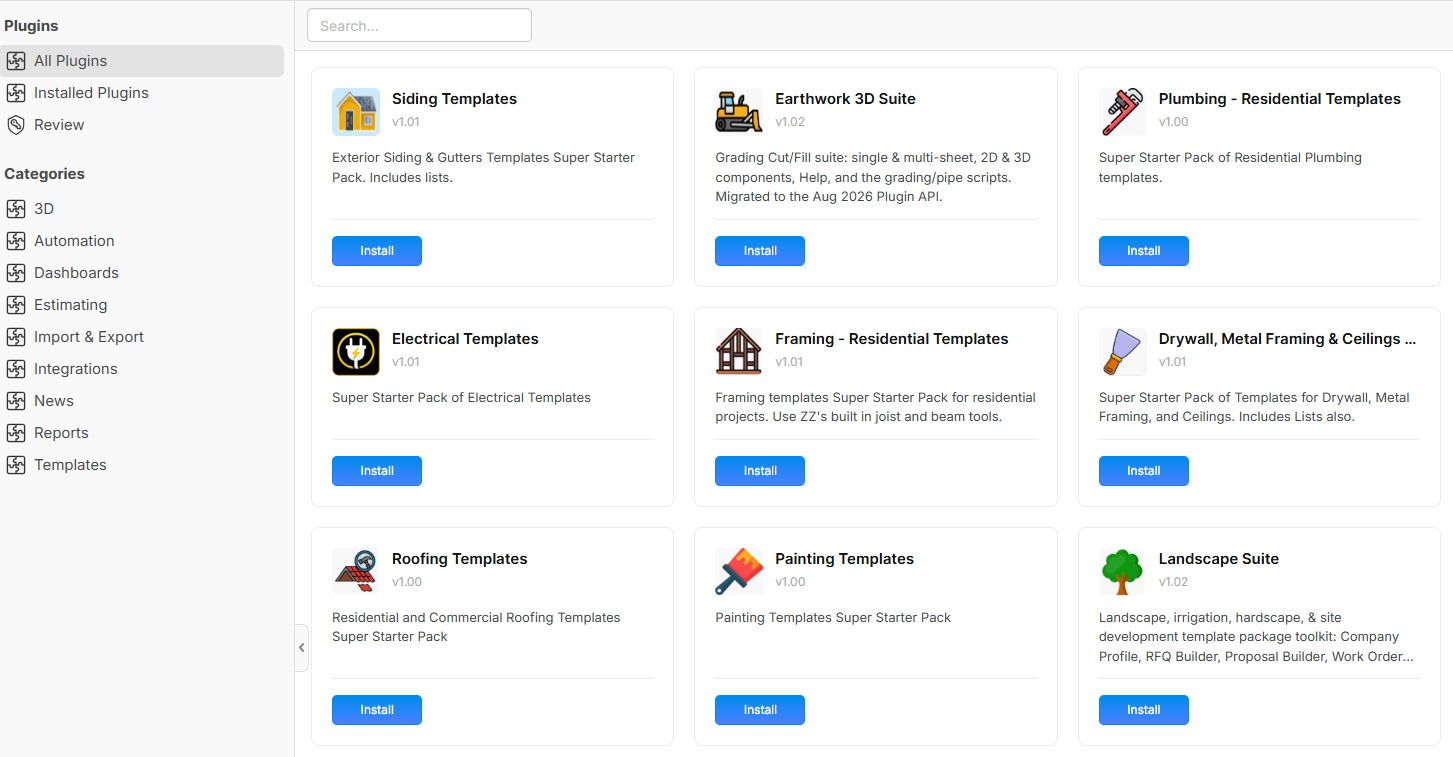
The Plugin Store is now open to everyone. You can browse plugins, install them into your workspace, and upgrade or customize them.
System Layer
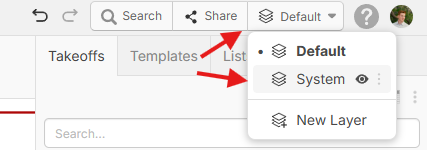
Overlays, scale markers, and imported PDF hyperlinks now live on a shared System layer that shows on every layer. Each user can hide it from the Layers dropdown, it can be locked, and it can be granted when you share a project with layer restrictions.
OCR + PDF Text Search
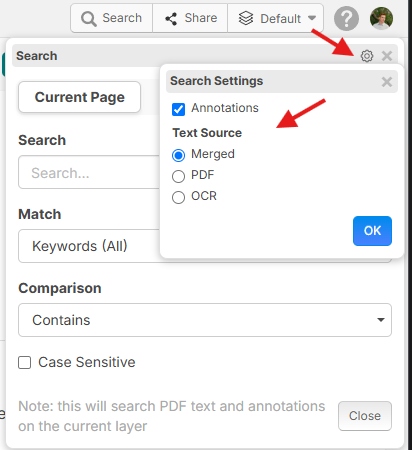
OCR text is now merged with the PDF's own text layer for search and auto-detection. In the search settings, you can pick your text source: Merged, PDF only, or OCR only. The settings popover can also be dragged out of the way.
Password-Protected PDFs
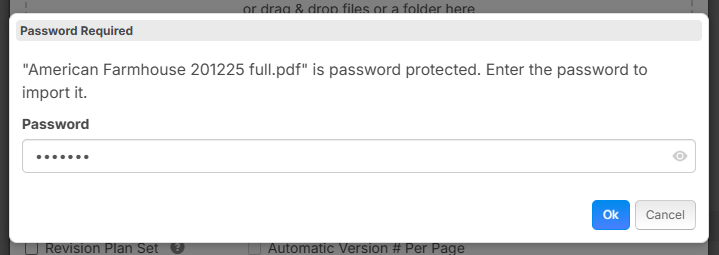
You can now import password-protected PDFs. When you upload one, zzTakeoff shows a Password Required prompt. Enter the password and the file imports normally.
Better Tool Hints & Right-Click Arc Point
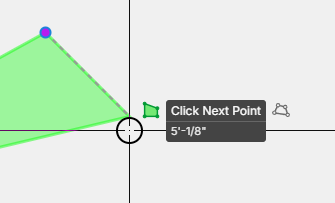
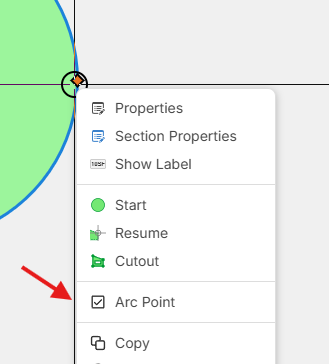
Tool hints now show a second line with live distance or dimensions while you draw, and switch to "Release at…" while you drag a point. Right-click a point on a takeoff and choose Arc Point to turn that corner into an arc.
Snap to Scaled Line Width Edges
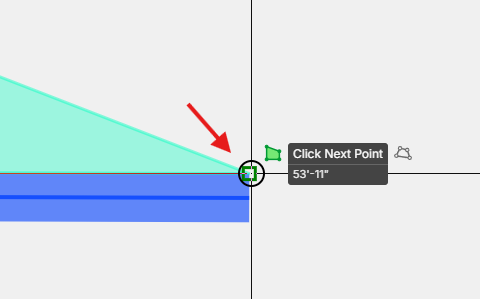
Linear and segment sections that have a scaled line width now snap to both edges of the band, not just the centerline.
Drag to Show/Hide & Random Color
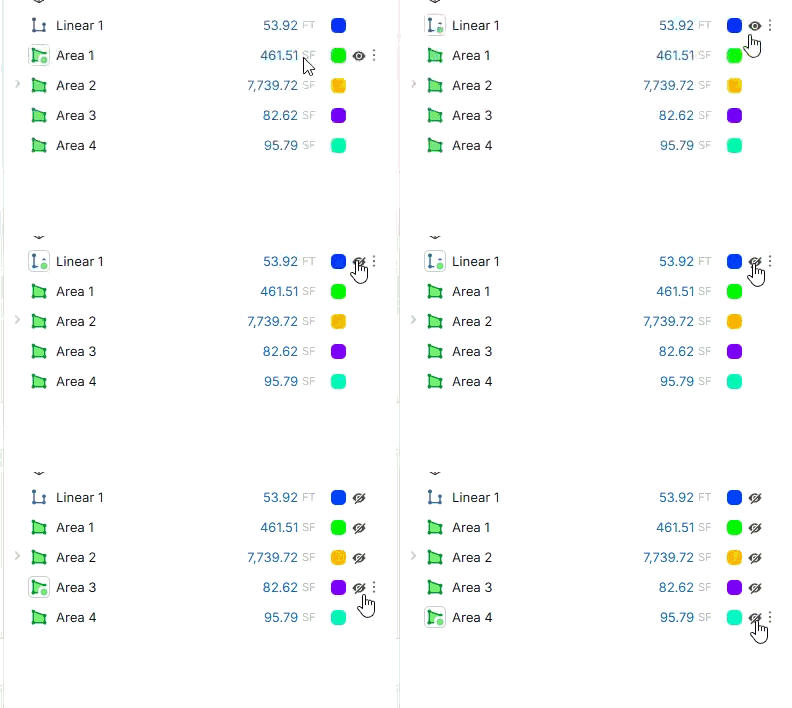
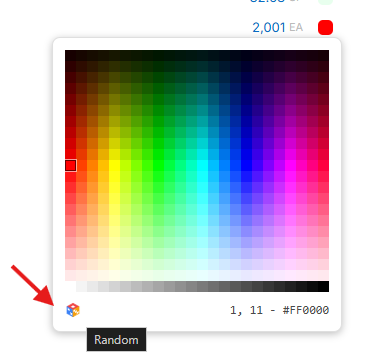
Click an eye icon and drag across others to show or hide many takeoffs at once, as well as a new Random Color button.
Highlighter - Freehand
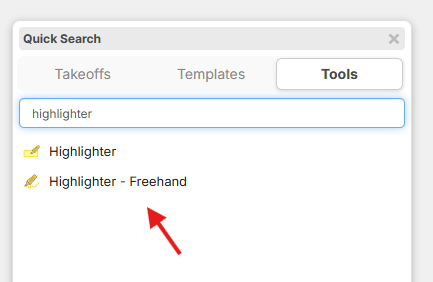
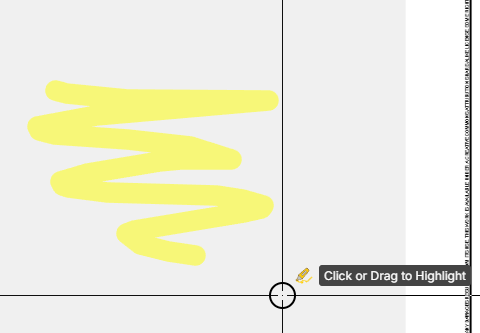
Along with the regular box highlighter, you can now highlight freehand. Press / to open the menu, choose Highlighter - Freehand, and draw directly on the plan.
Auto Count - Match Text & Negative Examples
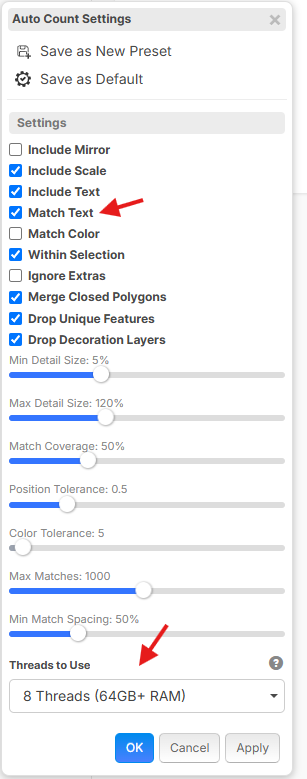
- Match Text: on by default. zzTakeoff reads the text inside the symbol, so if your sample says W01, matches reading W02 or W03 are pushed down the list automatically.
- "Not a Match" examples: flag a result as a negative example and similar false matches are removed. This works in both Vector and Image mode (previously only vector mode).
- Threads: a new setting that scans with more CPU threads on capable machines.
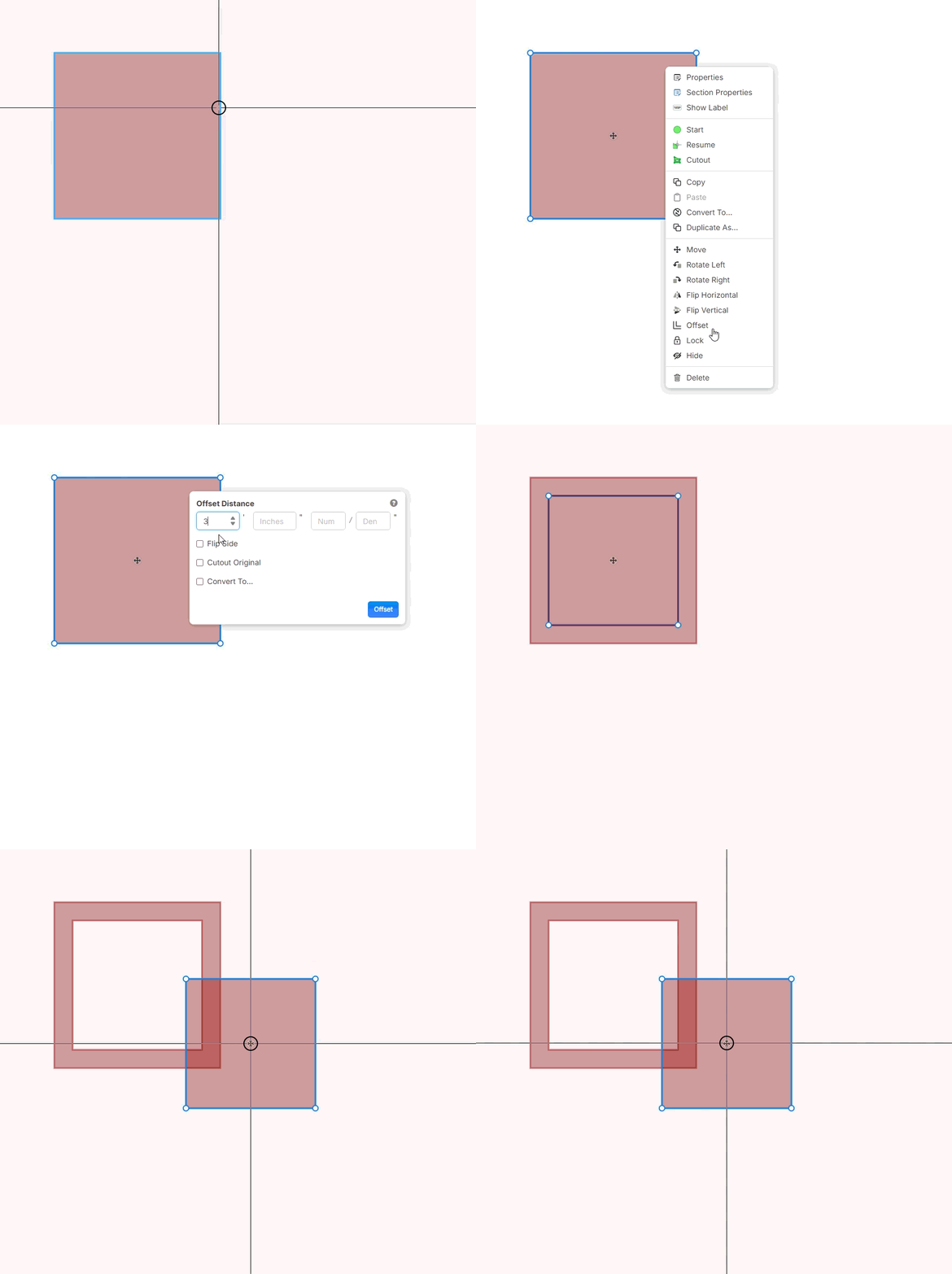
Area Offset Cutouts
Offsetting an area inward now cuts the new section out of the original area.
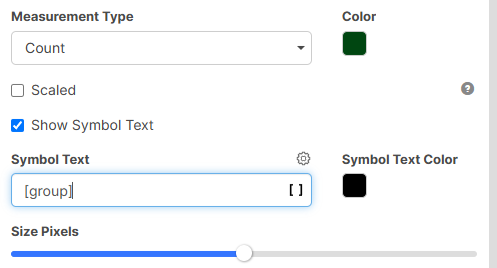
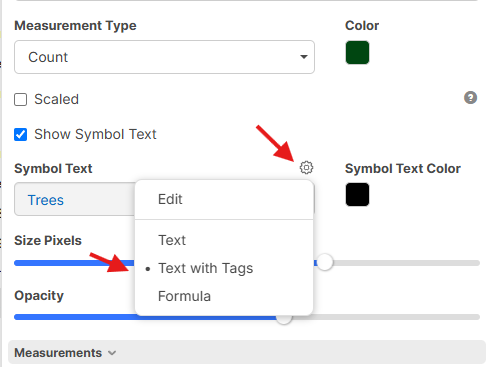
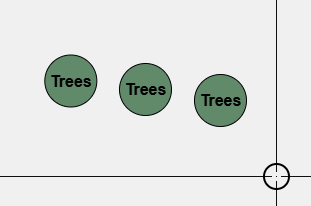
Symbol Text with Tags or Formulas
A count's symbol text can now be text with tags or a formula, so the label on each count can pull from your properties.
Collapsible Folders on the Plans Page
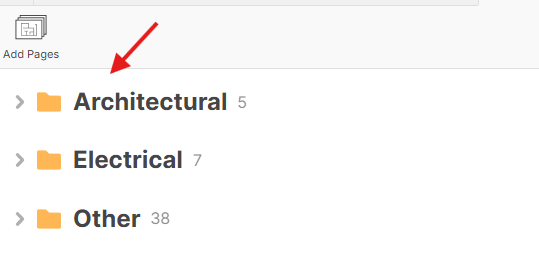
Folders on the Plans page can now be collapsed. Click a folder heading to collapse or expand it, and a collapsed folder shows how many pages are inside. This makes large plan sets much easier to move around in.
Rename Plan Sets
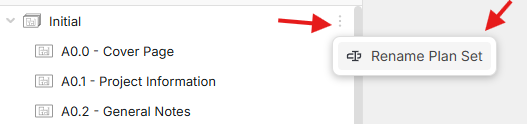
You can now rename a plan set right from the Pages sidebar. Right-click the plan set and choose Rename Plan Set.
Misc.
- Auto Scale now utilizes combined OCR + PDF text
- Product picker searches as you type (Enter selects the first match)
- Max records for MCP raised to 10,000
- Clearer message about which rows failed when a batch insert doesn't fully save, and undo handles it correctly
- Fixed takeoffs lingering in the Pages sidebar after their sections were moved or deleted
- Invite emails reformatted, and now include the inviter's name and workspace
- When you follow a user, you now see their layer show/hide state too, and you jump to their most recent page and layer
- Support chat button on the Reports tab
- Layer icon visible on mobile
- Dark-mode styling for confirmation dialogs
- Community: new Developers / AI / MCP channel, and you can follow tags
- Faster PDF vector processing
- Various bug fixes and tweaks
Thanks for all your support! 🚀