











 Feature Requests
Split view
Do you have any plans to create a split view similar to Bluebeam? Being able to view multiple pages on the same takeoff screen is one of Bluebeam's coolest features. I often times need (or at least I really like) to be able to see my plan view, wall section, detail, and elevation all at the same time. In Bluebeam, I can do takeoffs on any of the view windows without having to stop or start the takeoff tool -- pretty cool. Between my two large monitors, I typically have 8 different view windows going at one time, and it really helps me wrap my head around complex sets of plans.
I know that I can have zzTakeoff open in multiple browser tabs/windows and arrange them how i'd like on my screen. However, having the browser toolbars/address bar/tab space stacked on top of zzTakeoff toolbars in each window takes a MAJOR slice out of my overall screen real-estate, and requires me to restart tools every time I go from one window to the next.
As a commercial subcontractor, we have to get into the nitty gritty of all the details. Having the ability to keep my plan workspace efficient by having multiple plan sections easily visible and usable is very valuable.
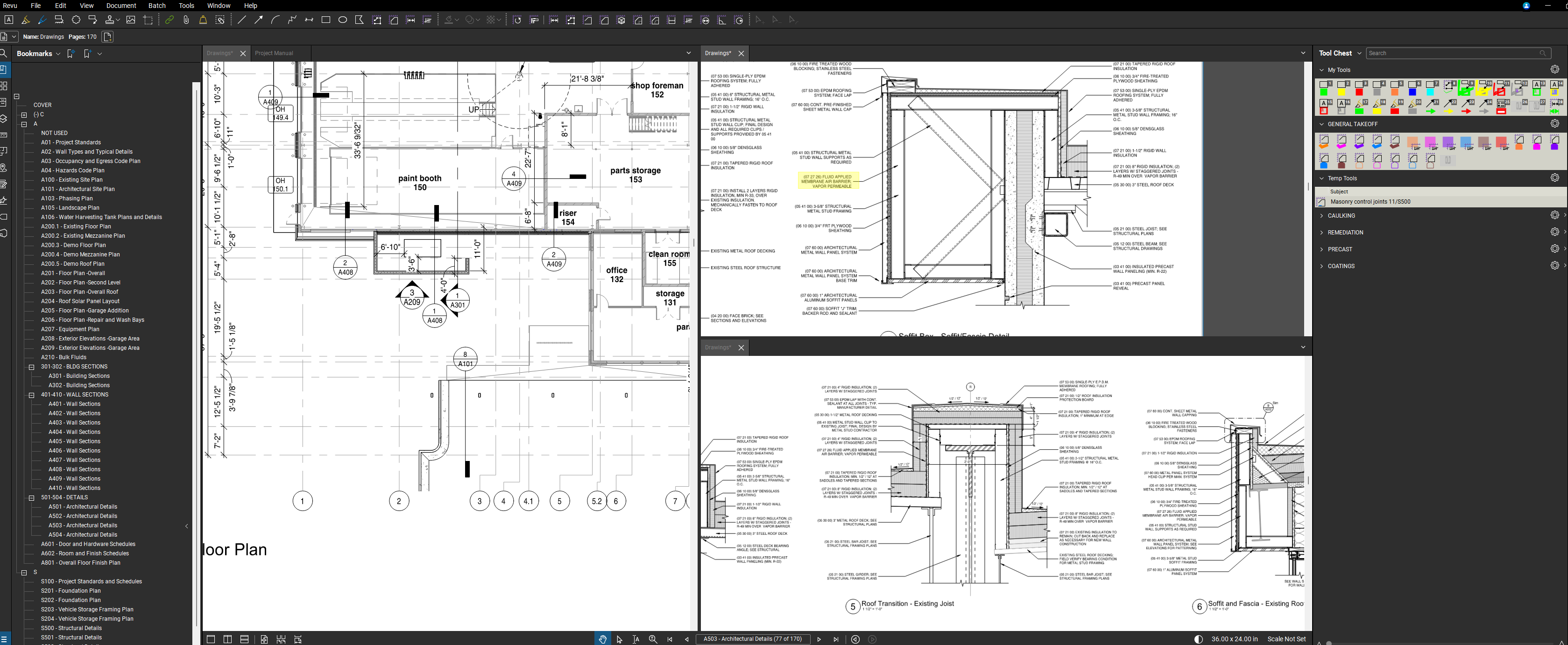

You can right click on any page on the left, and select "Preview Window". That will accomplish the same thing, and I use it all the time.

Are you able to markup or perform takeoff on those preview windows?
Hmm, no, just view. I suppose you could duplicate your browser window and just have two sessions open. Both would accept markup. But it wouldn't be like Bluebeam does.

Nathan,
You also can right click on any page and "open in New tab" this opens a new browser, this will let you markup/TO on each like you want, works great.
%22%2F%3E%3Ctext%20x%3D%2232%22%20y%3D%2233%22%20text-anchor%3D%22middle%22%20dominant-baseline%3D%22central%22%20font-family%3D%22Arial%2C%20sans-serif%22%20font-size%3D%2226%22%20font-weight%3D%22600%22%20fill%3D%22%23fff%22%3EJ%3C%2Ftext%3E%3C%2Fsvg%3E "Jes")
If you're in Chrome you can use Chrome's built in feature for this by right clicking on the tab:

%22%2F%3E%3Ctext%20x%3D%2232%22%20y%3D%2233%22%20text-anchor%3D%22middle%22%20dominant-baseline%3D%22central%22%20font-family%3D%22Arial%2C%20sans-serif%22%20font-size%3D%2226%22%20font-weight%3D%22600%22%20fill%3D%22%23fff%22%3EEA%3C%2Ftext%3E%3C%2Fsvg%3E "Eliseo Arellano")
zz team -- any thoughts on whether this is something you're planning to explore/review?
%22%2F%3E%3Ctext%20x%3D%2232%22%20y%3D%2233%22%20text-anchor%3D%22middle%22%20dominant-baseline%3D%22central%22%20font-family%3D%22Arial%2C%20sans-serif%22%20font-size%3D%2226%22%20font-weight%3D%22600%22%20fill%3D%22%23fff%22%3EK%3C%2Ftext%3E%3C%2Fsvg%3E "Kevin")
Not a perfect solution, but if you make ZZ a web-app, it helps reduce the real-estate the bars take up, in the interim. Unless you already do this, then the only thing I can think is there may be a way (browser depending) to remove the address bar per window?
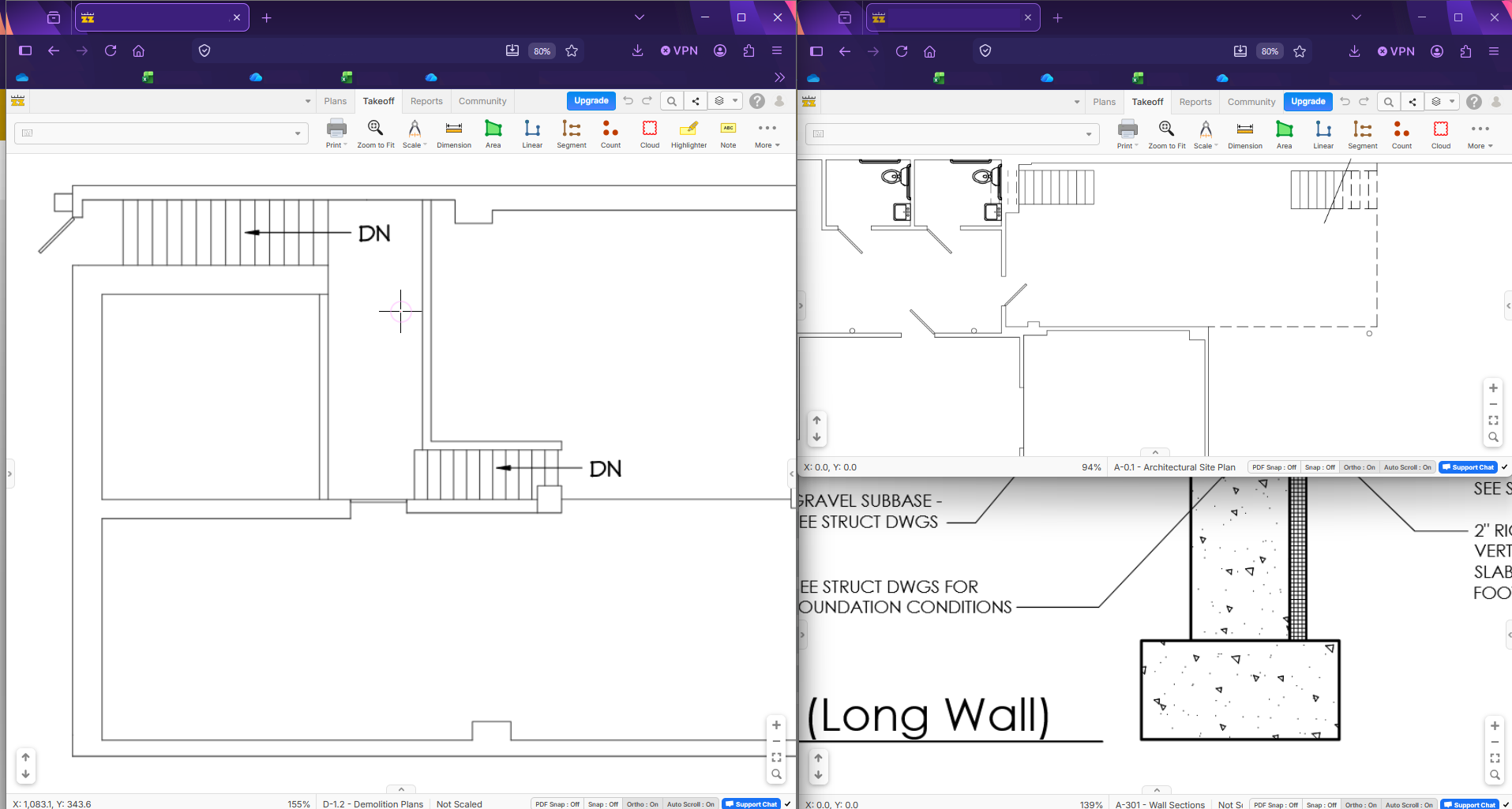
As standard browser window
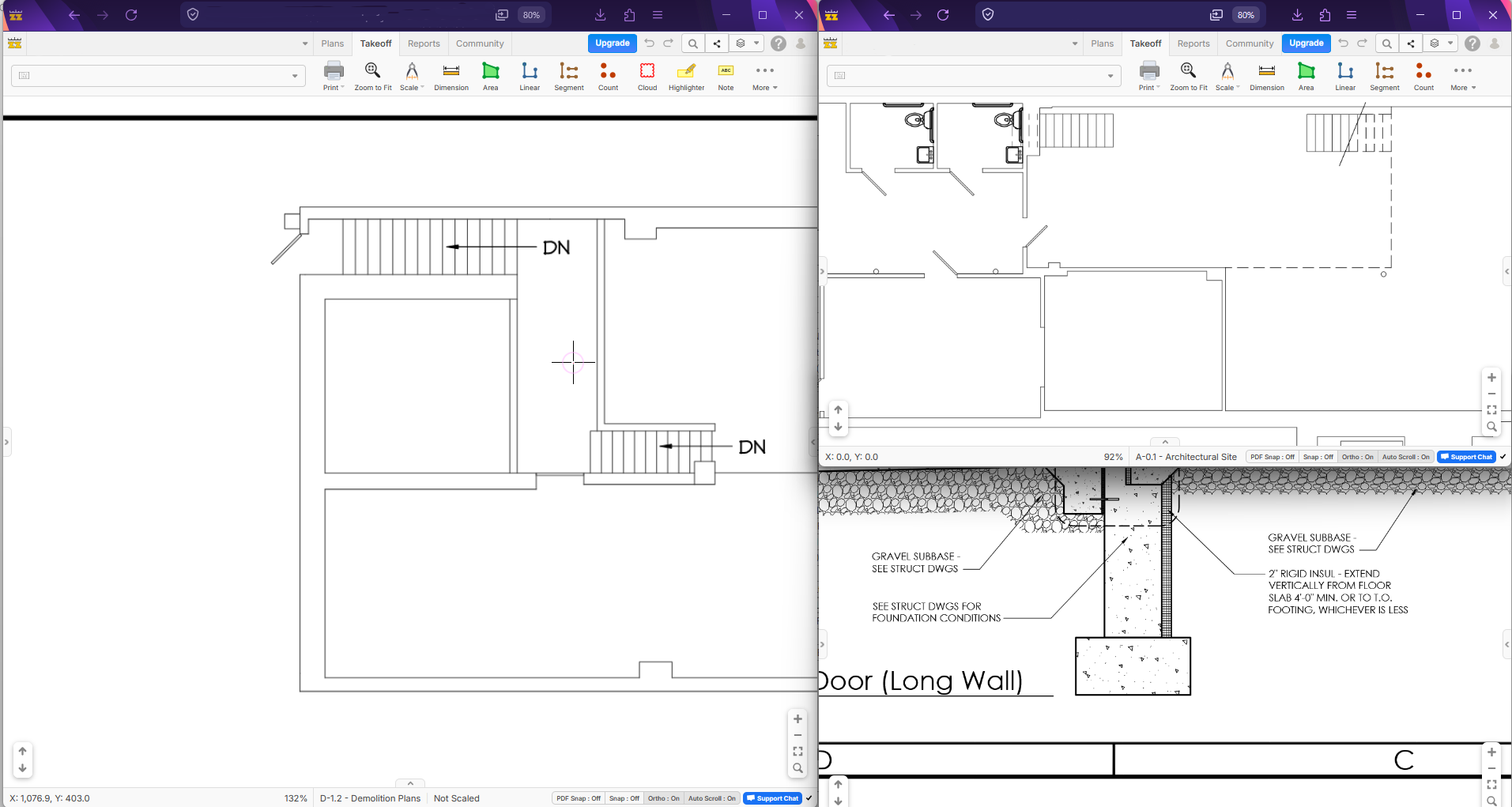
As Web-App
This is with Firefox as a browser, but I believe most other modern ones (Chrome, Edge, Vivaldi, etc) can do it as well.
Hope this is helpful!
🚀2💯1
Hey Nathan, the currently supported approach is to use the browser split (like Jes suggested) or open multiple windows and resize the tabs to fit (like Kevin suggested). We may change this in the future, but there are no plans to build a split view yet.
Thanks, Lorin. Just wondered what the status was.
Kevin -- yes that is the best approach i have found as well -- thank you! Doesn't check all the boxes, but it is certainly a decent option.
👍2