Product Updates
New Update: Auto Scale, Auto Count, High Res PDF Render, Roles & Permissions, Lock/Unlock, etc.
We released another update based on feedback from our community. Thank you for your participation here and helping us improve zzTakeoff.
Check out our videos for the new feature:
- New Features - Highlights (1 Min)
- New Features - Details (25 Min)
Auto Scale
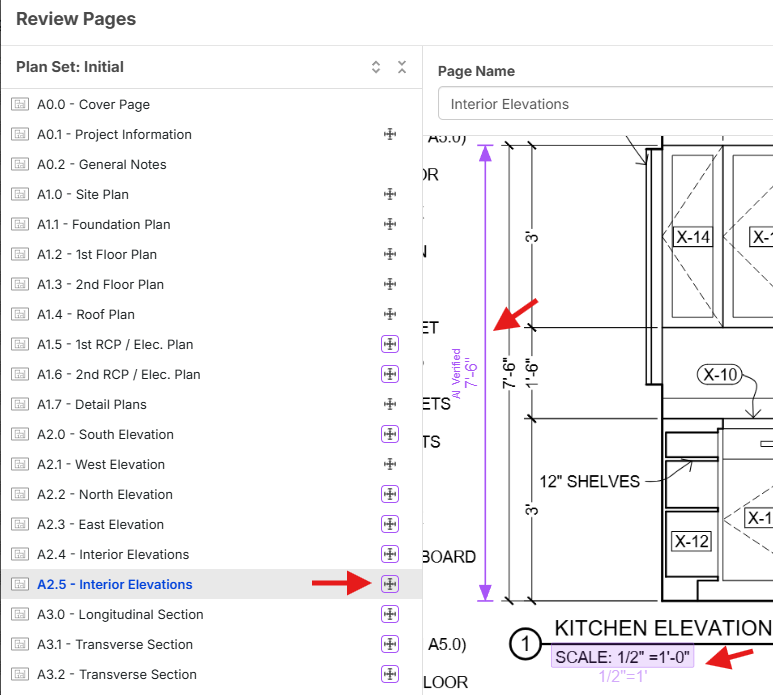
When you add pages to a project, they will now auto scale if the scale can be reliably located on the page. The software will also attempt to find dimensions on the page to ensure it matches the expected distance.
Auto Count
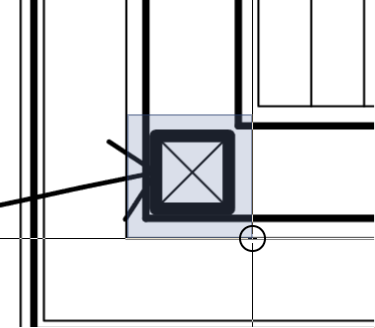
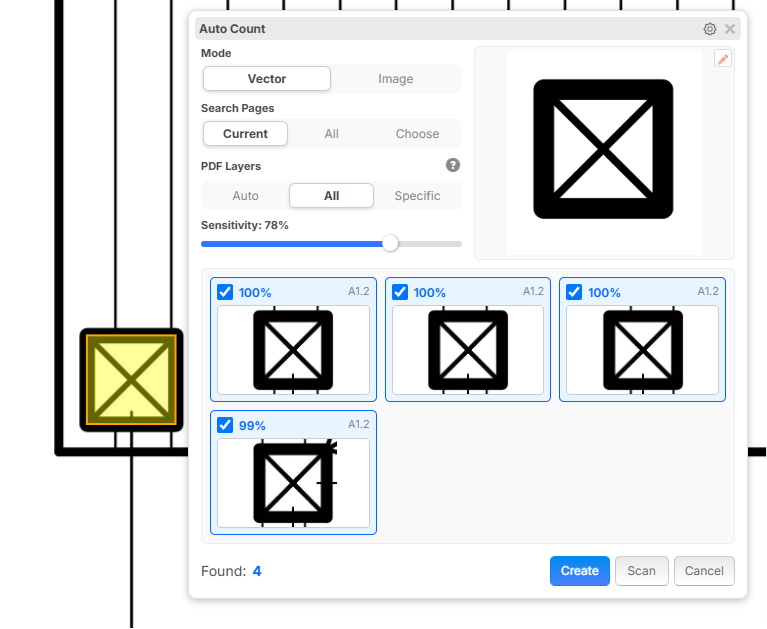
Now you can select a sample on the page, choose "Auto Count" and it will automatically find similar matches. Matches can be found using both Vector and Image data.
You will be presented with a preview screen to confirm or adjust settings before creating a count takeoff from the results:
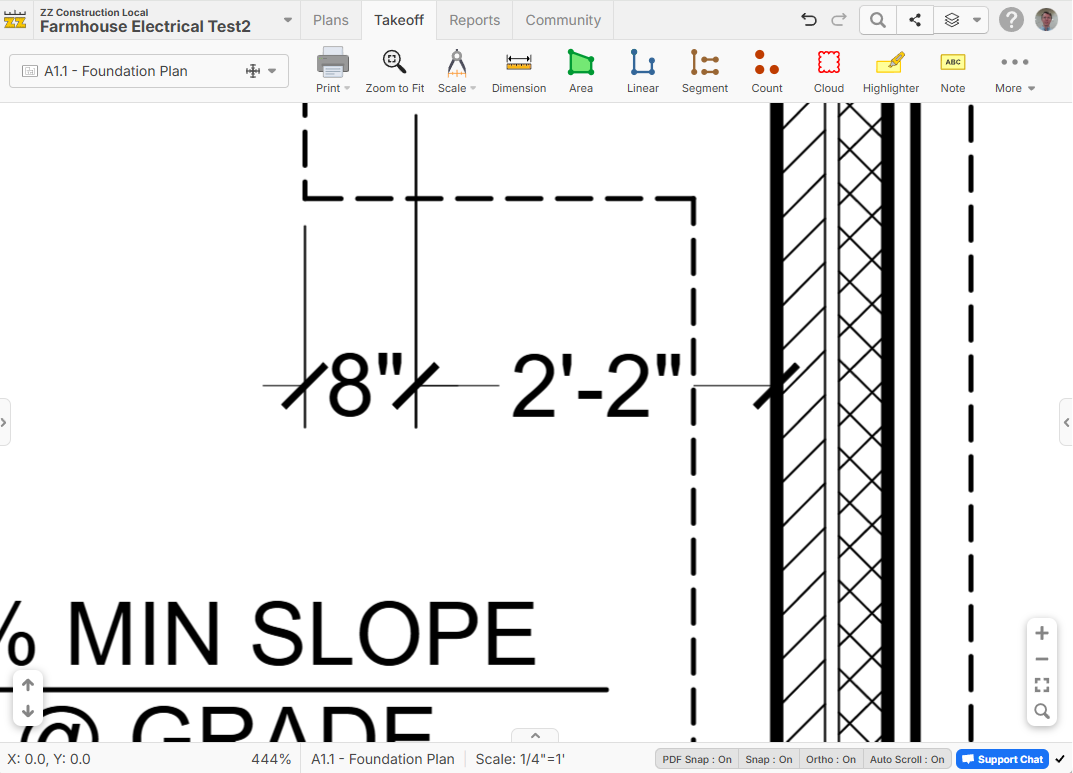
High Res PDF Render
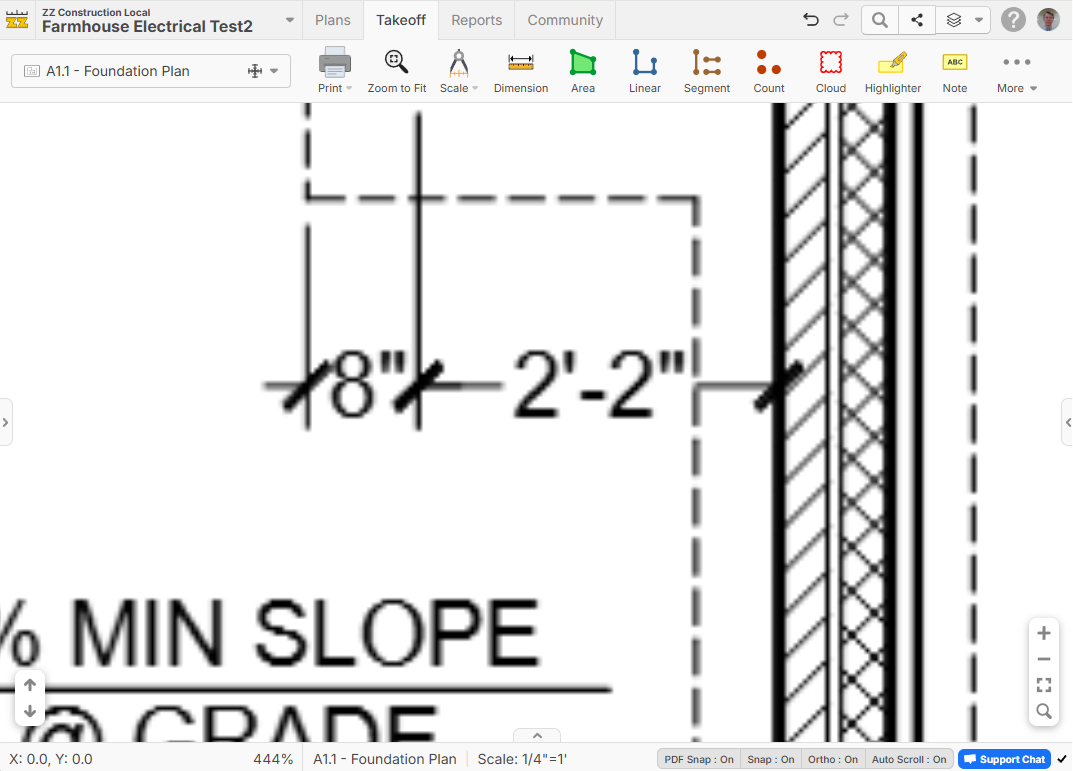
Our system can zoom/pan quickly around the page using our pre-rendered images, but now after you stop the software will render high resolution. Much more clear now. We will be expanding this in the future for printing and also PDF exports as vector.
Before:
After:
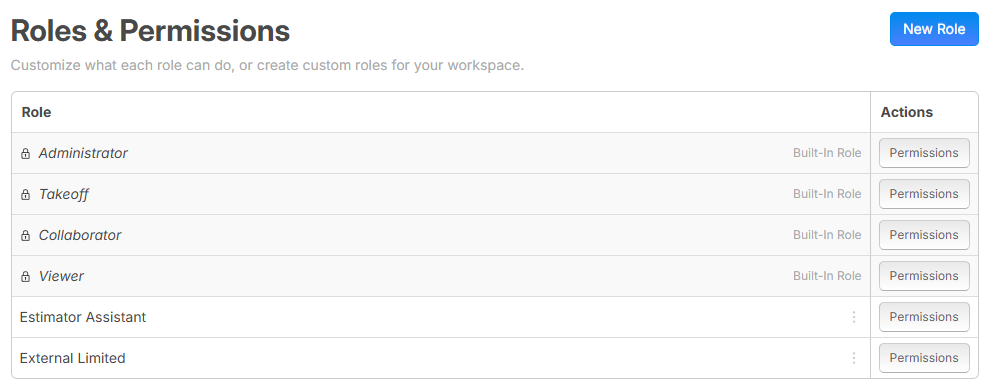
Roles & Permissions
Now you can give more fine grained access to users in your workspace or projects.
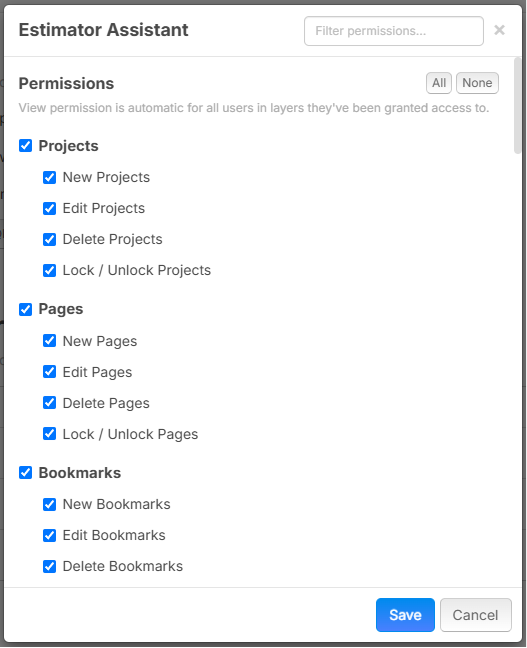
Now you have more fine grained control of specific permissions given to each role:
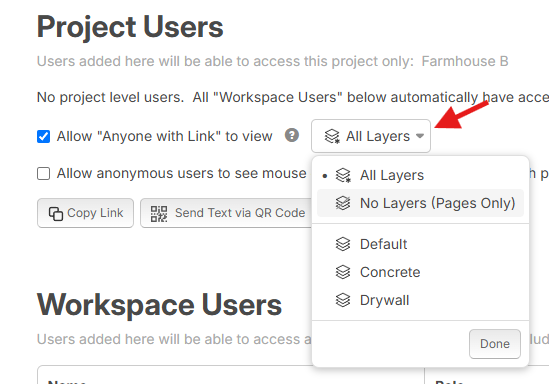
Share Specific Layers
When sharing a project, you can now decide which layers each user gets access to.
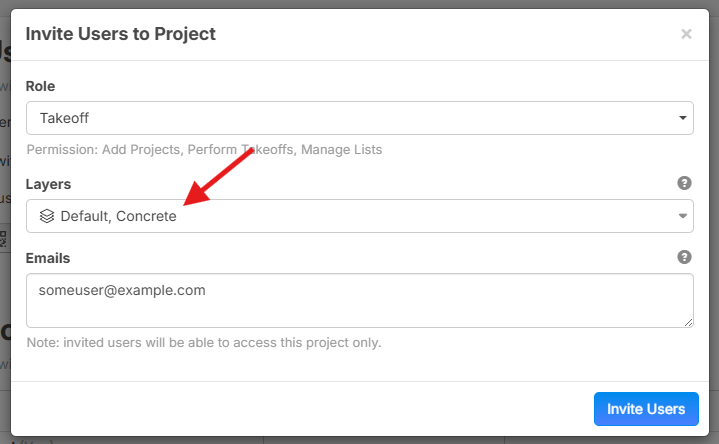
Lock / Unlock
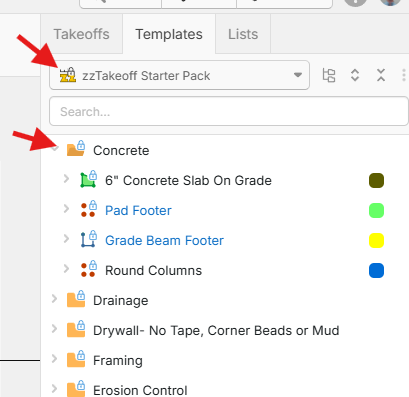
You can now protect your templates from accidental changes by locking them.
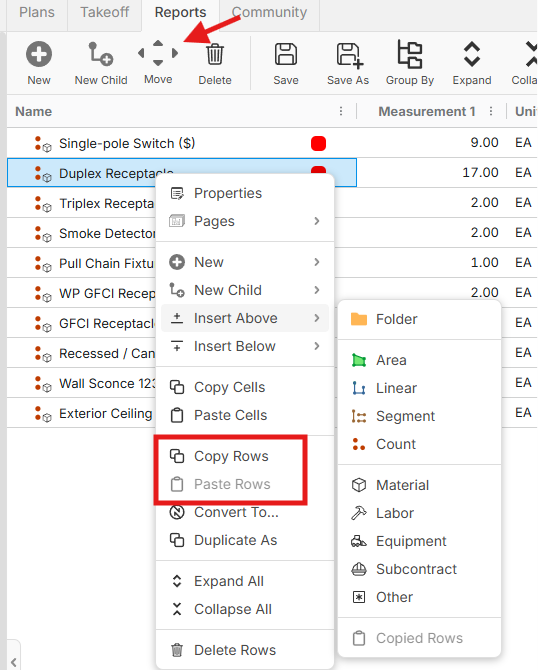
Reports - Takeoff Tree Report / Insert, Copy, & Move Rows
Now in Takeoff Tree Reports in the reports screen, you have more options to move records around, similar to the takeoffs sidebar, along with keyboard shortcuts (Ctrl+Arrow) to reorder. The right click menu also has more clear terminology such as "Copy Rows" or "Copy Cells".
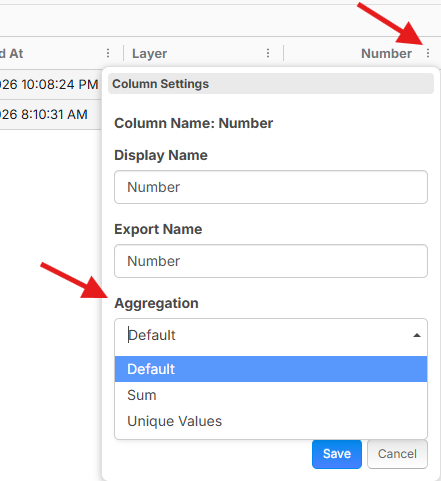
Reports - Aggregate Number Columns by Sum or Unique Values
You can now decide in number columns whether you want to see the total, or all unique values.
Reports - Control or Column Aggregation / Totalling
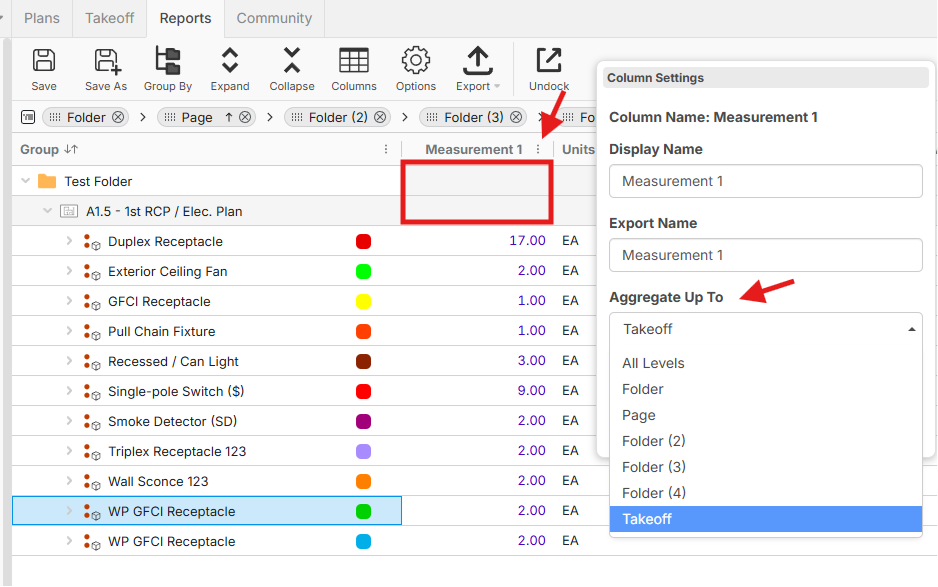
You can also control which level a column will aggregate up to. In this example, we are forcing it to not show totals at the page level or folder level.
Takeoffs Sidebar - Copy / Paste with Sections
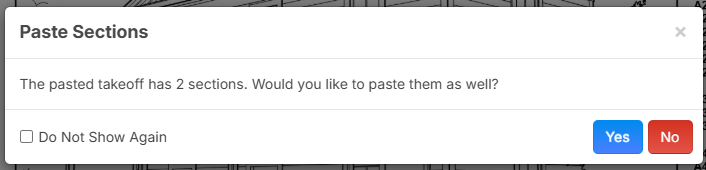
In the right sidebar, when you copy/paste takeoffs, you will now have the option to paste the sections into the new takeoffs.
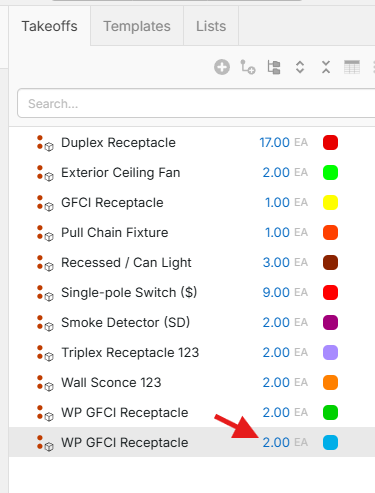
You can see the takeoff sections got duplicated as well (the total now matches as a result):
Utilize Additional CPU Threads
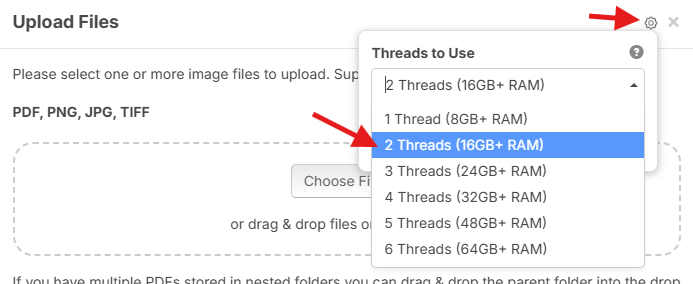
When uploading new PDF files you can now speed it up by using more of your computer's CPU and memory. You should only bump this up if your computer can actually handle it, or it will be counter-productive.
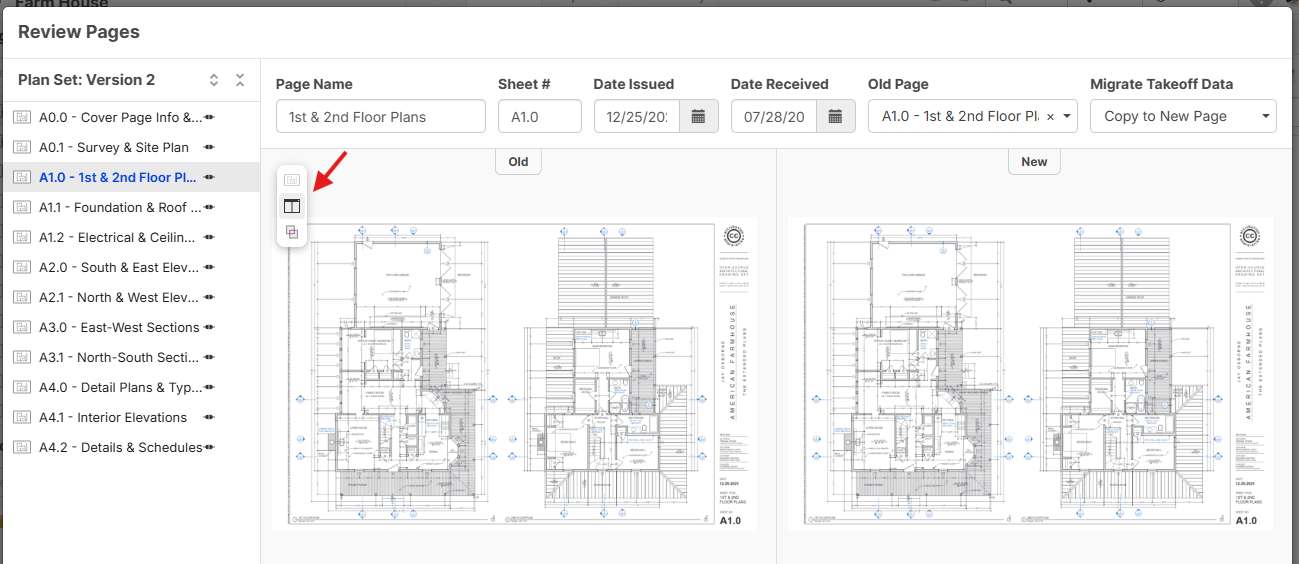
New Page Version - Side by Side Comparisons & Overlay
When reviewing pages, you now have the option to see a side-by-side comparison, as well as an overlay between the old page and new page. We've also improved the review pages to be resumable with a banner if you accidentally reload the page.
Pages Sidebar Improvements - New Page Icons, Group by Options, and Hide Takeoffs Checkbox
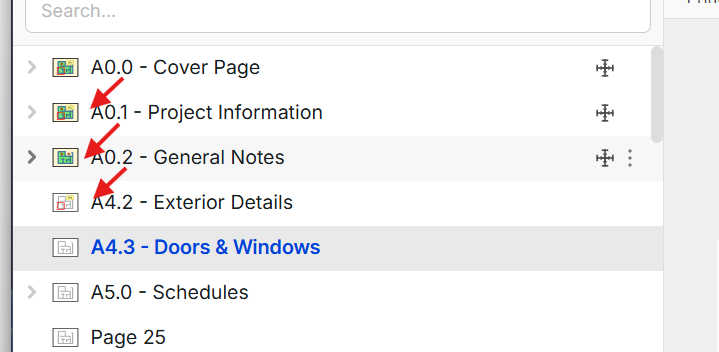
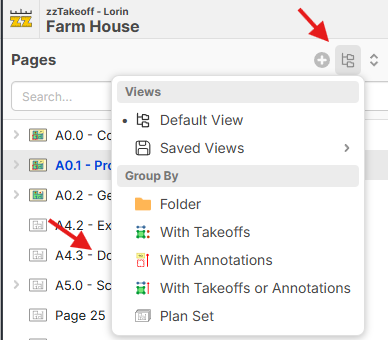
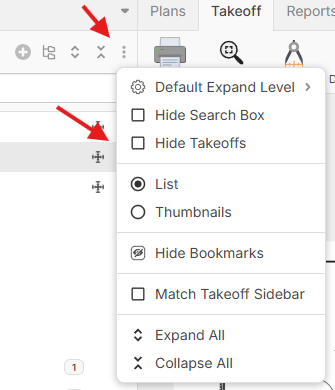
We added additional page icons for "Page with Annotations" and "Page with Takeoff & Annotations", as well as new grouping options for "With Annotations" and "With Takeoffs or Annotations". There is also a checkbox to hide the takeoff data from the pages sidebar.
New page Icons:
New Group By Options:
Hide Takeoffs:
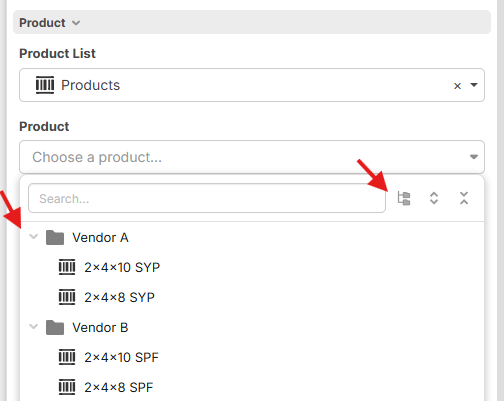
New Product Dropdown with Grouping
We have a new product dropdown that allows you to group your products similar to the lists sidebar
Misc.
- Ellipse tool in / menu
- Rect tool in / menu
- Page mirroring
- Dimension annotations now report their length in reports
- Notes have hyperlink capabilities
- Drag a takeoff from the sidebar onto an existing section on the plan to duplicate the section to the takeoff
- PlanSwift import: new option to import takeoffs as "Takeoff + Item" (combined) instead of assemblies
- New workspace Project Defaults settings: default layer name and a list of layers auto-created on new projects.
- zzTakeoff Starter Pack visible for all users in Templates
- Various bug fixes/tweaks
Thanks for all your support! Plugins, Scripting, and UI components are coming soon in a separate update.
%22%2F%3E%3Ctext%20x%3D%2232%22%20y%3D%2233%22%20text-anchor%3D%22middle%22%20dominant-baseline%3D%22central%22%20font-family%3D%22Arial%2C%20sans-serif%22%20font-size%3D%2226%22%20font-weight%3D%22600%22%20fill%3D%22%23fff%22%3EGB%3C%2Ftext%3E%3C%2Fsvg%3E "Geoff Van Brunt")


%22%2F%3E%3Ctext%20x%3D%2232%22%20y%3D%2233%22%20text-anchor%3D%22middle%22%20dominant-baseline%3D%22central%22%20font-family%3D%22Arial%2C%20sans-serif%22%20font-size%3D%2226%22%20font-weight%3D%22600%22%20fill%3D%22%23fff%22%3EJ%3C%2Ftext%3E%3C%2Fsvg%3E "Jes")
%22%2F%3E%3Ctext%20x%3D%2232%22%20y%3D%2233%22%20text-anchor%3D%22middle%22%20dominant-baseline%3D%22central%22%20font-family%3D%22Arial%2C%20sans-serif%22%20font-size%3D%2226%22%20font-weight%3D%22600%22%20fill%3D%22%23fff%22%3EJR%3C%2Ftext%3E%3C%2Fsvg%3E "John Rinacke")
%22%2F%3E%3Ctext%20x%3D%2232%22%20y%3D%2233%22%20text-anchor%3D%22middle%22%20dominant-baseline%3D%22central%22%20font-family%3D%22Arial%2C%20sans-serif%22%20font-size%3D%2226%22%20font-weight%3D%22600%22%20fill%3D%22%23fff%22%3EBM%3C%2Ftext%3E%3C%2Fsvg%3E "Beau Mitchell")

Nice!
41 pages loaded up in 1min 19sec.... 64GB setting.
Drawing size 48"x36"
41 pages loaded up in 1min 45sec.... 8GB setting.
Drawing size 48"x36"
🚀3🔥1Oh that's a great idea. Following Beau's example, I had a set that seriously took 30+ minutes to load the other day. 95 pages, 112MB. Reran with the 64GB setting and it loaded in about 10 minutes. Significant increase (and significant temp rise on the cores too). Way to make that M5 Pro processor SWEAT.
👍2Oh good point... I have to try my M5 to see if it's different. Thanks Martin.
👍3
%22%2F%3E%3Ctext%20x%3D%2232%22%20y%3D%2233%22%20text-anchor%3D%22middle%22%20dominant-baseline%3D%22central%22%20font-family%3D%22Arial%2C%20sans-serif%22%20font-size%3D%2226%22%20font-weight%3D%22600%22%20fill%3D%22%23fff%22%3ERJ%3C%2Ftext%3E%3C%2Fsvg%3E "Rulon Jessop")
%22%2F%3E%3Ctext%20x%3D%2232%22%20y%3D%2233%22%20text-anchor%3D%22middle%22%20dominant-baseline%3D%22central%22%20font-family%3D%22Arial%2C%20sans-serif%22%20font-size%3D%2226%22%20font-weight%3D%22600%22%20fill%3D%22%23fff%22%3EJR%3C%2Ftext%3E%3C%2Fsvg%3E "John Reily")
High Res makes a big difference! Much easier to read drawings and not as much eye strain.
👍3
Hi zZ, just want to provide some feedback on your high res. It works superb! Thank you!
🚀2💯1