











New Update: Customizable Hotkeys, Export Vector PDF, Resizable Nodes & Auto-Size Legends, Page Thumbnail Resize, Auto Count Improvements, etc.
We just released another update based on community feedback. Thank you for your participation here and for helping us improve zzTakeoff. 🙂
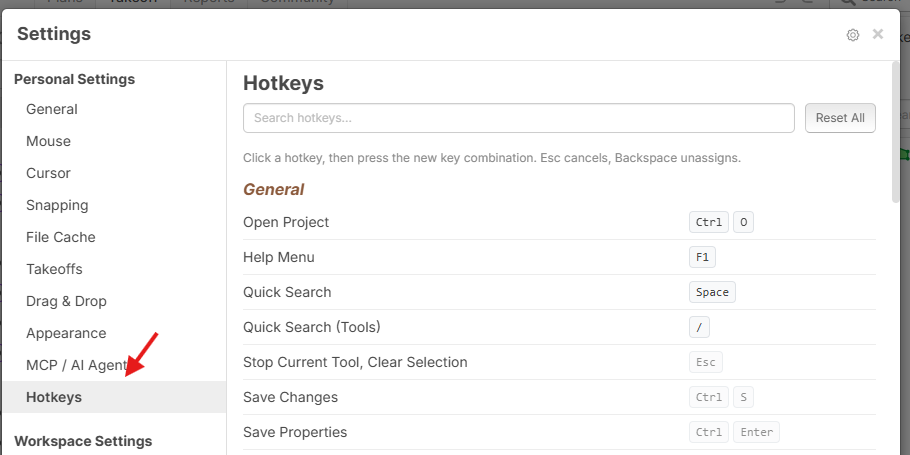
Customizable Hotkeys
You can now choose your own hotkeys. Go to Settings > Hotkeys, click any shortcut, and press the keys you want. There's a search box to find a command quickly, a reset arrow on each row to go back to the default, and a Reset All button.
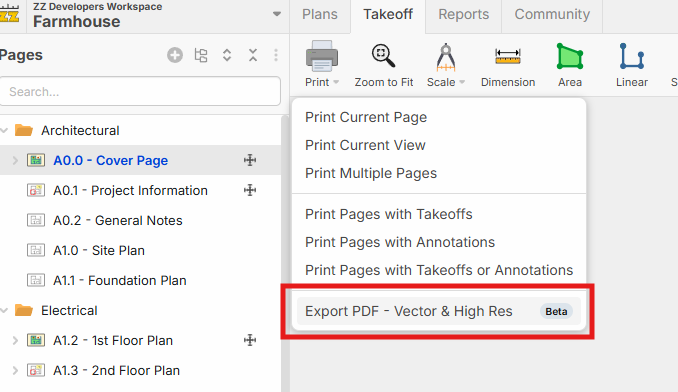
Export Vector PDF (Beta)
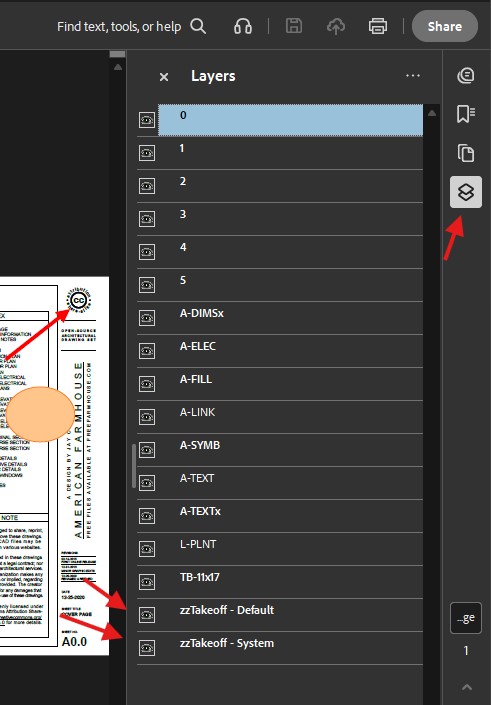
You can now export PDFs with the vector data intact, optionally with takeoffs and annotations as toggleable layers.
Resize Nodes + Auto-Size Legends
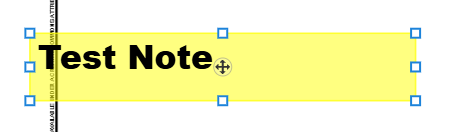
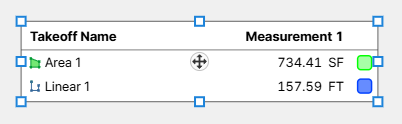
Boxes, notes, images, and legends now have corner and edge handles, so you can resize them by dragging any side or corner (instead of 2 points at opposite corners). Legends now automatically grow and shrink on their own as takeoffs are added or removed.
Page Thumbnail Resize
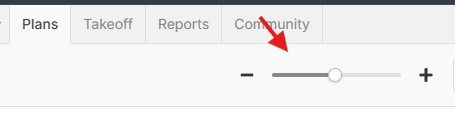
There's now a thumbnail size slider on the Add Pages popup, the Plans tab, and the Pages sidebar, so you can make the thumbnails as big or as small as you like.
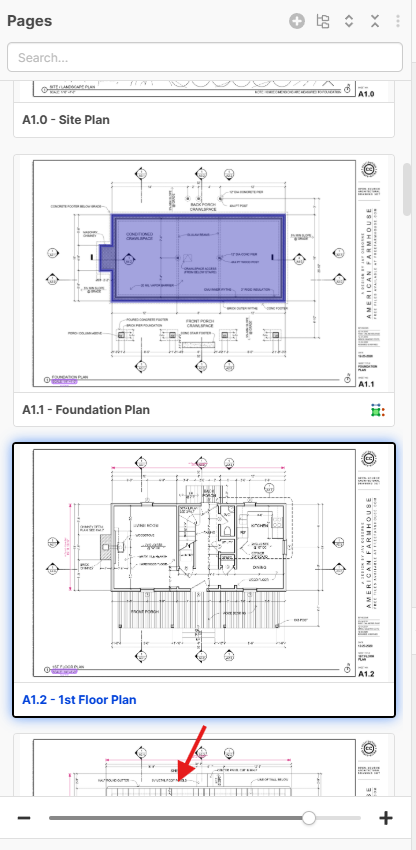
Add Pages Popup:
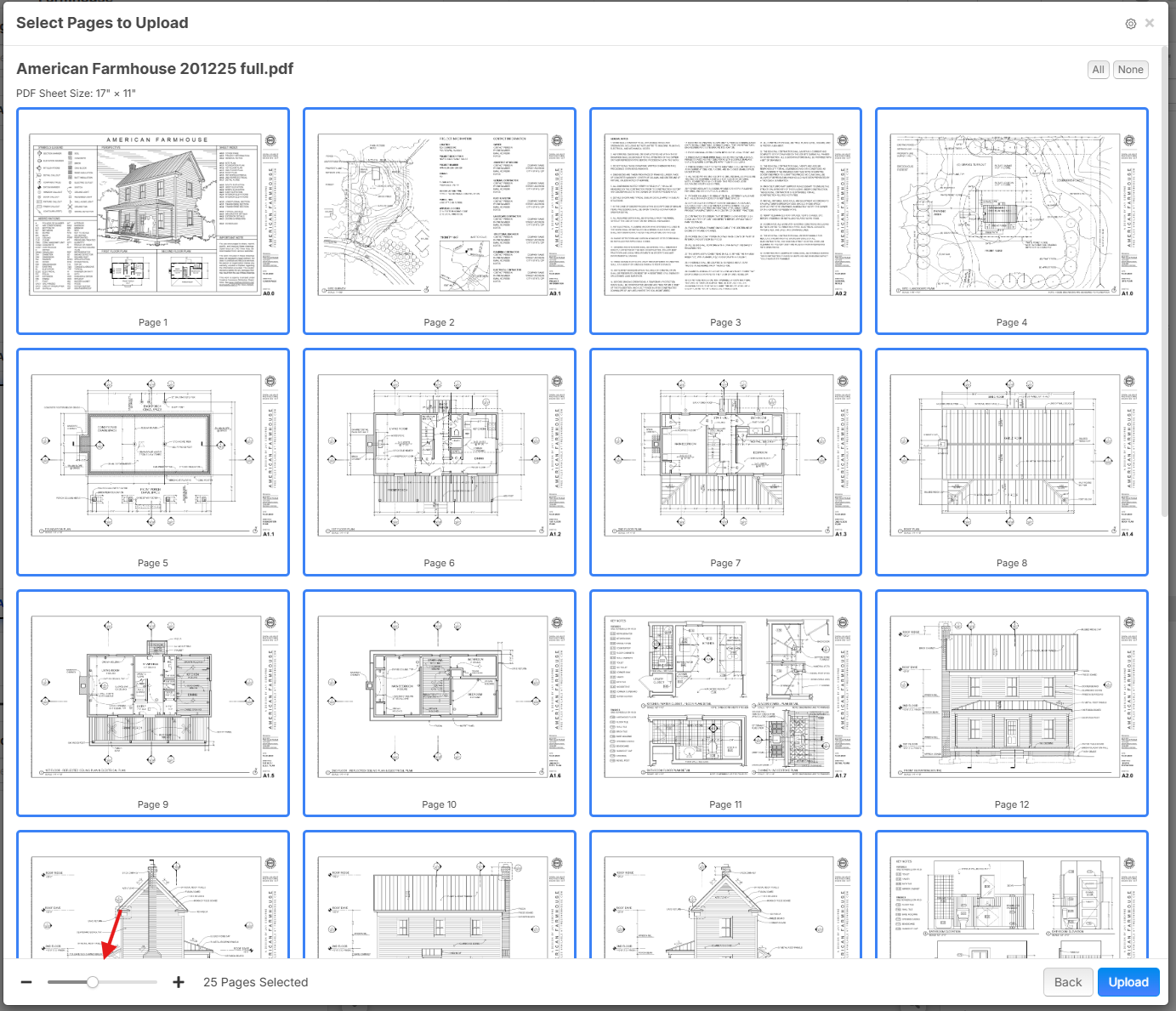
Plans page:
Plan Dimmer
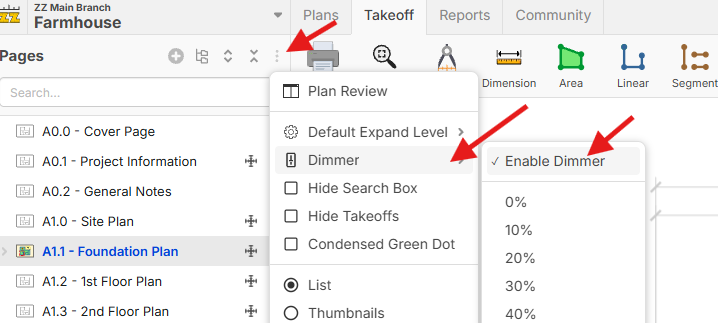
Fade the plan so your takeoffs and markups stand out. You can turn this on from the Pages sidebar. This is a per-user setting, so it won't affect other users in the project.
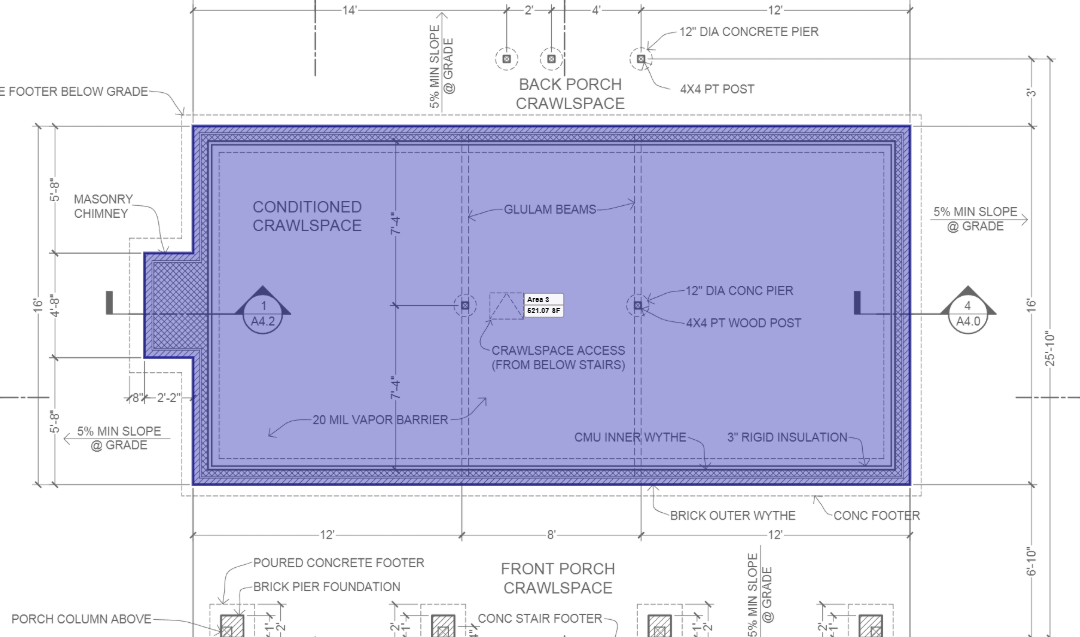
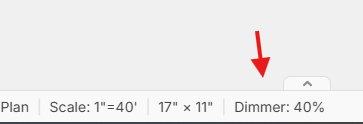
If the dimmer is enabled, you also get a dimmer % in the footer:
Draggable Midpoints - Move or Extrude a Segment
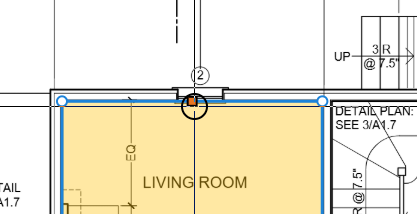
Every straight segment of a linear or area takeoff now has a square handle at its midpoint. Drag it (or move it with the arrow keys) to slide the whole segment while the segments on either side keep their angles. You can also hold Ctrl while dragging to extrude.
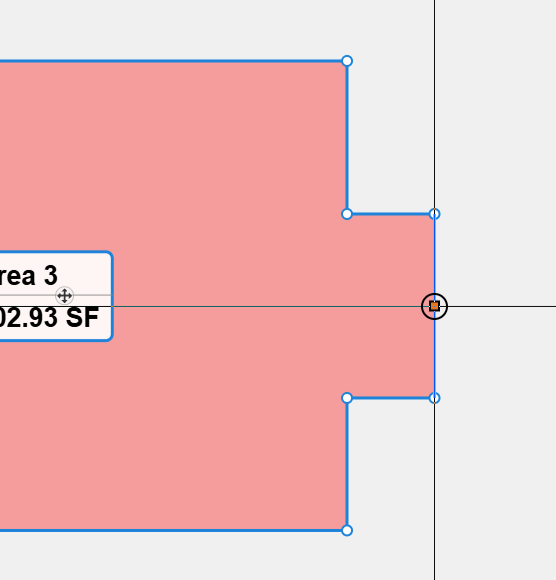
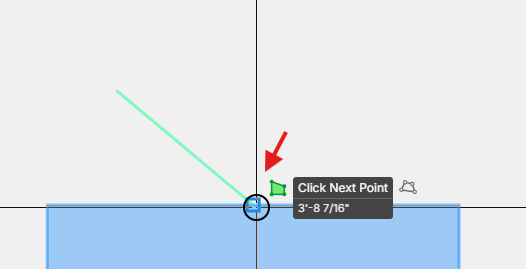
Snap to Midpoints
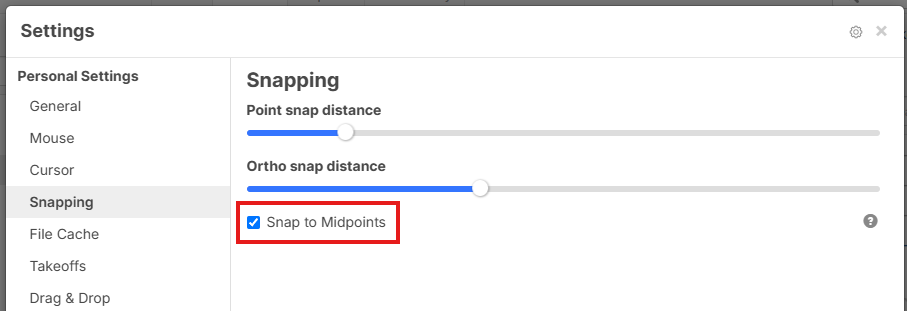
You can also enable "Snap to Midpoints" in Settings > Snapping.
Plans Tab - Expand / Collapse Buttons
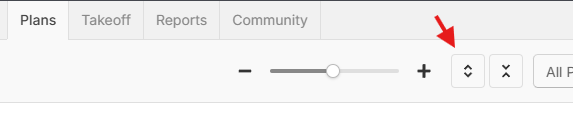
The Plans tab has new expand and collapse buttons. Each click opens or closes one more level of folders, and Shift+click expands or collapses everything at once. You can also set a default expand level so the tab opens the way you want it every time.
Sheet Size in the Footer Bar
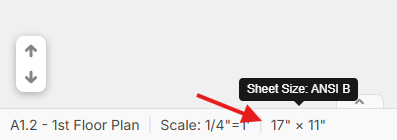
The status bar on the takeoff page now shows the sheet size of the current page, with the common name (ARCH D, ANSI B, A1, etc.) in the tooltip when it matches a standard size.
Misc.
- Auto Count - Better Matching + Keyboard Review
- Right-click pan on Linux now works
- Ctrl+Z / Ctrl+Y no longer undo search in sidebars when doing takeoff
- New features in testing now show as "Ready to Test" on Inside Track with a link to test the individual feature & to discuss.
- Various bug fixes and tweaks
Thanks for all your feedback & suggestions! 🚀

Awesome new features, thanks dev team!!

What is going on here? Are you guys like mind reading, or do you have AI spying on me? Midpoint and export vectored pdf are 2 things I struggled with a little bit last week. If you do have a bug in my office I apologize in advance for my language in my defense I was unsupervised.
😂7🤣3
@Ben Now that we have the mind reading part of our app finished, we'll be able to predict what you guys want a lot more easily. 😂 On a more serious note, thank you to this community for all the feedback so we can continue to improve zzTakeoff. 🚀
🤯2😂2@Heber I feel sorry for anyone that can read my mind, its not pretty up in there. If you had read my mind for real the other thing that i wished for last week was a snap to perpendicular feature. so when drawing joining lines and shapes i can get a clean 90 degree angle.
So the mind reading feature is running at 75%, those are rookie numbers, might need to pump those numbers up a bit. LOL

%22%2F%3E%3Ctext%20x%3D%2232%22%20y%3D%2233%22%20text-anchor%3D%22middle%22%20dominant-baseline%3D%22central%22%20font-family%3D%22Arial%2C%20sans-serif%22%20font-size%3D%2226%22%20font-weight%3D%22600%22%20fill%3D%22%23fff%22%3EBB%3C%2Ftext%3E%3C%2Fsvg%3E "Boone Beagley")

%22%2F%3E%3Ctext%20x%3D%2232%22%20y%3D%2233%22%20text-anchor%3D%22middle%22%20dominant-baseline%3D%22central%22%20font-family%3D%22Arial%2C%20sans-serif%22%20font-size%3D%2226%22%20font-weight%3D%22600%22%20fill%3D%22%23fff%22%3ENC%3C%2Ftext%3E%3C%2Fsvg%3E "Nick Curtis")
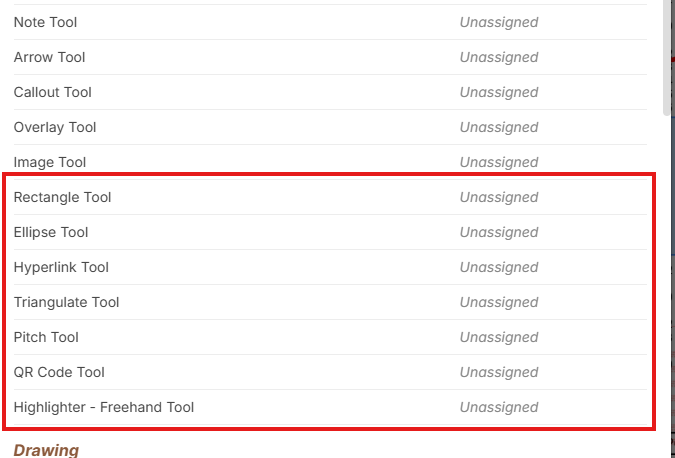
It looks like there isn't a way to make a hotkey for the freehand highlighter. Am i missing it, or is there not a way to access quicker than / then type highlighter and select freehand?
👍1
@Nick, looks like we missed adding a customizable hotkey for the freehand highlighter (along with the other '/' command tools). I'll see if we can get a patch out for that soon.
👍1@Nick, if you refresh your page, you should now be able to assign a hotkey to the freehand highlighter (+ the other '/' command tools).
%22%2F%3E%3Ctext%20x%3D%2232%22%20y%3D%2233%22%20text-anchor%3D%22middle%22%20dominant-baseline%3D%22central%22%20font-family%3D%22Arial%2C%20sans-serif%22%20font-size%3D%2226%22%20font-weight%3D%22600%22%20fill%3D%22%23fff%22%3EJ%3C%2Ftext%3E%3C%2Fsvg%3E "john")
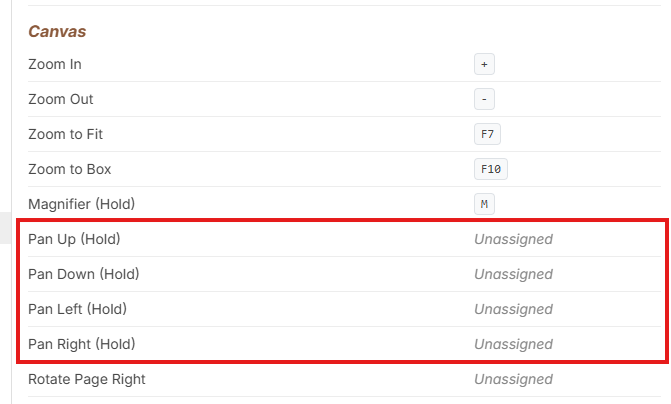
Yay! But no keyboard panning yet?
@John Woops...we'll add that. Slipped through the cracks. We'll put out a patch soon.
Sounds good. Thanks Heber!
%22%2F%3E%3Ctext%20x%3D%2232%22%20y%3D%2233%22%20text-anchor%3D%22middle%22%20dominant-baseline%3D%22central%22%20font-family%3D%22Arial%2C%20sans-serif%22%20font-size%3D%2226%22%20font-weight%3D%22600%22%20fill%3D%22%23fff%22%3ETB%3C%2Ftext%3E%3C%2Fsvg%3E "Toney B")
This is great. I just had issues with a couple of these yesterday and last week. I was just questioning if some of this was coming down the pipe. I also was just at a conference this morning and spoke to a couple companies for estimating software and mentioned how involved the team is with it's users, and the response I received was "Yeah. I have heard that about zz". So you guys are great! Keep it up
🚀2
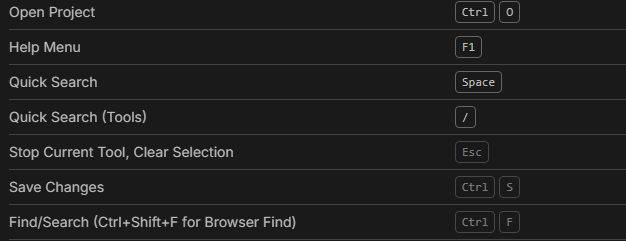
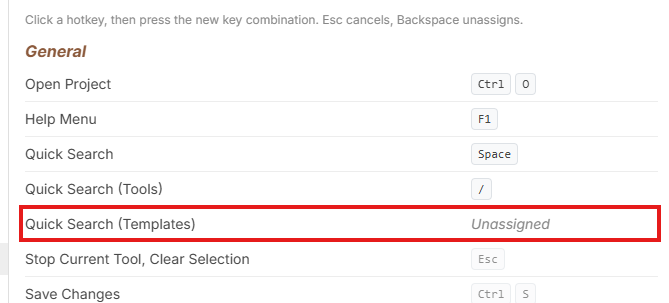
@Shawn It's all realtime 😂 For the hotkey to get to Templates, are you wanting the templates in the Quick Search popup or do you want it to switch to the Templates tab in the sidebar?

If you refresh @John and @Shawn, you should be able to assign hotkeys to both Quick Search (Templates) and Pan Up/Down/Left/Right.
@Jes We'll add an option for this. We're also open to ideas to appearance for how to make it stand out as different. We tried different sizes or colors and ended up leaving it as it is. Some users love it, some feel it's in their way.
%22%2F%3E%3Ctext%20x%3D%2232%22%20y%3D%2233%22%20text-anchor%3D%22middle%22%20dominant-baseline%3D%22central%22%20font-family%3D%22Arial%2C%20sans-serif%22%20font-size%3D%2226%22%20font-weight%3D%22600%22%20fill%3D%22%23fff%22%3EJ%3C%2Ftext%3E%3C%2Fsvg%3E "Jes")
I actually just tested it again for a few minutes and I do find it quite useful when I want to add an arch to an area takeoff, it's just a little cumbersome. Currently you need to double click the midpoint square first to add the actual point on the area, then click the new point again, and then hit A to insert the arch. Would be cool if I could just move my mouse over that midpoint square, press A, and it would make the arch right there to eliminate the triple clicking
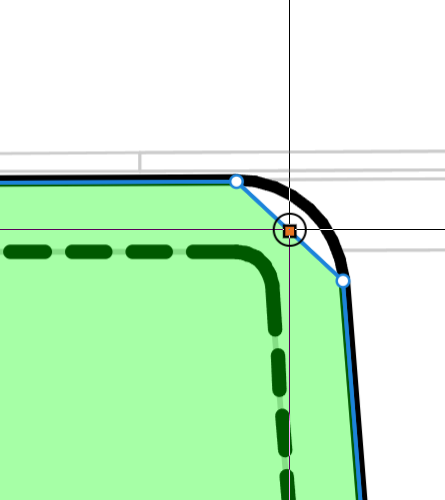
But earlier when I was working with regular box style area takeoff and needing to add/tweak some points, the squares were popping up a lot. A hotkey toggle for me would be great.
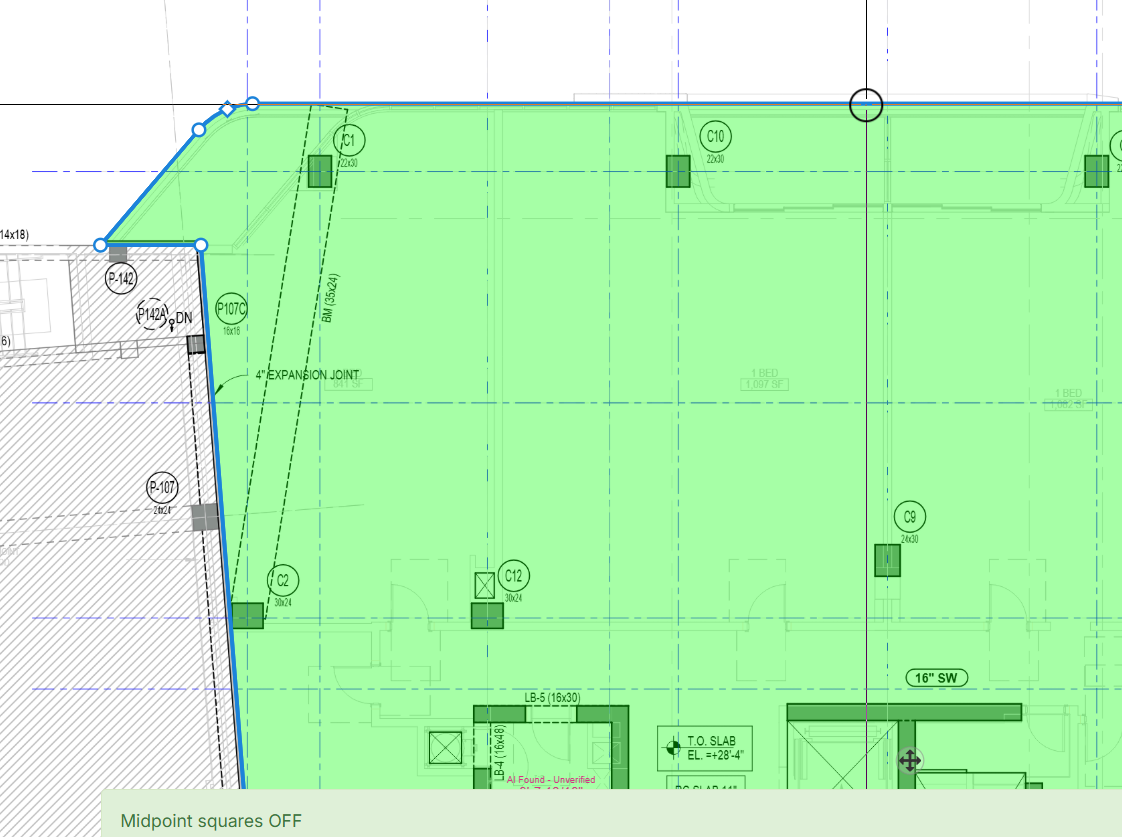
Claude just built a bookmarklet for me to turn them on and off with a hotkey though in the meantime 😎
👍3👀1